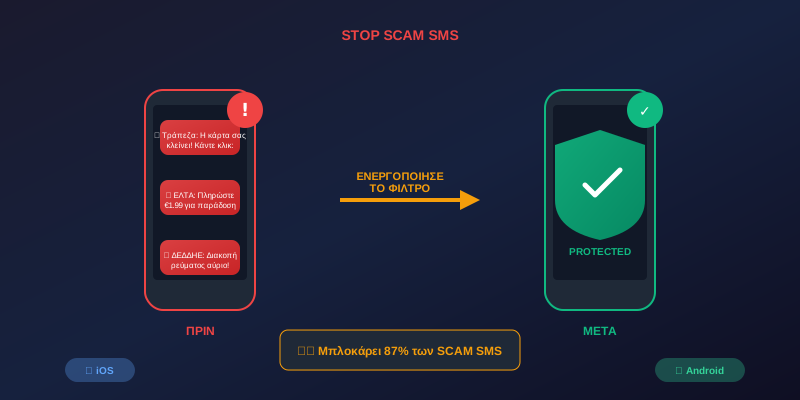
Receiving messages from “banks”, “postal services” or “couriers” asking you to click on links? These are scam SMS and they can cost you money or personal data. The good news? Your phone already has built-in protection - you just need to enable it!
📊 The Problem in Numbers
Scam SMS have skyrocketed in recent years. According to data:
⚠️ What Does a Scam SMS Look Like?
Scammers are getting smarter. Here are some examples:
"Your card will be deactivated. Confirm here: bit.ly/xxxx"
"Your package is being held. Pay €1.99 fees: link.com/post"
"Delivery failed. Update your address: delivery-update.xyz"
"Your power will be cut tomorrow. Pay now: utility-pay.com"
📱 How to Enable Protection
✅ Now messages from unknown numbers will go to a separate “Unknown Senders” folder!
✅ Google will automatically analyze SMS and block suspicious messages!
🛡️ Additional Protection Measures
Beyond enabling the filter, follow these tips:
- Never click on links in SMS - go directly to the official website
- Banks don't send links via SMS - if you receive one, it's a scam
- Check the sender number - scams usually come from foreign numbers
- Don't reply to suspicious messages - you confirm that your number is active
- Report scams - you help protect others too
🔍 What to Do If You've Been a Victim
If you clicked on a scam link or shared your details:
- Contact your bank immediately to block suspicious transactions
- Change your passwords for email and banking apps
- File a report with the Cybercrime Division
- Inform your family so they don't fall victim too
📌 Conclusion
With just a few minutes of setup, you can protect yourself from the majority of SMS scams. Enable the filter today and share it with your parents and grandparents - they are the most vulnerable targets!
Share this article to help others stay protected! 🛡️