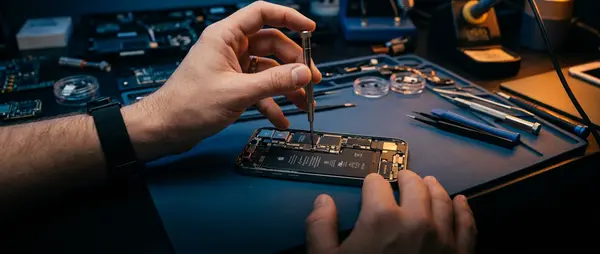
Most repairs won't touch your data. Screen replacement, battery swap, charging port fix — your photos stay put. But "most" isn't "all," and nobody wants to discover their data vanished after pickup. Here's how to backup your phone before handing it over for repair.
🍎 iPhone Backup: 3 Methods That Work
1. iCloud Backup (Recommended)
Settings → [Your Name] → iCloud → iCloud Backup → Back Up Now
You'll need Wi-Fi and enough iCloud storage (5GB free, upgrade if needed). Backup completes in 5–30 minutes depending on data size. This method saves everything: apps, settings, messages, photos.
2. iTunes / Finder Backup (Local Storage)
Connect iPhone with cable to computer → open iTunes (Windows) or Finder (Mac) → click Backup Now. Advantage: stores locally, no cloud fees. Downside: tied to that specific computer.
3. Encrypted Backup (For Passwords)
In iTunes/Finder, check "Encrypt iPhone backup" before starting. This saves passwords too: Health data, Wi-Fi passwords, account settings. Essential if you use Face ID for banking apps.
🤖 Android Backup (Samsung, Xiaomi, OnePlus)
Google One / Drive Backup
Settings → Accounts → Google → Backup → Back up now
Saves: contacts, SMS, apps, settings. Photos need Google Photos separately. Works across all Android brands, but some manufacturer apps won't restore perfectly.
Samsung Smart Switch
For Samsung phones: download Smart Switch app (PC or Mac) → backup everything locally. More complete than Google backup — saves Samsung-specific settings, themes, even game progress.
⚠️ What Backups DON'T Save
- App data from games that don't support cloud saves (check each game's settings)
- WhatsApp chat history — needs separate backup from within WhatsApp
- 2FA authenticator codes (Google Authenticator, Authy) — export these first
- Downloaded music from Spotify, Apple Music (you'll re-download)
🔧 When You DON'T Need Backup
Screen replacement, battery swap, charging port repair — your data stays safe. These repairs don't touch the storage chip. But if your phone won't turn on or needs motherboard work, backup becomes critical (assuming it still powers up).
Ready for Repair?
Bring your phone — we'll help with backup if needed, and complete repairs same day.
Book Appointment