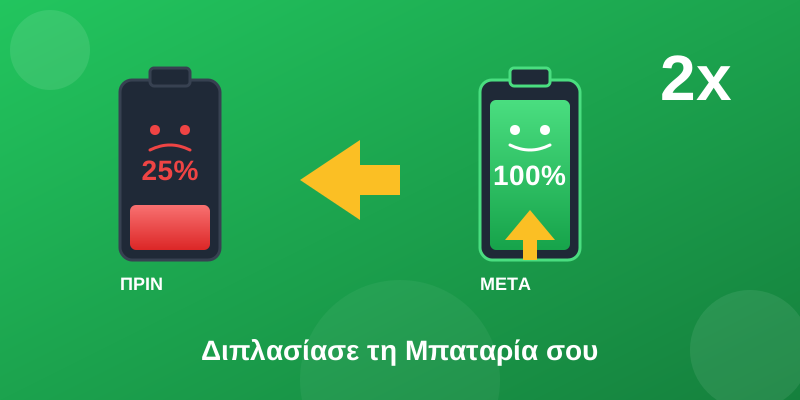
30% battery at 2pm? You're not alone! With these 15 settings you'll see a huge difference - without sacrificing your phone's functionality.
⚡ The “Big Culprits” - Instant Savings
Many apps request location “always”, when they only need it while you're using them. This kills your battery in the background!
iPhone:
- Settings → Privacy & Security → Location Services
- For each app: Select “While Using” instead of “Always”
- Disable for apps that don't need it (e.g. games)
Android:
- Settings → Location → App permissions
- For each app: “Allow only while using the app”
Dozens of apps refresh in the background, even when you're not using them. Keep it only for the important ones (email, messaging).
iPhone:
Settings → General → Background App Refresh → Select “Off” or “Wi-Fi”
Android:
Settings → Apps → [App] → Battery → “Restricted”
🔋 +10-20% batteryThe screen is the biggest power consumer. Use auto-brightness or keep it at 50% max.
Pro tip: Enable Dark Mode - it saves up to 30% on OLED screens!
🔋 +15-30% battery📱 Settings You're Ignoring
Push keeps a constant connection to the server. Set it to Fetch every 15-30 minutes or Manual.
iPhone:
Settings → Mail → Accounts → Fetch New Data → Select “Every 30 Minutes”
🔋 +5-10% battery5G is faster but uses 20-30% more battery. If you're not downloading large files, LTE is more than enough.
iPhone:
Settings → Cellular → Cellular Data Options → Voice & Data → LTE
Android:
Settings → Network & Internet → SIMs → Preferred network type → 4G/LTE
🔋 +10-20% batteryEvery notification = the screen lights up, vibrates, plays a sound. Keep only the essentials (calls, messages, calendar).
Settings → Notifications → Disable for non-critical apps
🔋 +5-15% battery🔧 For Advanced Users
Enable Low Power Mode when you know you'll have a long day. You can activate it automatically with Shortcuts/Automation!
iPhone Automation:
- Shortcuts app → Automation → +
- "When Low Power Mode is turned off"
- Add action: “Set Low Power Mode On”
This way it will always be active!
🔋 +20-40% batteryGo to battery settings and see which apps consume the most. You'll often find surprises!
iPhone:
Settings → Battery → See “Battery Usage by App”
Android:
Settings → Battery → Battery usage
Common culprits: Facebook, Instagram, TikTok, Snapchat, Google Maps
🔋 Find the thieves!Every widget on your home screen refreshes regularly. Keep only the essentials - weather, calendar, reminders.
🔋 +3-5% batteryIf you're not expecting important calls, turn on Airplane Mode when you sleep. You'll wake up with almost 100% battery!
🔋 +5-10% overnight🔌 Charging - What You Need to Know
- 11. Don't let your battery drop below 20%
- 12. Don't charge to 100% if you don't need to - 80% is ideal
- 13. Avoid charging in high temperatures
- 14. Use the original charger or MFi certified
- 15. Enable “Optimized Battery Charging” (iPhone) or “Adaptive Charging” (Android)
iPhone:
Settings → Battery → Battery Health & Charging → Optimized Battery Charging: ON
❌ Battery Myths
Quick Wins - Do These Now!
1. Location → While Using | 2. Background Refresh → Off | 3. 5G → LTE | 4. Dark Mode → On | 5. Brightness → 50%
📌 Conclusion
You don't need to do everything - even 3-4 of these changes will make a huge difference! Start with Location and Background App Refresh - they're the biggest culprits.
How much battery do you have right now? Tell us in the comments! 🔋