Your Apple Watch won't turn on this morning. Or it's stuck on the white Apple logo after an update. You tried charging, you tried restarting — nothing. The causes are specific, and most fix themselves without expensive repairs.
🔋 Step 1: Check If the Battery Just Died
Before panicking about hardware failure, put the watch on its charger for at least 30 minutes without interruption. When the battery drains completely, your Apple Watch shows zero signs of life for the first 5–10 minutes of charging. This is normal behavior.
🔄 Step 2: Force Restart Your Apple Watch
If it powers on but freezes: hold the side button + Digital Crown simultaneously for 10 seconds until the Apple logo appears. Release immediately. This fixes most post-update freezes.
⚠️ The 5 Reasons Your Apple Watch Won't Turn On
1. Battery completely drained
Most common cause. Solution: charge for 30 minutes and wait.
2. Stuck on Apple Logo ("Stuck on Apple")
The watch displays the apple continuously without loading. Cause: failed watchOS update or corrupted firmware. Requires restore via iPhone or lab repair.
3. Water or moisture damage
Despite water resistance, water intrusion into internals (e.g., after impact that broke the seal) can cause shorts. Requires board cleaning.
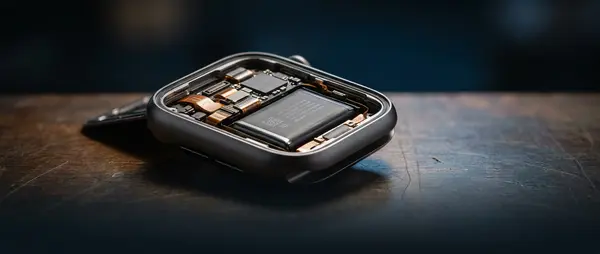
4. Swollen battery
If the battery has expanded, the pressure it exerts can disable the watch. Visible sign: the screen lifts slightly. Requires immediate replacement.
5. Motherboard failure
Rarest cause, usually after drops or strong impacts. Requires diagnosis and component-level repair.
💰 Apple Watch "Stuck on Apple" Repair Costs
| Apple Watch Model | Repair Price |
|---|---|
| Ultra 2 | €115.40 |
| Series 10 (46mm) | €77.60 |
| Series 10 (42mm) / Series 9 | €68.32 |
| Series 8 / 7 | €65.60 |
| Series 6 / SE 1st | €56.00 |
🛠️ What You Can Try (and What You Shouldn't)
You can try: Charging, force restart, unpair/repair via iPhone.
Don't attempt: Opening the watch yourself. Apple Watch seals with special adhesive and failed attempts can crack the screen or damage connectors.
See detailed repair information on our Apple Watch repair page.
Apple Watch Stuck on Apple Logo or Won't Turn On?
Bring it for free diagnosis — same-day results on what's wrong.
Book Appointment