Hypertension is the “silent killer” — a condition that often shows no symptoms until it's too late.
With watchOS 26 and the Apple Watch Series 11, Apple is introducing a groundbreaking feature: hypertension alerts that can detect signs of high blood pressure before any symptoms even appear. In this guide, we cover everything — from how it works, to country availability and eligibility requirements.
What Is Hypertension and Why Should You Care?
Hypertension (high blood pressure) is a chronic condition affecting over 1.28 billion adults worldwide, according to the World Health Organization. The truly alarming part? Nearly 46% of them don't even know they have it. Hypertension dramatically increases the risk of stroke, heart attack, kidney failure, and other serious conditions.
Traditionally, measuring blood pressure required a visit to the doctor or purchasing a home blood pressure monitor. Most of us don't check regularly — which means hypertension can go undetected for years. With the latest generation of the Apple Watch, Apple aims to change that.
How Hypertension Alerts Work on Apple Watch
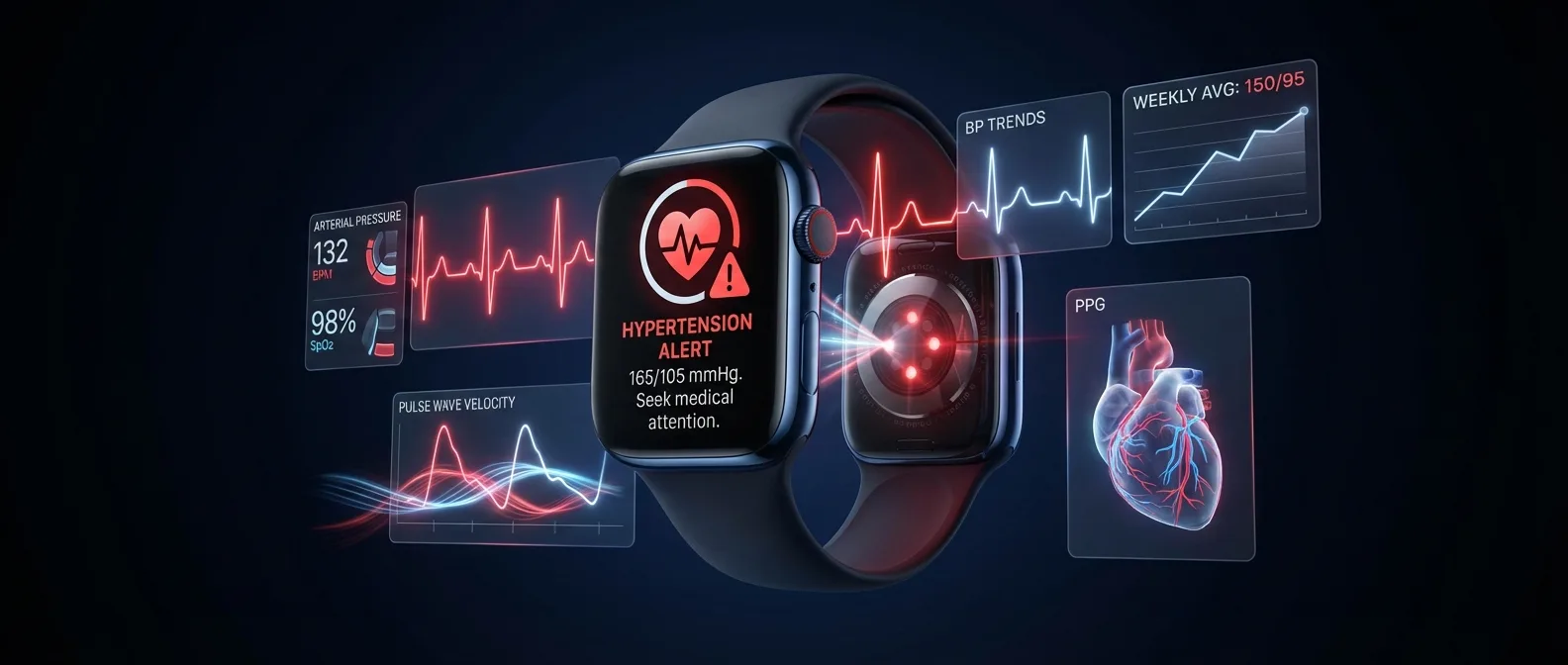
The Hypertension Notifications feature on the Apple Watch Series 11 doesn't replace a traditional blood pressure monitor — nor does Apple claim it does. Instead, it analyzes trends in data collected by the optical heart sensor (photoplethysmography/PPG) during sleep and moments of rest, to identify signs that your blood pressure may be at concerning levels.
Data Collection
The PPG sensor continuously measures your pulse and analyzes blood flow patterns at your wrist — especially during sleep.
AI Analysis
Machine learning algorithms analyze pulse wave velocity trends and identify patterns associated with high blood pressure.
Alert
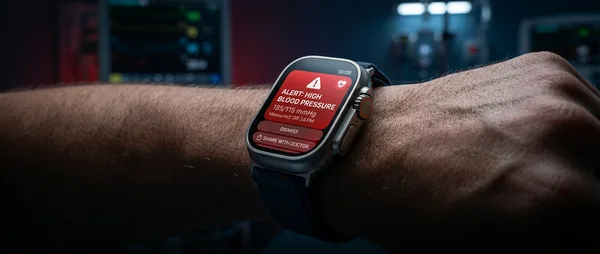
If a high blood pressure trend is detected, you'll receive an alert on your Apple Watch and in the Health app on your iPhone.
The technology relies on a method called Pulse Transit Time (PTT) or Pulse Wave Velocity (PWV). Instead of directly measuring pressure in mmHg, it analyzes how quickly the blood pulse travels through the vessels. When arteries are stiffer or narrower (a sign of hypertension), the pulse travels faster.
Important Disclaimer
According to Apple, hypertension alerts are not intended for use by individuals under 22, those already diagnosed with hypertension, or pregnant individuals. The feature is designed for detection — not monitoring — meaning it targets people who don't yet know they may have the condition.
The Technology Behind the Sensor
The Apple Watch Series 11 features a significantly upgraded optical sensor system. The new generation PPG sensor uses multiple wavelengths of light (green, red, infrared) to analyze blood volume in the wrist vessels with unprecedented accuracy.
Apple developed the feature through extensive clinical studies, comparing watch data against actual blood pressure cuff readings. The result is not a number (e.g., 140/90 mmHg), but a trend alert: the watch tells you that data suggests possible hypertension and recommends you see a doctor.
Apple Watch vs Traditional Blood Pressure Monitor
Which Countries Support Hypertension Alerts
One of the biggest questions surrounding hypertension alerts is geographic availability. Good news: Apple has approved the feature in an exceptionally large number of countries — far more than originally expected.
According to the official Apple watchOS Feature Availability page (February 2026), hypertension alerts are available in over 150 countries and regions, including Greece!
Greece Is on the List!
Greek Apple Watch Series 11 users can use hypertension alerts from day one — with no restrictions.
European Countries with Availability
The feature is available across nearly all of Europe, indicating that Apple secured the necessary regulatory approvals (CE marking) early on. The main European countries include:
Major Countries Outside Europe
The list outside Europe is equally extensive, with the USA, Canada, Australia, Japan, South Korea, UAE, Saudi Arabia, Brazil, India, Hong Kong, and dozens more countries included. This is one of the largest health feature launches Apple has ever done across so many markets simultaneously.
Americas
USA, Canada, Brazil, Chile, Colombia, Dominican Republic, Ecuador, Guatemala, Jamaica, Guyana, Haiti, Suriname, and more.
Asia-Pacific
Japan, South Korea, India, Indonesia, Hong Kong, Singapore, Australia, New Zealand, Malaysia, Thailand, Vietnam, and more.
Middle East & Africa
UAE, Saudi Arabia, Qatar, Kuwait, Jordan, South Africa, Gabon, Seychelles, Mauritius, and more.
Countries NOT Yet Supported
Notable absences from the list include: China (mainland), Russia, Turkey (although Türkiye does appear on the list), and certain African countries. This may be due to pending regulatory approvals or trade restrictions. Apple typically expands availability gradually — so if your country isn't included, it will likely be added in a future update.
Requirements & Compatible Devices
Not every Apple Watch can send hypertension alerts. The feature requires specific hardware — the new sensor found only in the 2025 models.
It's noteworthy that Apple sets an age limit of 22 — which is unusual. This is most likely because clinical studies primarily included adults above this age, and the algorithm's accuracy has not been validated for younger populations. Similarly, the exclusion of individuals already diagnosed with hypertension means the feature functions as a screening tool, not a monitoring one.
How to Enable Hypertension Alerts
If you meet the requirements, setup is fairly straightforward. Follow the steps below:
Update Your Software
Make sure your Apple Watch is running watchOS 26 or later and your iPhone is running iOS 26. Go to Watch App → General → Software Update.
Open the Health App
On your iPhone, open Health → Browse → Heart → Hypertension Notifications.
Set Up Your Profile
You'll be asked to confirm your age, medical history, and accept the terms of use. This ensures you meet the eligibility criteria.
Wear the Watch During Sleep
The feature collects the most accurate data during sleep. Wear your Apple Watch at night — snug but comfortable — for at least one week to establish a baseline.
Wait for Results
After several nights of data collection, the feature is ready. If a high blood pressure trend is detected, you'll receive an alert on your watch and iPhone.
Privacy & Data Security
Apple emphasizes that all health data remains encrypted on-device. The analysis for hypertension alerts happens locally on the Apple Watch — no data is sent to Apple's servers without your explicit consent.
End-to-End Encryption
Your data is encrypted with your passcode.
On-Device Processing
AI analysis happens locally, no cloud involved.
User-Controlled Sharing
Only you decide whether to share your data.
PDF Doctor Report
Export a report to share with your doctor.
If you want to share your data with your doctor, you can export a PDF report from the Health app. This is useful as a screening tool — you can show your doctor the trends the watch detected and decide together whether further testing is needed.
Frequently Asked Questions
Can the Apple Watch SE 3 show hypertension alerts?
No. The feature requires the new sensor found only in the Apple Watch Series 11 and Ultra 3. The SE 3, as a more affordable model, does not include this sensor.
Does it give me a blood pressure number (e.g. 140/90)?
No. The feature does not provide numerical blood pressure readings. It only gives trend alerts — notifying you if the algorithm detects patterns suggesting possible hypertension.
Do I need to wear the watch while sleeping?
Ideally, yes. The algorithm primarily analyzes data collected during sleep, when the body is at rest and measurements are most reliable. Without sleep data, the feature may not provide alerts.
What should I do if I receive an alert?
Apple recommends contacting your doctor. The alert is not a diagnosis — but an indication that you should get a proper blood pressure check. You can export a PDF report from the Health app.
Does it replace a blood pressure monitor?
Absolutely not. Apple is clear: the feature is a screening tool, meaning first-line detection. For accurate readings and monitoring, you need a traditional sphygmomanometer or medical equipment.
The Evolution of Health Features on Apple Watch
Hypertension alerts didn't come out of nowhere — they're the natural evolution of a consistent health strategy Apple has been pursuing for years:
2018 — Apple Watch Series 4
First wrist ECG. Atrial fibrillation (AFib) detection. FDA clearance.
2020 — Apple Watch Series 6
Blood Oxygen (SpO2) sensor. On-demand blood oxygen measurement.
2022 — Apple Watch Series 8
Temperature sensor. Retrospective ovulation estimates. Crash Detection.
2024 — Apple Watch Series 10
Sleep Apnea notifications. Sleep apnea detection via accelerometer.
2025 — Apple Watch Series 11 ⭐
Hypertension Notifications. Hypertension trend detection via PPG/PWV analysis. 2x scratch resistance.
Each new Apple Watch generation adds another piece to the health puzzle. Hypertension was the biggest “white whale” — the condition everyone always wanted a smartwatch to detect but seemed impossible without a cuff. The Series 11 doesn't fully solve the problem, but it takes a massive step forward.
Practical Tips & What to Expect
Proper Fit
Wear the watch snugly — but not uncomfortably — on your wrist. The sensor needs to sit flush against your skin. A loose watch means inaccurate data. Apple recommends one finger's width between the band and skin.
Regular Sleep Wear
For best results, wear your Apple Watch every night. The algorithm needs consistent sleep data to detect trends. Sporadic use can reduce reliability.
Patience
Don't expect results immediately. The algorithm needs several nights (at least a week) to establish a reliable baseline. Alerts only come when there's a clear trend.
Always See a Doctor
If you receive an alert, don't panic — but don't ignore it either. Schedule an appointment for a blood pressure check with professional equipment. It's screening, not diagnosis.
What Does This Mean for the Future?
The introduction of hypertension alerts on Apple Watch marks a new chapter in digital health. We're talking about a device that can already perform ECGs, detect atrial fibrillation, sleep apnea, falls, car crashes — and now adds hypertension to its arsenal.
Of course, technology doesn't replace the doctor. But imagine the impact: millions of people who didn't know they had hypertension will receive an alert on their wrist. Some will see a doctor. Some will start treatment. And some — perhaps — will avoid a stroke or heart attack.
This, ultimately, is the true power of a smartwatch: not precision measurement, but detection at scale. A watch on the wrist of 100 million people can save more lives than the most expensive medical machines in a hospital.
Your Health Deserves an Apple Watch
The Apple Watch Series 11 starts at $399 and offers the most comprehensive health package in a smartwatch — ECG, SpO2, sleep apnea, fall detection, and now hypertension alerts.
Hypertension alerts are not intended as a medical device. Always consult your doctor.