The iPhone 17 Pro Max shatters every battery record with up to 39 hours of video playback — 16 hours more than the iPhone 15 Pro Max. The iPhone 17 Pro reaches 33 hours, 10 hours more than its predecessor. How did Apple achieve this massive leap? The answer lies in a radically new internal design, a revolutionary cooling system, and the most efficient chip Apple has ever built.
📖 Read more: iPhone 18 Pro Max: The Biggest Battery in iPhone History
The Numbers That Change Everything
According to Apple, the iPhone 17 Pro Max offers up to 39 hours of video playback, while the iPhone 17 Pro reaches 33 hours. With the fast charger (40W Dynamic Power Adapter), the phone charges to 50% in just 20 minutes. These numbers aren't marketing fluff — they're the result of four technological innovations working together.
Unibody Design: Room for a Bigger Battery
The biggest change in the iPhone 17 Pro is its heat-forged aluminum unibody enclosure. Instead of separate frame and back panel, the entire back and sides form a single piece of heat-forged aluminum. According to Apple, this “maximizes performance, battery capacity, and durability.”
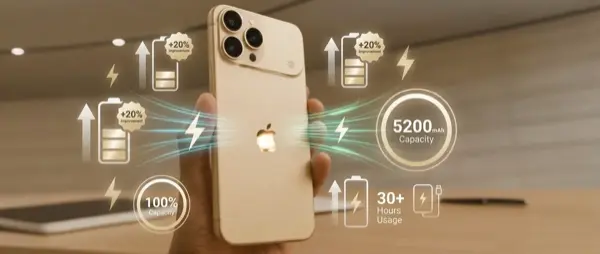
In practice, eliminating internal structural components created significant additional room for a larger battery. This space, combined with stacked battery cells (layered vertically instead of horizontally), increases capacity by an estimated 8-10% within the same footprint. Apple doesn't officially publish mAh numbers, but analysts estimate capacity around 4,700mAh for the Pro Max.
Vapor Chamber: Revolutionary Cooling
For the first time in an iPhone, Apple introduced a laser-welded vapor chamber — a cooling system previously used in gaming laptops and professional workstations. The vapor chamber works in conjunction with the aluminum unibody to efficiently move heat away from the A19 Pro chip.
📖 Read more: 5 Mistakes That Are Killing Your iPhone Battery
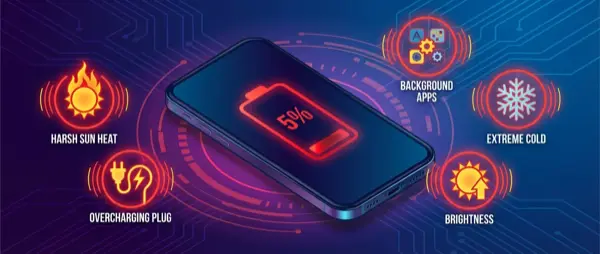
Why cooling matters for battery: According to Apple Support, heat “can permanently reduce battery lifespan.” By preventing overheating, avoiding temperatures above 35°C, and maintaining optimal thermal conditions during charging, the vapor chamber helps preserve battery health long-term.
The vapor chamber is manufactured with 100% recycled copper, according to Apple's environmental specs — a significant step for sustainability.
A19 Pro: More Power, Less Consumption
The A19 Pro chip is Apple's most power-efficient processor ever. With an up to 40% faster CPU and up to 2x faster GPU compared to the A17 Pro, it manages to do more while consuming less energy. The integration of Neural Accelerators into every GPU core enables more efficient AI processing without draining the battery.
In practice, tasks that required 100% CPU load for 5 seconds now finish in 3 seconds — saving 2 seconds of power consumption on every operation.
ProMotion LTPO: The Display That Saves
The Super Retina XDR display with LTPO ProMotion technology dynamically adjusts its refresh rate from 1Hz (always-on display, static content) to 120Hz (gaming, scrolling). During idle hours or on the Always-on Display, the screen consumes minimal power — but responds instantly at 120Hz the moment you touch the phone.
📖 Read more: Battery Health iPhone: Check & Protect Guide 2026
Optimized Battery Charging: The Invisible Guardian
According to Apple Support, “a battery warms up as it charges, which can reduce its lifespan.” That's why iPhone uses two protection systems:
- Optimized Battery Charging: Learns your habits through machine learning. If you typically charge overnight, it pauses at 80% and completes to 100% just before you wake up
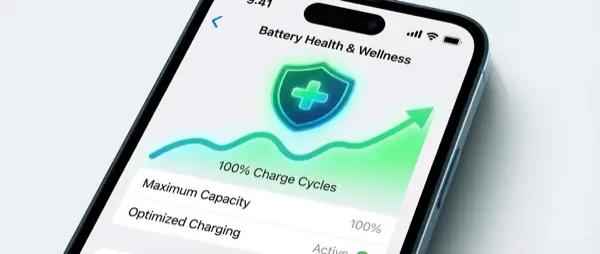
- Charge Limit: On iPhone 15 and later, you can set a charge limit between 80-100% in 5% increments. Setting it to 80% or 85% dramatically extends the battery's chemical lifespan
- Thermal protection: Software limits charging above 80% when the recommended battery temperatures are exceeded
"iPhone is designed to perform well in a wide range of ambient temperatures, ideally 62° to 72° F (16° to 22° C). Avoid using or charging your device in ambient temperatures higher than 95° F (35° C), which can permanently reduce battery lifespan."
— Apple Support, Charge and maintain your iPhone batteryTips to Maximize Battery Life
- Use Wi-Fi instead of 5G — according to Apple, Wi-Fi and Bluetooth draw minimal power when not connected
- Enable Auto-Brightness — the display is the biggest energy consumer
- Avoid extreme temperatures — above 35°C during charging can cause permanent damage
- Set Charge Limit to 80-85% — significantly extends charge cycle lifespan
- Keep Wi-Fi and Bluetooth enabled — Apple recommends not turning them off
Sources:
Apple — iPhone 17 Pro — Battery Life & Design
Apple Support — Charge and maintain your iPhone battery