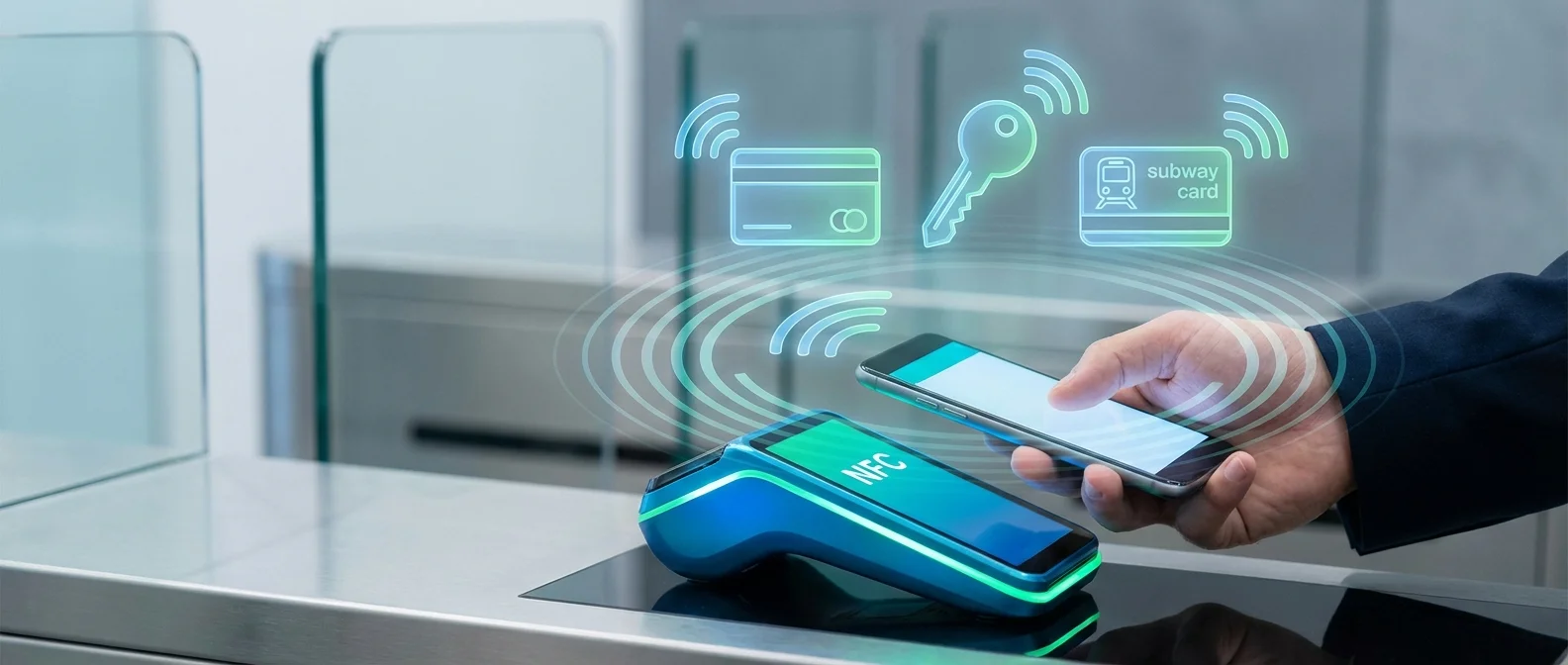
NFC (Near Field Communication) on the iPhone has undergone a dramatic transformation in recent years. What was once a chip used exclusively for Apple Pay has evolved into an open platform supporting third-party payments, digital car keys, hotel room keys, digital IDs, transit cards, tap-to-pay for merchants, and App Clips. In this comprehensive guide, we cover every NFC capability available on the iPhone in 2026 — and how to make the most of each one.
What Is NFC and How It Works on iPhone
NFC (Near Field Communication) is a short-range wireless communication technology that operates at distances under 4 centimeters. It uses the 13.56 MHz radio frequency and requires no pairing or configuration — simply bringing two compatible devices close together is enough. Apple first included an NFC chip in the iPhone 6 back in 2014, but for years it was locked down exclusively for Apple Pay.
Things started changing gradually: iOS 11 added NFC tag reading, iOS 13 enabled NFC tag writing, and iOS 14 introduced App Clips via NFC. However, the real revolution came with iOS 18.1, when Apple — under pressure from the European Union's Digital Markets Act — finally opened the NFC chip to third-party developers, enabling contactless payments outside Apple Pay for the very first time.
Apple Pay: The Classic NFC Use Case
Apple Pay remains the most popular NFC function on the iPhone. It lets you pay contactlessly at any store that accepts tap-to-pay — just hold your iPhone near the POS terminal. The process is simple: double-click the side button, authenticate with Face ID or Touch ID, and hold your device near the terminal. Payment completes in under a second.
Every transaction uses a unique Device Account Number and a dynamic security code — your actual card details are never stored on the device or transmitted to the merchant. The card information is kept in the Secure Element, a dedicated chip inside the iPhone that is physically isolated from the rest of the system. Even if someone gains access to your iPhone, they cannot view your card number.
Third-Party NFC Payments: The Major iOS 18.1 Shift
In November 2024, with the release of iOS 18.1, Apple made a historic move: it opened the iPhone's NFC chip to third-party developers. This means banks, fintech companies, and payment apps can now offer their own contactless payment services without requiring Apple Pay or Apple Wallet.
This change came after years of pressure from the European Commission, which charged Apple with anti-competitive behavior due to its monopoly on iPhone contactless payments. In July 2024, the EU accepted Apple's commitments to open NFC technology to competitors free of charge for a decade.
The first companies to take advantage of this were:
- Vipps (Norway): The world's first Apple Pay alternative on iPhone, launched in December 2024
- PayPal: Launched contactless iPhone payments in Germany in May 2025, completely independent of Apple Pay
- Curve Pay: The British fintech offering NFC iPhone payments across the EU from May 2025
In practice, this means you can now tap to pay directly from a banking app without ever going through Apple Wallet. Apple provides developers with a new NFC & SE (Secure Element) API framework that guarantees the same level of security as Apple Pay.
Digital Car Keys
One of the most impressive NFC applications on the iPhone is digital car keys. Apple introduced this feature with iOS 13.6 and has expanded it significantly since then. Today, you can unlock, lock, and start your car simply by holding your iPhone or Apple Watch near the door handle or the start point inside the vehicle.
Car Keys are stored in Apple Wallet and support two technologies: NFC for older compatible models, and UWB (Ultra Wideband) for newer ones, which allows unlocking without even taking your phone out of your pocket. Manufacturers supporting Apple Car Keys include BMW, Hyundai, Genesis, Kia, Mercedes-Benz, BYD, and several others.
You can also share a digital car key with family or friends via iMessage, and even set restrictions — such as maximum speed or maximum stereo volume for young drivers. If you lose your iPhone, you can disable the key remotely through iCloud.
Home Keys: Smart Lock Access via NFC
With Home Keys, your iPhone becomes the key to smart locks that support the Apple Home protocol. Stored in Apple Wallet, they work via NFC — simply hold your iPhone or Apple Watch near the lock to unlock your door.
The biggest advantage is that Home Keys work even when your iPhone battery has died — the NFC chip has a Power Reserve mode that maintains functionality for up to 5 hours after the device powers off. Compatible locks include models from Aqara, Level Lock, Schlage, and Yale.
Hotel Room Keys
Many hotel chains now support NFC room keys through Apple Wallet. Instead of a physical key card, you store a digital key on your iPhone during check-in, then unlock your room by holding the device near the lock. Chains supporting this feature include Hyatt, Hilton, IHG (InterContinental Hotels Group), and several other networks.
The advantage is clear: no waiting at the front desk for a physical key, and no risk of losing or demagnetizing a card. Room keys are automatically removed from Wallet after checkout.
Digital IDs and Driver's Licenses
Apple has introduced the ability to store digital identification in Apple Wallet, starting with driver's licenses and state IDs. This feature uses NFC for verification at airports, TSA checkpoints, and soon at even more locations. Certain US states already support this, and Apple is working with governments worldwide to expand the capability. In Europe, the EU Digital Identity Wallet initiative is under development, with Apple expected to integrate full support in the coming years.
At universities, some institutions already use NFC student IDs through Apple Wallet for building access, libraries, and dining services.
Transit Cards
In many major cities, you can use your iPhone instead of a physical transit card. Apple supports Express Transit — a feature that lets you tap your iPhone on the terminal without even unlocking the device or authenticating with Face ID. Supported networks include the London Underground (Oyster), Tokyo Metro (Suica/PASMO), and transit systems in New York, San Francisco, Sydney, Beijing, and dozens more cities.
Tap to Pay: Accept Payments with Your iPhone
Tap to Pay on iPhone turns your device into a POS (Point of Sale) terminal. Small businesses, freelancers, and vendors can accept contactless payments directly on their iPhone — no additional hardware, card reader, or dongle required.
The customer simply holds their card (credit, debit, or even another iPhone/Apple Watch) near the top of your iPhone, and the payment completes. It supports Apple Pay, Google Pay, Samsung Pay, and any contactless card. The service works through payment apps like Stripe, Square, SumUp, and Adyen.
App Clips via NFC
App Clips are small, lightweight apps that open instantly when you scan an NFC tag — no App Store download required. They function like digital cards in physical spaces: hold your iPhone near an NFC sticker, and a mini app launches with the relevant function.
Practical examples include renting electric scooters, ordering food at restaurants, paying parking meters, viewing digital menus, and activating store loyalty programs — all by simply tapping your iPhone on an NFC tag.
NFC Tags and Shortcuts Automations
You can purchase inexpensive NFC tags (stickers) — they cost under $1 each — and program them through the iPhone's Shortcuts app. Every time you hold your iPhone near a tag, an action executes automatically. The possibilities are practically limitless:
- Nightstand: Tag that activates Sleep Focus, dims brightness, and opens the alarm
- Office desk: Tag that enables Work Focus, opens Slack, and connects Bluetooth headphones
- Car dashboard: Tag that opens Maps, starts a podcast, and enables CarPlay
- Front door: Tag that turns on lights, disarms the alarm, and starts a playlist
Even AirTags work as NFC triggers for Shortcuts — holding your iPhone near an AirTag can trigger any automation you configure.
Multi-Purpose Tap: The Future of NFC
NFC Multi-Purpose Tap technology, presented by the NFC Forum in July 2024, enables multiple actions with a single tap. For example, one tap at a store terminal could simultaneously complete the payment, collect loyalty points, apply a coupon, and generate a digital receipt. Today, these actions require multiple scans or separate apps.
NFC Release 15: Quadrupled Range
In June 2025, the NFC Forum announced NFC Release 15, bringing significant upgrades. The most notable: maximum operating range increases from 0.5 centimeters to 2 centimeters — a fourfold improvement. While this may sound small, it makes a huge practical difference: you no longer need to precisely touch the terminal, just get close.
In February 2026, the NFC Forum published a new Technology Roadmap with six development areas for the coming years: faster data transfer, new security standards, expanded Multi-Purpose Tap capabilities, improved energy efficiency, support for new use cases (health, transport), and enhanced interoperability between devices.
"The next generation of NFC will transform every physical object into a digital interaction point. From payments and keys to health and identification, NFC is becoming the invisible bridge between the physical and digital worlds."
— NFC Forum Technology Roadmap, February 2026Which iPhones Support NFC
Every iPhone from the iPhone 6 onwards has an NFC chip, but capabilities vary significantly by model:
- iPhone 6/6s/7/8: Apple Pay only
- iPhone X/XS/XR: Apple Pay + Background NFC Tag Reading
- iPhone 11 and later: Apple Pay + NFC Tag Reading/Writing + Car Keys + Home Keys
- iPhone 15 Pro/iPhone 16 and later: All of the above + Third-Party NFC API + Tap to Pay
Troubleshooting NFC Issues
If NFC isn't working properly on your iPhone, try these steps:
- Remove your case: Some metal or very thick cases block the NFC signal. The NFC antenna is located at the top of the iPhone
- Enable NFC Tag Reader: Go to Settings > Control Center and add NFC Tag Reader
- Restart: A simple restart resolves many NFC issues
- Update iOS: Make sure you're running the latest version of iOS
- Check Wallet: For payments, ensure your card is properly set up in Wallet
Hardware Issue? If NFC still doesn't work after trying these steps, the NFC antenna or chip may need repair. At OnOff.gr we offer free diagnostics and handle NFC antenna repairs on all iPhone models.
Frequently Asked Questions
Can I use NFC without internet?
Yes, NFC works offline. Apple Pay, Car Keys, Home Keys, and Transit Cards all function without an internet connection. Even with a dead battery, Power Reserve keeps NFC functional.
Is NFC secure?
Extremely secure. The short range (under 4cm) makes interception nearly impossible. Additionally, every transaction uses encryption, unique codes, and biometric verification (Face ID/Touch ID).
How do I program an NFC tag?
Open the Shortcuts app, create a new Automation, select “NFC” as the trigger, scan the tag, and add the actions you want. NFC tags cost under $5 for a pack of 10.