Can the Apple Watch stand on its own without an iPhone? The short answer: yes, more than ever. In 2026, with watchOS 26, 5G connectivity, and an increasingly independent App Store, the Apple Watch can do an impressive amount without even having your iPhone in your pocket. In this guide, we break down what works, what doesn't, and how to get the most out of your watch without a phone.
What Works Without iPhone (Complete 2026 List)
Let's start with the good news — the list is impressively long:
GPS vs Cellular: The Critical Difference
The biggest decision if you want independence without an iPhone is: GPS or Cellular?
GPS Only
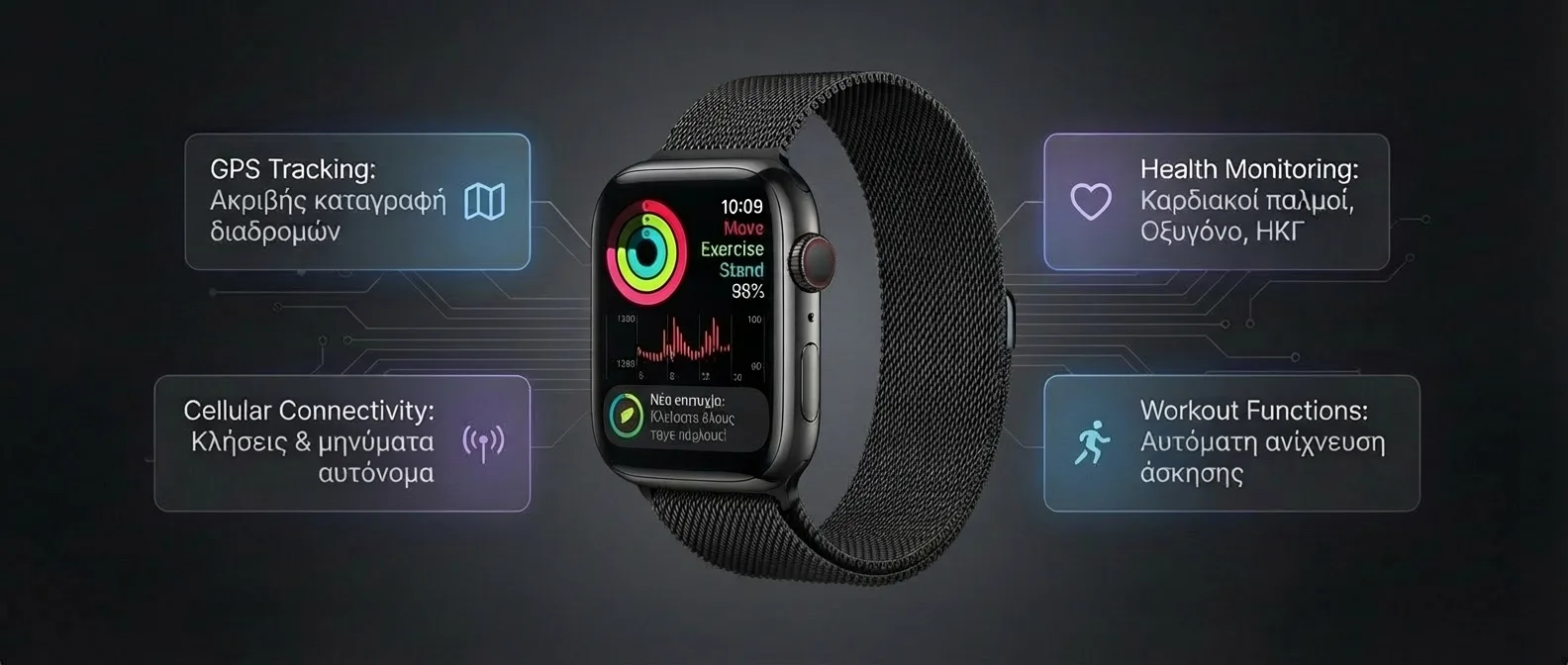
Works independently for:
- All health measurements
- GPS tracking for running/cycling
- Apple Pay
- Offline music (synced)
- Alarms, timers
CANNOT do: calls, SMS, streaming, maps, app notifications
Price: from €279 (SE 3)
Cellular (LTE/5G)
Works independently for:
- All of the above PLUS
- Calls & SMS via eSIM
- Music/podcast streaming
- Apple Maps navigation
- Notifications from all apps
- App Store downloads
Price: from €329 (SE 3) + €5/month carrier fee
⚠️ Cellular Cost in Greece: To activate cellular on your Apple Watch, you need an eSIM from your carrier. Cosmote, Vodafone, and Nova offer Apple Watch plans at €5–7/month. The watch shares your iPhone's number — no second number needed. Important: your iPhone and Watch must be on the same carrier.
Family Setup: Apple Watch Without iPhone — at All
Apple offers Family Setup (formerly Family Configuration), which allows an Apple Watch to work entirely without a paired iPhone. Ideal for:
- Kids: They can have an Apple Watch without needing an iPhone. A parent sets up the watch through their own iPhone
- Elderly: A simple device with SOS, health monitoring, and calls without the complexity of a smartphone
- Family members: Anyone who wants basic connectivity without an iPhone
What Does Family Setup Support?
- Calls, messages (only to parent-approved contacts)
- GPS location sharing (Schooltime mode — limited use during school)
- Activity rings, workout tracking
- Apple Pay (with spending limits)
- Walkie-Talkie between Apple Watches
- Emergency SOS
Requirements: Apple Watch Cellular (GPS not supported), Series 7 or later, SE 2nd/3rd gen, or Ultra. The parent needs an iPhone with iOS 26 for initial setup.
Independent Use During Workouts
One of the most popular scenarios for using the watch without an iPhone: gym, running, swimming. What can you do?
🏃 Running
GPS route tracking, pace alerts, intervals, heart rate, VO2 Max, Training Load. Offline playlist via AirPods. 100% independent.
🏊 Swimming
Lap counting, SWOLF, stroke detection, underwater heart rate, water lock. No iPhone needed — 100% independent.
🚴 Cycling
GPS route, speed, elevation, power zones (with Bluetooth accessories), live metrics. 100% independent.
🏋️ Gym
HR zones, calories, automatic exercise detection, GymKit integration (if equipment supports it). 100% independent.
💡 Pro Tip for running without iPhone: Before heading out, sync an offline playlist (Apple Music or Spotify). Go to: Watch app → Music → Add Music → select a playlist. The download happens while the Watch is charging on Wi-Fi. Then, pair AirPods (or any Bluetooth earbuds) directly to the Watch and run with nothing else.
eSIM and 5G in Greece (2026)
In 2026, cellular Apple Watch models now support 5G (Series 11 and Ultra 3). How does it work in Greece?
- Cosmote: MultiSIM plan at €5/month — shares your iPhone's data. Supports 5G as long as the primary account is 5G
- Vodafone: OneNumber at €6/month — same capabilities. Activation via the My Vodafone app
- Nova: Smartwatch eSIM at €5/month — activation in-store or by phone
5G coverage in Greece (February 2026) covers the centers of Athens, Thessaloniki, Patras, Heraklion, and major urban areas. Outside urban zones, the Watch automatically falls back to LTE — which covers nearly 98% of the country.
What You CANNOT Do Without iPhone
Despite the progress, there are still significant limitations you should know before deciding to go out without your phone:
- Initial setup: You need an iPhone to set up the Apple Watch — it can't be set up with the Watch alone (except Family Setup). This means you need access to an iPhone at least once
- Software updates: watchOS updates are done through the paired iPhone — you can't update independently. You'll need to connect periodically
- App settings: Many Watch apps are configured through their companion app on the iPhone — if you need to change settings, you'll need your phone
- Backup & Restore: Backups are stored on the iPhone — without an iPhone, you lose the ability to restore
- iMessage registration: To send iMessages, the Watch needs to be paired with an iPhone at least once for activation
- Some third-party apps: Certain apps (e.g., banking apps, Uber, food delivery) require installation and authorization through the iPhone first
- Photos: You can't take photos or view all your Photos — only synced Favorites
- Browser: There's no full web browser on the Apple Watch — only limited web content through links in Messages
Historical Evolution of Independence
Which Model for Independent Use?
If your goal is maximum independence without an iPhone, the choice depends on your budget and needs:
- Budget (€329): Apple Watch SE 3 Cellular — has everything you need: cellular, GPS, health basics, Apple Pay. No ECG/SpO2/thermometer, but ideal for Family Setup or basic independence. Excellent for kids and the elderly
- Mid-range (€569): Series 11 Cellular 42mm — full health package (ECG, SpO2, blood pressure, thermometer), 5G, Always-On display. The sweet spot for daily independent use
- Premium (€899): Ultra 3 — ALL of the above + satellite SOS, 36hr battery, diving, extreme sports. For those who need independence in extreme conditions, hiking, sailing
💡 Buying advice: Don't buy a GPS-only model if your main reason is using it without an iPhone. The extra €50–80 for Cellular makes a huge difference in the experience. Without cellular, the Watch without an iPhone is just a fitness tracker with a nice screen. With cellular, it becomes a truly independent device.
Frequently Asked Questions
Can I use Apple Watch with Android?
No. Apple Watch requires an iPhone for initial setup and pairing. There's no way to use it with an Android smartphone. If you have Android, consider the Samsung Galaxy Watch or Google Pixel Watch.
How long does the battery last in cellular mode?
Using cellular reduces battery life by 20–30% compared to GPS-only. Series 11: ~14 hours with cellular active. Ultra 3: ~28 hours. Tip: enable cellular only when you leave without your iPhone.
Does WhatsApp work without iPhone?
Only if you have a cellular Apple Watch. You can receive notifications and reply with quick replies or voice messages. You can't start new conversations or send images. Messenger, Telegram, and Viber work similarly.
Is the monthly cellular fee worth it?
If you frequently leave without your iPhone (running, gym, quick errands), €5–7/month is absolutely worth it — the freedom from your phone changes your relationship with technology. If you always have your iPhone with you, you don't need cellular — save your money.
Final Verdict
In 2026, the Apple Watch is more independent than ever. With a cellular model, 5G, satellite SOS, and an independent App Store, you can truly leave your iPhone at home in many situations. It doesn't fully replace a smartphone — but for running, the gym, quick errands, and travel, it's enough.
Our recommendation: if independence matters to you, go Cellular. The extra €50–80 at purchase + €5/month gives you freedom you can't put a price on. And if you want absolute independence in extreme conditions, the Ultra 3 with satellite is the top choice — you can send an SOS even when there's no network anywhere.