

📡 GPS or Cellular? That's the question every Apple Watch buyer asks. The price difference can reach $100, plus a monthly carrier fee. Is the cellular version actually worth it in 2026? In this article, we break down costs, capabilities, limitations, and use cases — so you can make the right decision.
Apple first introduced cellular connectivity to the Apple Watch with the Series 3 in 2017, using eSIM technology. Since then, every generation has been offered in two versions: GPS (Wi-Fi + Bluetooth only) and GPS + Cellular (LTE/5G). Stainless steel, titanium, and ceramic models always include cellular, while aluminum models are available in both versions.
What the Cellular Version Does That GPS Doesn't
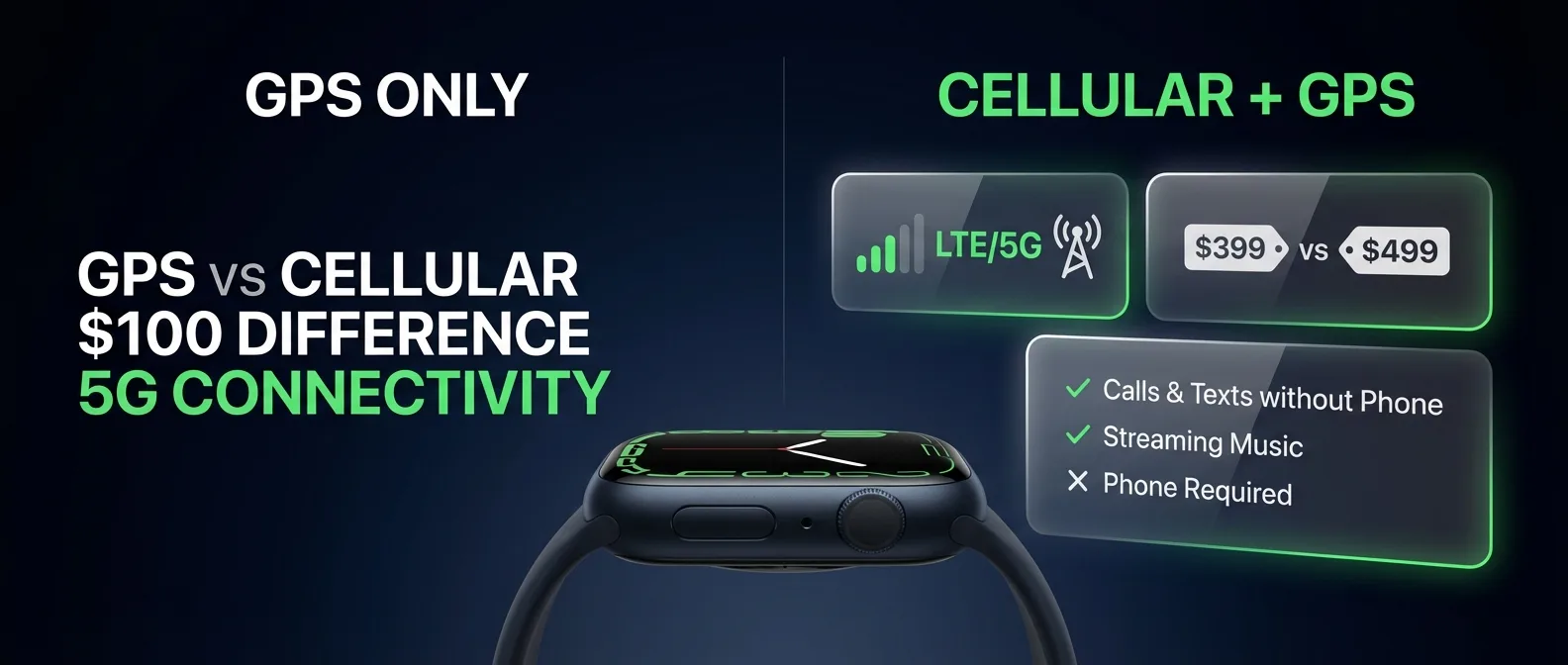
The key difference: with cellular, the Apple Watch works independently even if your iPhone isn't nearby or is turned off. This means:
- Calls and messages — Make and receive phone calls, iMessages, and SMS right from your wrist
- Music streaming — Listen to Apple Music, Spotify, or Podcasts without your iPhone nearby
- Notifications — Receive all notifications even without your iPhone
- Maps & Navigation — Navigate without your phone
- Siri — Use Siri for anything you need
- Emergency SOS — Make emergency calls even in remote locations
- Find My — Locate your devices or share your location
⚡ New in 2025: The Apple Watch Series 11 and Ultra 3 are the first models with 5G connectivity, replacing the LTE of previous generations. The Ultra 3 also supports satellite connectivity for sending messages in areas without cell coverage.
How Much Does the Cellular Version Cost
Purchase Price Difference
Monthly Carrier Cost
The cellular connection requires a separate plan from your mobile carrier. The Apple Watch uses the same phone number as your iPhone via eSIM. In the US, carriers charge approximately $10/month ($120/year). In other countries, availability may be limited, with costs ranging between $5–10/month depending on the carrier.
💡 3-Year Cost Breakdown: For a Series 11 Cellular, the total three-year cost is: $100 (purchase difference) + $360 (3×$120 carrier fees) = $460 more than the GPS model. This means cellular isn't a cheap add-on — you need to truly need it.
Who Should Get Cellular
The cellular version is truly worth it only in specific use cases. Let's break them down:
✅ Definitely worth it if...
- You run or exercise without your phone — If you want to leave your iPhone at home and go for a run with music streaming and the ability to make calls, cellular is a must
- You're a parent who wants a watch for your child — With Family Setup, you can set up an Apple Watch for someone who doesn't have an iPhone. Ideal for kids
- You work where phones aren't allowed — Hospitals, factories, military bases — the watch can keep you connected
- You want safety during outdoor activities — Hiking, cycling, open water swimming — the ability to call Emergency SOS without a phone can save lives
- You frequently forget your iPhone — If you tend to leave your phone behind, cellular keeps you always connected
❌ Probably not worth it if...
- You always have your iPhone with you — If you never go anywhere without your phone, cellular doesn't offer a meaningful advantage
- You mainly exercise indoors — The gym has Wi-Fi, so the GPS Apple Watch covers your needs
- You only want fitness tracking — Heart rate, steps, activity rings, and GPS are all tracked even without cellular
- You want to save money — That $460 over 3 years could go toward a better model or accessories
Impact on Battery Life
An important concern: the cellular connection consumes significantly more battery. Apple claims 18 hours for the Series 11 regardless of model, but in practice:
- GPS mode: When your iPhone is nearby, the watch uses Bluetooth — minimal power consumption
- Wi-Fi mode: When on a known Wi-Fi network without your iPhone, moderate consumption
- Cellular mode: When LTE/5G kicks in, power consumption increases dramatically — it can drop to 6–8 hours with heavy use
🔋 Tip: If you have a cellular Apple Watch but don't use the connection regularly, you can disable mobile data in settings. The cellular connection only activates automatically when you lose connection to your iPhone — it doesn't drain battery when it's not needed.
How the eSIM Works on Apple Watch
Unlike cell phones, the Apple Watch doesn't accept a physical SIM card. It uses an eSIM (embedded SIM), a digital chip built into the device. Setup is done through the Apple Watch app on your iPhone:
- Open the Apple Watch app on your iPhone
- Go to Mobile Data (or Cellular)
- Select Set Up Cellular
- Follow your carrier's instructions
- The eSIM activates automatically — it shares the same number as your iPhone
Important detail: you can't use Apple Watch Cellular with a different carrier than your iPhone. You must be on the same carrier, and the carrier must support Apple Watch cellular plans.
Carrier Availability
Cellular support for Apple Watch varies significantly by country. In the US, all major carriers support it, while availability may be more limited in other regions:
- US: AT&T, Verizon, T-Mobile all support Apple Watch cellular plans
- UK: EE, Vodafone, O2, and Three offer Apple Watch plans
- Other countries: Check availability with your local carrier
Before buying a cellular model, confirm with your carrier that they support Apple Watch plans. Also check apple.com/watch/cellular for the list of supported carriers by country.
What the GPS Model Can Do Without iPhone
Many people think that without cellular, the Apple Watch is “dead” away from the iPhone. That's not true. Even the GPS version can:
- Track workouts with accurate GPS tracking
- Play music you've downloaded offline to the watch
- Use Apple Pay — no iPhone or internet needed
- Monitor health — heart rate, ECG, SpO2, temperature
- Connect to known Wi-Fi networks — if you're on a known network, you'll receive notifications and messages
- Detect falls or crashes — Crash Detection and Fall Detection work offline
💡 Pro tip: Download music and podcasts offline before heading out for a run. Pair your AirPods to the watch, leave your iPhone at home, and enjoy a full workout experience without cellular — completely free.
New 2025 Features: 5G and Satellite
2025 marked a major upgrade to the Apple Watch cellular ecosystem:
5G Connectivity
The Apple Watch Series 11, SE 3, and Ultra 3 are the first models with 5G connectivity. This means faster data transfer, lower latency, and a more reliable connection in densely populated areas. In practice, calls are clearer and streaming is smoother.
Satellite Connectivity (Ultra 3)
The Apple Watch Ultra 3 offers Emergency SOS, Find My, and Messages via satellite — a feature that was previously exclusive to the iPhone. This means that even in remote mountains or open sea without cell coverage, you can send a message or call for help. Satellite connectivity is provided free for 2 years upon activation of the Ultra 3.
Hypertension Notifications (Series 11)
The Series 11 also introduced FDA-approved hypertension notifications — a feature that analyzes your pulse for signs of high blood pressure. While not directly related to cellular connectivity, it shows that newer models offer significantly more in the health department.
GPS vs Cellular: Final Verdict
Frequently Asked Questions
Can I activate cellular later?
Yes, but only if you bought a cellular model. You can't upgrade a GPS model to cellular — the difference is hardware (eSIM chip + antennas). However, you can buy a cellular model and activate the connection later, or never activate it at all.
Do I pay for cellular even if I don't use it?
Only if you have an active plan. You can cancel at any time the watch's cellular line through your carrier and stop the monthly charge. The watch will continue to work normally as a GPS model.
Does it look any different?
The only visual difference: the ceramic back of the cellular model has a red ring around the Digital Crown, and on aluminum versions the back is ceramic instead of composite. On titanium models, cellular is standard.
Does cellular work abroad?
Generally no. The Apple Watch eSIM doesn't support roaming with most carriers. Abroad, you'll need to rely on Wi-Fi or your iPhone. This is a significant drawback for travelers.
Conclusion: Which Should You Choose?
The answer depends entirely on your lifestyle:
Get GPS if you always have your iPhone nearby, exercise indoors, or want to save money. You won't miss any health sensors or fitness tracking features.
Get Cellular if you frequently run without your phone, want complete independence, or if the Apple Watch is for someone without an iPhone (Family Setup). The freedom to leave your phone at home is truly liberating.
And the smartest move? Buy a cellular model but don't activate the connection right away. That way you have the option if you need it in the future, without any monthly cost until then.