If you hit the gym regularly and wear an Apple Watch, SmartGym might be the best app you can download. With over 500 exercises, animated demonstrations right on your wrist, and full Apple Health integration, it turns your watch into a complete personal trainer. In this guide we cover everything — from core features to premium perks and how it compares to rival gym apps.
📖 Read more: Apple Watch Swimming: What It Tracks in Water
What Is SmartGym
SmartGym is an app designed exclusively for the Apple ecosystem, with a native experience on both iPhone and Apple Watch. Created by developer Mateus Abras, it stands out because of its laser focus on the gym — unlike general fitness apps that try to cover running, cycling and everything in between, SmartGym concentrates solely on weightlifting, gym machines and bodyweight exercises.
The basic version of SmartGym is free and includes access to the exercise library plus basic tracking. The premium subscription costs roughly €5 per month (or < €30 annually) and unlocks advanced features such as custom routines, detailed statistics and Apple Watch complications.
Exercise Library: Over 500 Options
One of SmartGym's greatest strengths is its massive exercise library. Every exercise comes with an animated demonstration that plays directly on the Apple Watch screen — incredibly handy when you cannot quite remember proper form for a particular movement.
Exercises are categorised by muscle group: chest, back, shoulders, biceps, triceps, quadriceps, hamstrings, calves and abs. You can also filter by equipment type — barbell, dumbbell, cable machine or simply bodyweight. This means that even if you do not have access to a fully equipped gym, you can find exercises that match whatever equipment you have available.
Tip: Animated Demos on Apple Watch
During a set you can tap the Watch screen to view an animation of correct execution. The animations are simplified but clear enough to remind you of proper form without having to pull out your phone. This is especially useful during supersets when you quickly switch between movements.
Custom Workout Builder
The custom workout builder is arguably SmartGym's most valuable feature. You can create your own routines by selecting exercises, setting the number of sets and reps, and configuring rest timers. Once you build a routine on your iPhone it syncs automatically to Apple Watch.
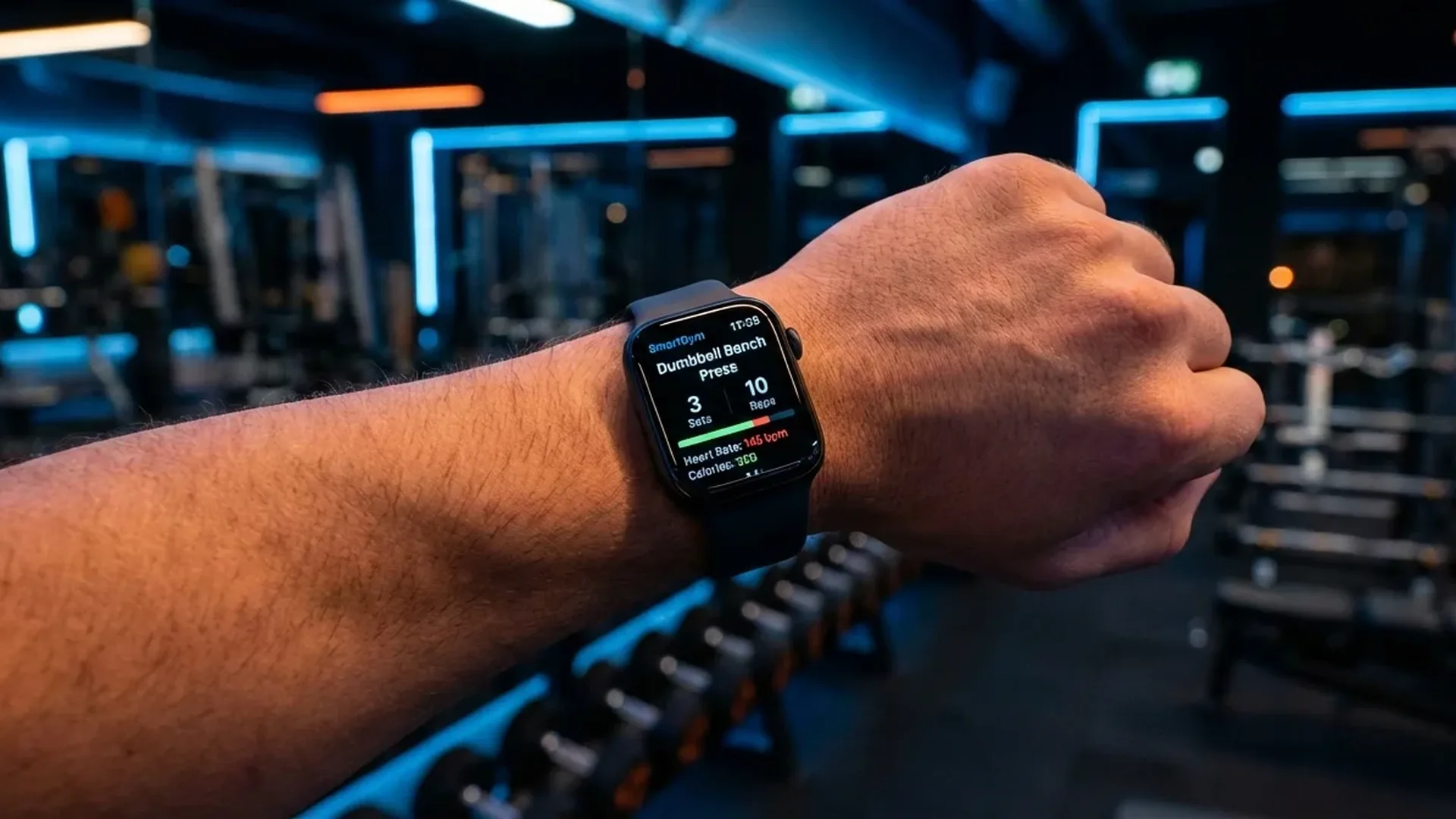
On the Watch the routine guides you step by step. Each exercise appears on screen together with the target sets and reps. After every set the rest timer starts automatically and you receive a haptic tap when rest is over. This hands-free experience is the core value of using Apple Watch at the gym — no need to hold a phone or carry a notepad.
How to Build an Effective Routine
To get the most out of the workout builder, follow these principles. First, place compound exercises like squats, deadlifts or bench press at the start of the routine. These demand the most energy and should be performed while you are fresh. Second, add isolation exercises afterwards — bicep curls, tricep extensions, lateral raises. Third, set rest times accordingly: around 90 seconds for compound lifts and 60 seconds for isolation work.
📖 Read more: Cycling with Apple Watch: GPS and Metrics Guide
Apple Watch Integration: Heart Rate and Calories
During a SmartGym workout the Apple Watch tracks your heart rate in real time. The screen displays your current pulse, calories burned so far and total workout duration. All of this data is saved automatically to Apple Health once you end the session.
This means every gym session counts towards your Activity Rings. If your goal is to close the Move Ring daily, weight training sessions are fully credited. SmartGym uses heart rate data to calculate calories more accurately than a generic “Traditional Strength Training” workout you might start manually through the built-in Workout app.
Syncing with Apple Health
After each workout the data appears in the Health app as a complete Strength Training session. It includes total duration, average and peak heart rate, total calories, exercises performed and the weight used for every set. This data is stored permanently in the Health app and can be viewed in progress charts over weeks and months.
Progress Tracking and Statistics
The premium version of SmartGym offers detailed progress statistics. You can see how the weight you lift in each exercise develops over weeks and months. This is critical for progressive overload — the fundamental principle of building muscle strength.
SmartGym logs every set, every rep and every kilogram. You can review total training volume per muscle group, personal records for each exercise and your development over time. The charts are clean and easy to read on both iPhone and Apple Watch.
Comparison with Competing Apps
SmartGym vs Strong
Strong is the most well-known alternative and offers excellent set tracking. However, its Apple Watch app is not as fully featured as SmartGym's. SmartGym stands out with animated demonstrations and a more fluid wrist experience. The free version of Strong limits you to 3 routines, while SmartGym is more generous on the free tier.
SmartGym vs JEFIT
JEFIT focuses more on the social element — community, shared routines, leaderboards. If you enjoy the social side of lifting, JEFIT is a solid choice. SmartGym, however, has a clearly better Apple Watch app and far tighter integration with the iOS ecosystem.
SmartGym vs Fitbod
Fitbod uses AI to generate workouts automatically based on your history. It is excellent if you prefer not to design workouts yourself. But it costs significantly more — roughly €13 per month. For people who like building their own routines, SmartGym offers better value at half the price.
Why Apple Watch Is Ideal for the Gym
Apple Watch has specific advantages in the gym that make it superior to using a phone or paper. First, it sits on your wrist — you never need to set it down or hold it. That means genuine hands-free tracking during every set.
📖 Read more: Wrist Temperature: What It Tracks and Why It Matters
Second, haptic cues are invaluable at the gym. A gentle tap on your wrist tells you rest time is over, without having to stare at a stopwatch. This is especially helpful in busy gyms where your attention can easily be pulled elsewhere between sets.
Third, SmartGym's gym equipment detection — a newer feature using the Watch's motion sensors — can recognise certain exercise types automatically and suggest logging them. It is not perfect yet, but the technology is improving steadily with each update.
Activity Rings Integration
A major advantage of SmartGym is its full integration with Activity Rings. Every workout contributes to the Move Ring (calories), the Exercise Ring (active exercise minutes) and can even trigger Stand credits if you change position between exercises. This means you never lose ring progress even if weights are your only form of exercise.
SmartGym's Apple Watch complications provide quick access to your last workout summary, weekly statistics or a one-tap button to launch your favourite routine directly from the watch face. This reduces friction and makes it easier to start every session.
Frequently Asked Questions (FAQ)
Do I need the premium subscription?
The free version covers the basics — exercise library access and basic tracking. If you want custom routines, detailed statistics and Watch complications, the premium is well worth the < €5 per month.
Does it work without iPhone?
Yes. Once your routines are synced you can complete an entire workout using only the Apple Watch. You do not need your iPhone with you at the gym. Data syncs automatically afterwards.
Which Apple Watch models are supported?
SmartGym supports Apple Watch Series 4 and later running watchOS 10 or above. For the best experience, Series 8 or newer is recommended for the larger display and faster processor.
Can I export my data?
All data is stored in Apple Health, so you can export it through the iPhone Health app at any time. SmartGym does not lock your data — if you switch apps, your history stays in Apple Health.
How does it compare to the native Workout app?
Apple's built-in Workout app offers basic Strength Training tracking but without animated demonstrations, without per-exercise custom routines and without detailed per-muscle-group statistics. SmartGym is far more specialised for gym use.
Is it worth it for beginners?
Absolutely. The animated demonstrations help beginners learn correct form, while pre-made routines provide a starting point without needing to design a programme from scratch.