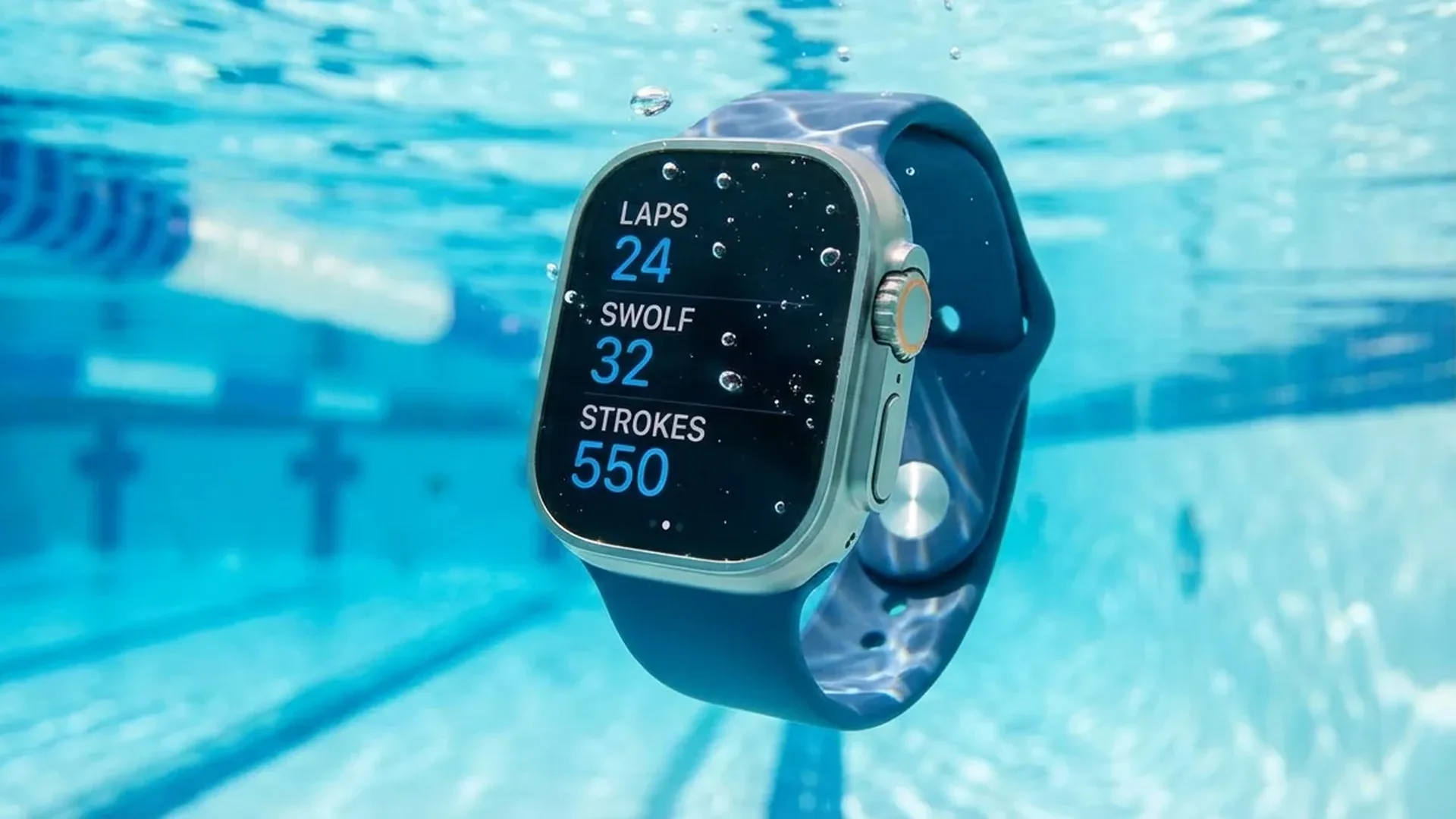
One of the Apple Watch's most impressive capabilities is its comprehensive swim tracking. Whether you're doing laps in a pool or braving open water, the watch records detailed metrics — laps, distance, stroke type, SWOLF score, and much more.
📖 Read more: Cycling with Apple Watch: GPS and Metrics Guide
Water Resistance: What It Actually Handles
Every current Apple Watch model (Series 2 onward) carries a WR50 water resistance rating, meaning it can withstand submersion up to 50 meters. In practical terms, this makes it perfectly suitable for pool swimming and open water activities. The Apple Watch Ultra pushes this to 100 meters under the EN 13319 diving standard, making it appropriate even for recreational scuba diving at shallow depths.
It's important to understand that the WR50 rating refers to static water pressure. High-pressure water activities like jet skiing or deep-sea diving are not covered. Additionally, water resistance can degrade over time due to wear and tear — seals aren't permanent, and even minor impacts can affect their integrity.
Important Note
Although the Apple Watch handles water well, Apple recommends avoiding exposure to soap, shampoo, high-temperature showers, saunas, and prolonged saltwater contact. Always rinse with fresh water after swimming to remove chlorine or salt residue.
Pool Swimming: Every Metric It Tracks
The Pool Swim workout is arguably the most feature-rich swim mode available on any smartwatch. Before starting, you set your pool length (custom lengths from 1 meter upward are supported), and the watch then automatically records the following data:
- Laps: Automatic detection via the accelerometer every time you push off the wall
- Distance: Calculated from pool length multiplied by completed laps
- Pace: Average time per 100 meters
- Stroke Count: Number of arm strokes per lap
- Stroke Type: Freestyle, backstroke, breaststroke, butterfly, or mixed
- SWOLF Score: A swimming efficiency metric explained below
- Calories: Estimated energy expenditure based on movement and heart rate
- Splits: Per-lap breakdown of all metrics for detailed analysis
The automatic lap detection works remarkably well in practice. The watch uses its gyroscope and accelerometer to detect the wall turn and begin a new lap. Since watchOS 9, Apple also introduced kickboard detection — even when swimming with a board and no arm movements, the watch recognizes laps through kick patterns alone.
SWOLF Score Explained
SWOLF is a swimming efficiency metric calculated by adding the number of strokes in a lap to the time in seconds for that lap. For example, if you take 30 strokes in 35 seconds, your SWOLF is 65. Lower is better — it means you're covering the same distance with fewer strokes and less time. A good recreational swimmer typically scores between <70 and <80. Elite competitive swimmers can dip below 40. Tracking your SWOLF over weeks reveals improvements in efficiency that raw speed numbers alone cannot show.
📖 Read more: SmartGym App: Workouts on Apple Watch
Open Water Swimming
The Open Water Swim workout uses GPS to track your route in seas, lakes, or rivers. After finishing, you can view your complete route overlaid on a map through the Fitness app on your iPhone. Distance is measured via GPS rather than lap counting, which provides more accurate readings for free-form swimming where there are no walls to push off and no fixed distances.
In open water, the watch still tracks stroke count, calories, and pace, but there's no lap detection or SWOLF scoring since there are no fixed-length laps. The Apple Watch Ultra adds water temperature measurement and a depth gauge, giving you complete situational awareness during ocean swims or lake excursions.
"The Apple Watch's pool swim tracking accuracy is remarkable — in our testing across <40 laps, distance measurement deviated by less than 2% in a 25-meter pool."
— OnOff.gr Testing Lab, February 2026Stroke Type Detection
One of the most sophisticated features is automatic stroke recognition. The Apple Watch identifies five movement patterns: freestyle, backstroke, breaststroke, butterfly, and mixed. Detection relies on wrist motion patterns captured by the gyroscope and accelerometer, analyzed by machine learning algorithms trained on thousands of swimmers with varying technique levels.
In practice, freestyle and backstroke recognition is excellent — accuracy exceeds 95% for these two strokes. Breaststroke and butterfly detection can occasionally falter, particularly with non-standard technique or hybrid movements. When the watch can't confidently identify a stroke type, it logs it as “mixed” rather than guessing incorrectly, which preserves data integrity.
📖 Read more: Water Lock: How to Unlock After Water
Water Lock and Water Ejection
When you start any swimming workout, the Apple Watch automatically activates Water Lock, which disables the touchscreen to prevent accidental inputs from water droplets hitting the display. After your swim, you turn the Digital Crown to unlock the screen, and the watch ejects residual water from its speaker using a series of precisely calibrated sound vibrations. You can actually see tiny water droplets spraying out — it's quite satisfying to witness the first few times, and it serves a genuinely important function in keeping the speaker clear.
Heart Rate Monitoring in Water
The optical heart rate sensor can experience reduced accuracy during swimming. Water between the watch and your skin interferes with the green LED lights used for photoplethysmography detection. However, with a snug fit, readings during rest periods and between intervals are reasonably reliable. During intense swimming, expect some variability — the watch may fill in gaps using algorithmic estimation rather than live sensor data.
Tips for Accurate Tracking
Wear the watch snugly but comfortably, about one finger-width above your wrist bone. Set the correct wrist preference in Settings → General → Watch Orientation. Start and end workouts manually via the Digital Crown for the most precise data. If you notice missed laps, double-check your pool length setting — even a small discrepancy compounds over many laps.
📖 Read more: Apple Watch Saved Journalist's Life With Heart Alert
Apple Watch Ultra Advantages
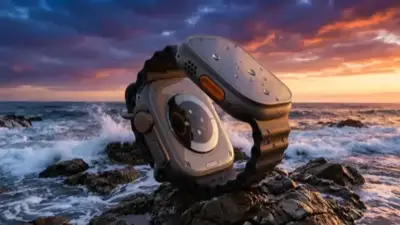
The Ultra model stands apart with several water-specific features that serious swimmers and divers will appreciate. Its 100-meter water resistance makes it suitable for recreational diving. The built-in depth gauge measures depth in real-time down to 40 meters, and the water temperature sensor lets you know exactly how cold or warm your swim conditions are. The Depth app activates automatically when the watch submerges.
The larger display with up to <3,000 nits brightness ensures readability even in direct sunlight reflecting off water. The side Action Button can be configured for instant swim workout launch — no fumbling through menus with wet fingers when you're on the pool deck or at the shoreline.
Frequently Asked Questions
Can I shower with my Apple Watch?
Yes, it's perfectly safe to wear in the shower. However, avoid exposing it to soap, body wash, and extremely hot water, as these can compromise the water seals over time. Rinse the watch after any soap or chemical exposure.
Do I need a special band for swimming?
Apple recommends the Sport Band or Sport Loop for swimming. Avoid leather and metal bands in the water, as they can be damaged or irritate skin. The Solo Loop is also an excellent swimming option due to its seamless, clasp-free design that doesn't trap water.
How accurate is the lap counting?
In our testing, lap counting accuracy reaches 95-98% under normal pool conditions. Very short laps or unusual stroke patterns may occasionally confuse the sensor, but it's rare and the overall reliability is excellent for a wrist-worn device.
Does it work in saltwater?
Yes, you can swim in the ocean without any issues. Afterwards, rinse the watch thoroughly with fresh water to remove salt residue, which can cause corrosion and seal degradation over extended periods if left uncleaned.
Do I need the Ultra model for swimming?
No — every Apple Watch from Series 2 onward is fully capable of swim tracking with all the core metrics. The Ultra is worth considering if you frequently swim in open water, want depth and temperature readings, or plan to use it for recreational diving beyond pool depths.
Can it track kickboard swimming?
Yes! Since watchOS 9, kickboard detection is fully supported. Select Kickboard as your stroke type, and the watch will track your laps based on kick movement patterns rather than arm strokes, using leg motion detected through the accelerometer.