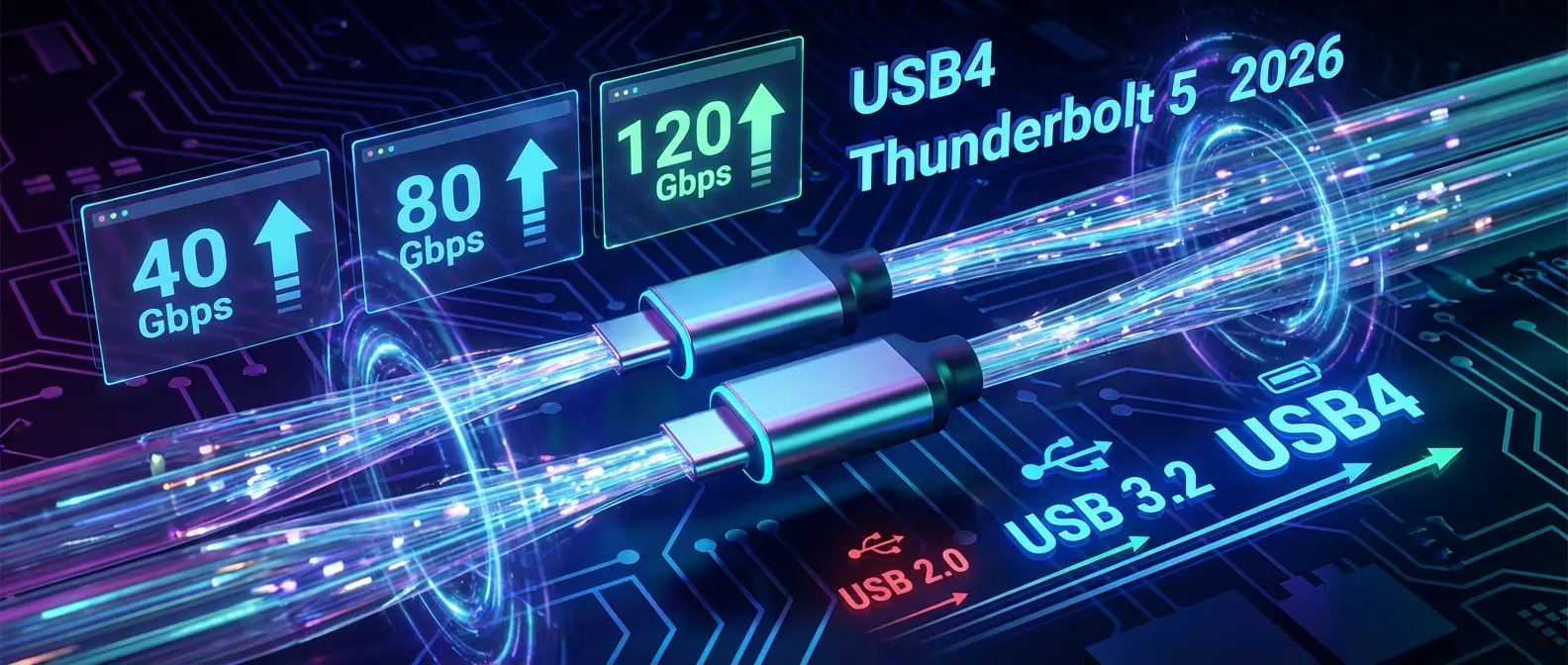
The era of port unification is finally reaching maturity. 2026 marks the mass adoption of USB4 Version 2.0 and Thunderbolt 5 standards, promising data transfer speeds up to 80Gbps and a radical simplification of how we connect our devices. For the average Greek consumer, this means a single USB-C cable for everything, but also new challenges in choosing the right accessories.
📖 Read more: Bluetooth 7.0: What the New Generation Brings
✈️ The Historical Evolution: From USB 1.0 to USB4 2.0
To fully understand the significance of the new standards, it's worth looking at the evolution of USB technology over the past thirty years. When USB 1.0 was introduced in 1996, the maximum speed was just 1.5 Mbps for low-speed devices and 12 Mbps for full-speed devices. This technology replaced the chaotic situation of different serial and parallel communication ports that dominated computers of that era, offering a unified solution for peripherals like keyboards and mice.
USB 2.0 arrived in 2000 with speeds up to 480 Mbps, enabling the connection of external hard drives and printers with decent performance. The real revolution came with USB 3.0 in 2008, which brought 5 Gbps speeds and the iconic blue ports that became a symbol of high speed. USB 3.1 followed with 10 Gbps, USB 3.2 with 20 Gbps, and finally the first-generation USB4 with 40 Gbps, before we reached today's USB4 Version 2.0 which doubles that speed to 80 Gbps.
🟢 USB4 Version 2.0: The Technical Analysis
USB4 Version 2.0, officially announced by the USB-IF (USB Implementers Forum) and beginning to appear in consumer products since late 2024, represents the most ambitious upgrade in the standard's history. The key innovation is the use of PAM-3 (Pulse Amplitude Modulation with three levels) technology instead of traditional NRZ (Non-Return-to-Zero) encoding. This change allows more data to be sent through the same physical cables, essentially doubling the bandwidth without increasing the operating frequency.
Particularly interesting is the asymmetric operation capability introduced by USB4 2.0. In conventional applications, the 80 Gbps is equally distributed between incoming and outgoing data (40 Gbps in each direction). However, in cases where traffic is primarily one-directional, such as connecting an external display or transferring files from an NVMe SSD, the system can dynamically reallocate bandwidth, reaching up to 120 Gbps in one direction. This flexibility makes a tremendous difference in real-world professional applications.
⚡ Important Clarification About Cables
Not all USB-C cables are the same! To take full advantage of USB4 2.0's 80 Gbps speeds, you need cables labeled “USB4 80Gbps” with a maximum length of 1 meter for passive connections. Older USB-C cables may work, but they will limit the speed to 20 or 40 Gbps depending on their quality.

🏢 Thunderbolt 5: Intel's Response
Alongside the evolution of USB4, Intel continues to develop its own Thunderbolt standard, which represents the cutting edge in connectivity ports. Thunderbolt 5, which started appearing in professional laptops and workstations since late 2025, offers a nominal speed of 80 Gbps like USB4 2.0, but with a critical difference: the asymmetric Bandwidth Boost mode allows speeds up to 120 Gbps in one direction across all certified devices, not just selected ones.
The significance of this difference becomes apparent in professional applications. A video editor using an external graphics card (eGPU) via Thunderbolt 5 enjoys 120 Gbps bandwidth for sending data to the card, while maintaining 40 Gbps for the return of the processed signal. Compared to Thunderbolt 4, which offered a maximum of 40 Gbps total, the improvement is threefold for such applications. For the average consumer connecting an external monitor or a dock, the difference may not be noticeable, but for professionals working with 8K video or massive datasets, it's transformative.
| Feature | USB4 2.0 | Thunderbolt 5 |
|---|---|---|
| Max speed | 80 Gbps | 80 Gbps (120 with Boost) |
| DisplayPort | DP 2.1 (UHBR20) | DP 2.1 (UHBR20) |
| PCIe | PCIe 4.0 x4 | PCIe 4.0 x4 |
| Power delivery | Up to 240W (EPR) | Up to 240W (EPR) |
| Certification | Optional | Mandatory |
| Implementation cost | Lower | Higher |
🎯 What It Means for the Greek Consumer
The Greek market traditionally follows European trends with a 6-12 month delay, but in the case of new USB and Thunderbolt standards, adoption has been faster than expected. Major electronics retailers in Greece already carry laptops with USB4 2.0 and Thunderbolt 5 ports, mainly in premium models from manufacturers like Apple, Dell, Lenovo, and ASUS. The price difference compared to models with older ports ranges between 100 and 300 euros, depending on the device.
The most important issue for consumers is compatibility with existing accessories. The good news is that both USB4 2.0 and Thunderbolt 5 are fully backward compatible with all previous USB-C versions. This means that the USB-C charger you bought two years ago will continue to work normally, as will your old dock or external monitor. However, to take advantage of the new speeds, you'll need accessories that specifically support the new standards, and this is where the confusion begins.

⚠️ The Problem with Cables and Labeling
One of the biggest problems in the USB ecosystem remains the lack of transparency in cable labeling. While the European Union has established rules for the mandatory use of USB-C as a charging standard, there is no corresponding regulation requiring clear labeling of each cable's capabilities. In practice, this means a consumer can buy a USB-C cable that looks identical to another, but one may support 10 Gbps while the other supports 80 Gbps.
The USB-IF has introduced a system of icons and labels that is supposed to solve this problem. New cables must carry labels indicating the supported speed (5, 10, 20, 40, or 80 Gbps) and maximum power delivery (60W or 240W). In practice, however, many manufacturers, especially of cheap products from Asia, don't follow these labels or use misleading descriptions. The recommendation for consumers is to buy cables from reputable manufacturers like Apple, Belkin, Anker, or Cable Matters, and to carefully check the specifications before purchasing.
🔌 USB4/Thunderbolt Cable Buying Guide
For USB4 80Gbps: Look for cables labeled “USB4 80Gbps” or with the official logo. Maximum length 1m for passive cables.
For Thunderbolt 5: Only cables with Intel Thunderbolt certification. Active cables reach 2m at full speed.
For 240W charging: A cable labeled “240W” or “EPR” (Extended Power Range) is required. Most older cables only support 60W.
📖 Read more: Qualcomm X105 5G Modem: Next-Gen Speeds
🟢 Docking Stations: The New Generation
Docking stations are perhaps the accessory category that benefits most from the new standards. With USB4 2.0 or Thunderbolt 5, a modern dock can support two 4K displays at 144Hz or one 8K display at 60Hz, while simultaneously providing 2.5 Gigabit network connectivity, multiple USB ports for peripherals, and laptop charging up to 100W or more. All through a single USB-C cable connected to your laptop.
In the Greek market, the first docks with full USB4 2.0 support started appearing in January 2026, with prices starting at around 180 euros for basic models and reaching 450 euros for professional solutions. Thunderbolt 5 docks are 30-50% more expensive due to the certification cost, but they offer guaranteed compatibility and performance. For the average user who wants to connect a monitor and a few peripherals, an affordable USB4 dock is more than enough. For professionals working with multiple high-resolution monitors or external graphics cards, investing in Thunderbolt 5 pays off.
🚗 External Graphics Cards (eGPU): A New Capability
One of the most interesting applications of Thunderbolt 5 is connecting external graphics cards. With triple the bandwidth compared to Thunderbolt 4, eGPUs now achieve performance reaching 85-90% of an integrated graphics card, compared to the 60-70% of the previous generation. This makes it feasible to turn a thin ultrabook into a serious gaming or workstation setup simply by connecting an external unit.
The market for external GPU enclosures in Greece is still limited, with most options coming from imports. The first Thunderbolt 5 enclosures, from companies like Razer and Sonnet, are priced starting at 350 euros for the enclosure alone, without the graphics card. When the cost of a modern GPU is factored in, the total investment easily exceeds 1,000 euros. However, for professionals who need portability during the day but powerful graphics when working at the office, this solution makes sense.
💾 Storage Media: NVMe Enclosures
The surge in USB4 and Thunderbolt speeds is particularly significant for external SSD users. Modern NVMe SSDs can achieve read speeds exceeding 7,000 MB/s, well beyond the 5,000 MB/s offered by first-generation USB4 and close to the theoretical 10,000 MB/s of USB4 2.0. For the first time, it's possible to have an external SSD that offers speeds comparable to an internal drive, without needing to open your laptop.
In practice, NVMe enclosures with USB4 2.0 are already available in Greece starting at around 80 euros, while Thunderbolt 5 models cost from 120 euros and up. The price difference is relatively small, but it should be noted that to fully take advantage of the speeds, you also need an SSD of equivalent performance, which adds another 150-300 euros to the cost. For the average user who transfers files occasionally, a good USB 3.2 Gen 2 enclosure with a SATA SSD remains the most cost-effective solution.
📱 The Smartphone Situation
While laptops and desktop accessories are moving quickly toward USB4 adoption, the situation with smartphones is different. Apple, with the iPhone 15 Pro series and newer, supports USB 3.0 with speeds up to 10 Gbps, while top Android flagships like the Samsung Galaxy S26 Ultra support USB 3.2 Gen 2 at 10 Gbps. No major smartphone company has yet adopted USB4, likely due to increased cost and power consumption.
For consumers, this means that buying a USB4 cable for your smartphone won't offer any speed advantage. The 10 Gbps supported by top smartphones is more than sufficient for transferring photos and videos, even 4K content. The only case where a USB4 cable makes sense for a smartphone is if you want a single cable for all your devices, since backward compatibility ensures seamless operation.
🔮 Future Outlook
Looking ahead, the USB-IF has already begun work on USB5, which is expected to offer speeds up to 160 Gbps using PAM-4 technology (four signaling levels instead of three). The final version is expected around 2028-2029, meaning USB4 2.0 will remain the top technology for at least the next three to four years. For consumers, this means that investing in USB4 2.0 or Thunderbolt 5 equipment today is a safe long-term choice.
Intel, for its part, has promised that Thunderbolt will continue to lead in performance, staying always one step ahead of standard USB. This strategy has worked for the past fifteen years, and there's no reason for it to change. For consumers, the choice between USB4 and Thunderbolt comes down to a simple question: do you need absolute performance and guaranteed compatibility (Thunderbolt), or is very good performance at a lower price sufficient (USB4)?
👥 Practical Tips for the Greek Consumer
Based on all the above, let's look at some practical tips for the Greek consumer thinking about upgrading their equipment. First, if your laptop is more than three years old and doesn't have a USB4 or Thunderbolt 4 port, upgrading to a new model will give you the biggest improvements. The new ports not only offer higher speeds, but also better display support, faster charging, and greater flexibility in connecting accessories.
Second, don't rush to replace all your cables and accessories at once. Most will continue to work normally with the new ports, even at lower speeds. Upgrade gradually, starting with the accessories you use most and where speed truly matters. Third, choose products from reputable manufacturers with clear specifications. Saving a few euros on a no-name cable could cost you in performance and reliability.
Finally, consider your actual needs before investing in expensive equipment. If you mainly use your laptop for web browsing, email, and word processing, USB4 and Thunderbolt 5 speeds won't make a noticeable difference in your daily life. However, if you work with large video files, back up terabytes of data, or need multiple high-resolution displays, the new technologies are a worthwhile investment.