Notes are an essential tool for every smartphone user. On Android, two apps stand out: Google Keep, simple and synced everywhere, and Samsung Notes, feature-rich but exclusive to Galaxy devices. Which one is ideal for you?
📖 Read more: Top 50 Must-Have Android Apps 2026 | Best Samsung Apps
Interface & Design
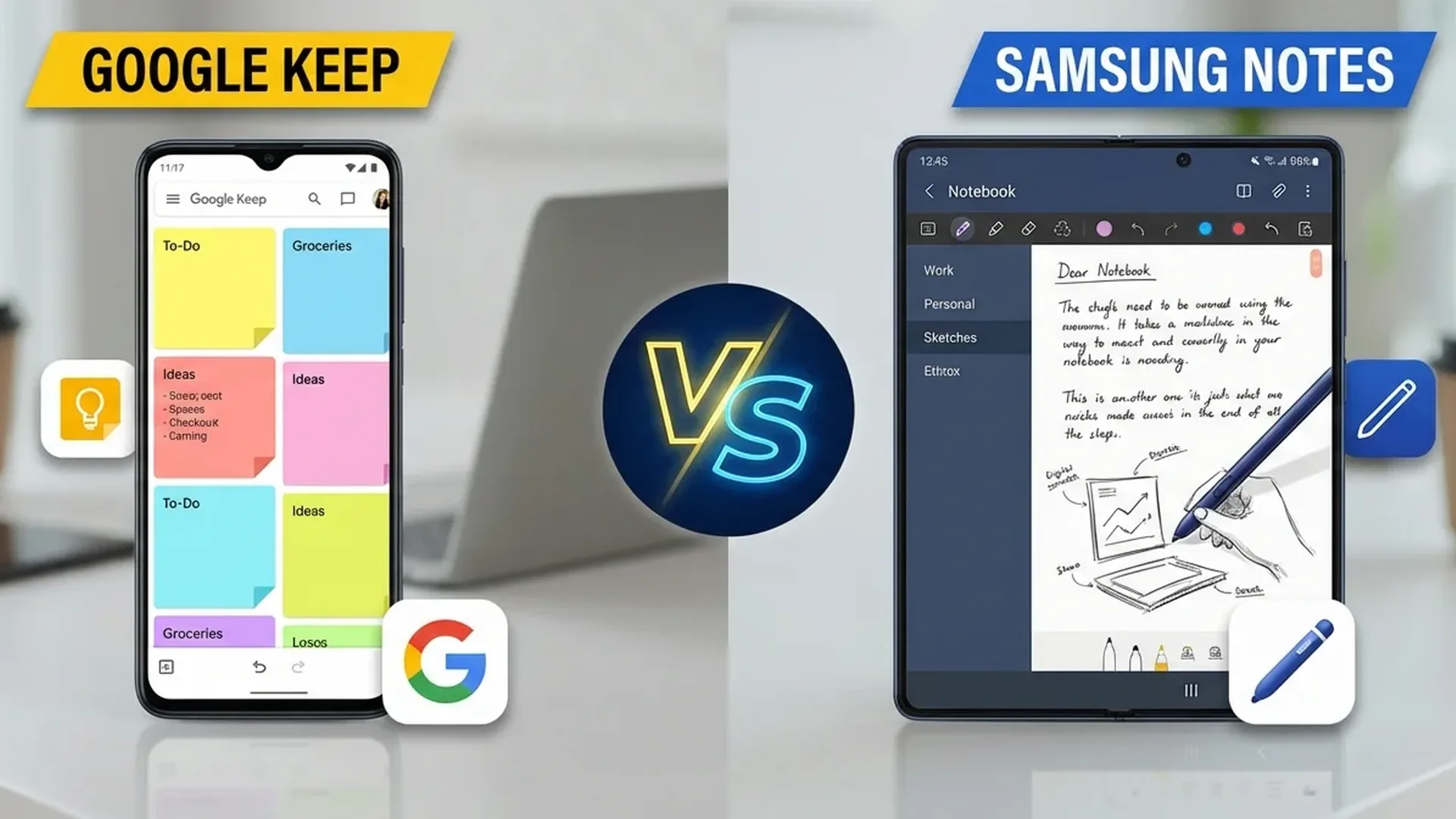
Google Keep follows the “less is more” philosophy. Notes appear as colored cards in a grid layout. There are no folders — only labels and colors. Its simplicity is its greatest strength: open, write, close. Done.
Samsung Notes is more “traditional”. It supports folders, subfolders, and sorting options. The interface resembles a notebook with multiple pages. It's heavier but better organized for a large number of notes.
Handwriting & S Pen
If you have a Galaxy with S Pen, Samsung Notes is undeniably superior. It supports handwriting recognition, pressure sensitivity, and handwriting-to-text conversion. You can draw, underline, annotate PDFs.
Google Keep has a basic drawing tool but doesn't support S Pen pressure sensitivity or handwriting-to-text. It's more suitable for quick sketches than detailed handwriting.
📖 Read more: File Manager Android: Best Apps
Sync & Cross-Platform
Here Google Keep wins clearly. It syncs across: Android, iOS, web (keep.google.com), Gmail, Google Calendar, Google Docs. If you switch phones (even to iPhone), your notes are there.
Samsung Notes syncs only via Samsung Account on Galaxy devices and via web (samsung.com/notes). There's no iOS app or desktop app outside Windows (via Microsoft Store). If you leave Samsung, you lose access.
Lists & Reminders
Google Keep excels at quick lists and reminders. Create to-do lists with checkboxes, set time or location-based reminders ("remind me to buy milk when I'm at the supermarket"). Integration with Google Assistant means you can create notes by voice.
Samsung Notes doesn't have native reminders — you need Samsung Reminder separately. Lists exist but without location-based triggers.
📖 Read more: Samsung Galaxy Tab S11: Review & Comparison
AI Features (2026)
Google Keep added AI summarization: it converts long notes into bullet points automatically. Also, Smart Suggestions recommends labels, colors, and related notes.
Samsung Notes with Galaxy AI offers: handwriting-to-formatted text, automatic note translation, AI summary with bullet points, and “Auto Format” that transforms messy notes into organized documents. Particularly impressive with S Pen.
PDF & Document Support
Samsung Notes can import PDF files and annotate directly on them. Ideal for students and professionals. It exports to PDF, Word, image, and PowerPoint. You can even insert voice recordings within notes.
Google Keep doesn't support PDFs. You can add images and voice memos, but for document management you need Google Docs separately.
📖 Read more: Samsung One UI 8: New Features & Changes
Collaboration
Both support sharing. Google Keep allows shared notes in real time — ideal for shared shopping lists between couples. Samsung Notes allows sharing but without real-time collaboration.
Which Should You Choose?
Google Keep: Ideal for quick notes, to-do lists, reminders, cross-platform use. If you switch phones often or use multiple platforms.
Samsung Notes: Ideal if you have a Galaxy + S Pen, need handwriting, PDF annotation, or want more structured note organization.
Tip: Many Samsung users use both: Samsung Notes for serious work/school and Google Keep for quick notes and lists.
Sources: