📖 Read more: Apple Watch SE 4: What's Changing in the Budget Model
What Is Cardio Recovery
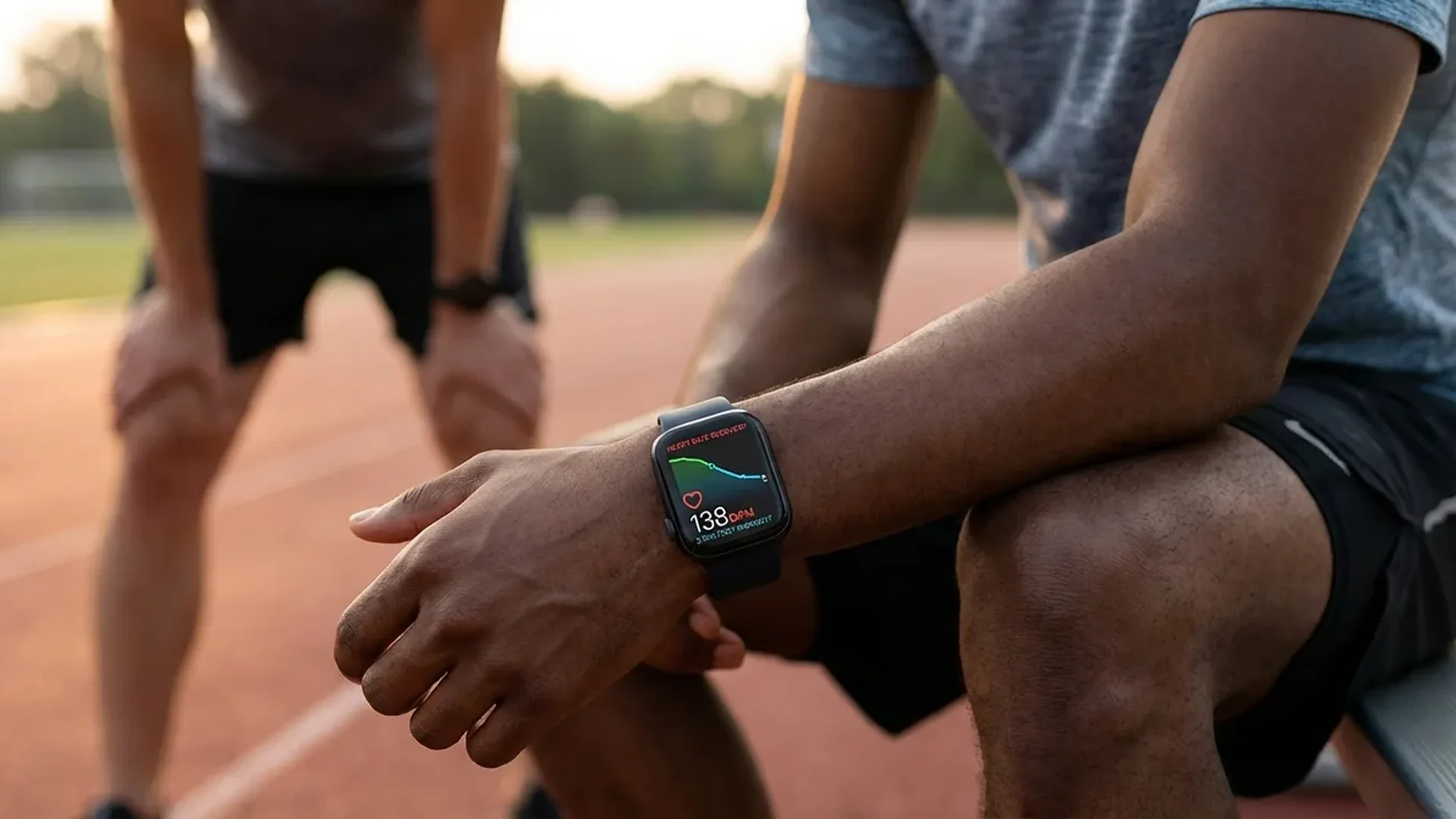
Cardio Recovery measures how many beats per minute (BPM) your heart rate drops within the first and second minute after a workout ends. It's a clinically recognized metric that has been used in sports medicine and cardiology for decades. The optical heart rate sensor on your Apple Watch automatically records this measurement after every completed workout in the Workout app.
The logic is straightforward: the faster your heart returns to its resting rate, the healthier and more efficient your cardiovascular system is. A well-trained body quickly activates the parasympathetic nervous system after exercise, causing heart rate to decrease at a faster pace.
How to Read the Numbers
After every workout, Apple Watch displays two key values:
- 1-minute recovery: The BPM drop within 60 seconds of ending the workout. This is the most critical measurement.
- 2-minute recovery: The total BPM drop after 2 minutes. This provides a more complete picture of your recovery profile.
For example, if your heart rate at the end of a run was 165 BPM and it dropped to 140 after one minute, your 1-minute recovery is 25 BPM — an excellent result. Conversely, if it only dropped to 158, that's a recovery of just 7 BPM, which warrants investigation.
Understanding the Values
>20 BPM in the 1st minute: Excellent cardiovascular condition. Indicates a well-trained body with an efficient autonomic nervous system.
12-20 BPM: Normal range. The majority of adults fall into this category.
<12 BPM: Low recovery. Studies show a possible correlation with increased cardiovascular risk. Discussing with a doctor is recommended.
Where to Find the Data on Apple Watch
Cardio Recovery data is automatically stored after every workout. You can view it in two ways:
Through the Health App on iPhone
Open the Health app → Browse → Heart → Cardio Recovery. Here you'll find historical data, trend charts by week, month, or year, as well as average values over specific time periods. Apple displays both 1-minute and 2-minute recovery in separate graphs.
Through the Workout Summary
Immediately after ending a workout, scroll down on the summary screen. There you'll find recovery metrics alongside other statistics (heart rate zones, calories, distance, etc.).
What watchOS 26 Brings
With watchOS 26, Apple has significantly expanded cardio recovery tracking capabilities. Your watch can now notify you if there's a significant change — positive or negative — in your recovery patterns over time.
The new trend notifications analyze data from multiple weeks and identify patterns. If your recovery has been steadily improving over the past 4-6 weeks, you'll receive a positive notification. Likewise, if a declining trend appears, it alerts you that something may be changing.
Relationship with VO2 Max
Cardio Recovery and VO2 Max are two key cardiovascular fitness indicators that complement each other. VO2 Max measures your body's maximum oxygen consumption capacity during peak exercise, while Cardio Recovery evaluates how efficiently your body recovers afterward.
📖 Read more: Apple Watch Series 11: Review After 6 Months
Typically, improvement in VO2 Max is accompanied by improvement in recovery, since both reflect a more efficient cardiovascular system. However, they don't always move in parallel — factors like stress, sleep deprivation, or an oncoming illness may affect recovery more than maximum aerobic capacity.
Tip: Monitor both metrics in the Health app. If you see a stable VO2 Max but declining recovery, it could be due to overtraining, insufficient sleep, or elevated stress levels.
How to Improve Your Numbers
Cardio recovery can improve significantly within 4-8 weeks with targeted changes. Here's what works:
1. Regular Aerobic Exercise
The most effective method. Aim for 150-300 minutes of moderate aerobic exercise per week — running, swimming, cycling, or brisk walking. Consistency matters more than intensity.
2. Interval Training (HIIT)
Alternating between high and low intensity specifically trains your recovery mechanism. Try 20-30 minutes of HIIT 2-3 times per week. After a few weeks, you'll see measurable improvement in your recovery numbers.
3. Adequate Sleep
Sleep is critical. Fewer than 6 hours of sleep per night can reduce recovery capability by 15-25%. Aim for 7-9 hours of quality sleep. Your Apple Watch can help you track sleep stages and build better habits.
4. Hydration and Nutrition
Dehydration directly impacts heart rate and recovery. Drink at least 2 litres of water daily, more on exercise days. A balanced diet rich in omega-3 fatty acids, magnesium, and potassium supports proper heart function.
5. Stress Management
Chronic stress keeps your body in a “fight or flight” state, delaying recovery. Use the Mindfulness exercises on your Apple Watch — even 5 minutes of breathing exercises per day make a measurable difference in heart rate variability (HRV).
When to Be Concerned
Cardio Recovery data doesn't replace medical evaluation, but it can raise your awareness. Consider speaking with a doctor if:
- Your 1-minute recovery is consistently <12 BPM across multiple workouts
- You notice a sudden declining trend without an obvious cause (routine change, illness)
- You experience unusual fatigue, dizziness, or shortness of breath after moderate exercise
- You have a family history of cardiovascular disease
Studies have shown that low cardio recovery is associated with increased risk of cardiovascular events over the long term. However, this doesn't mean that a single low reading is cause for panic — the trend over weeks matters far more than any individual measurement.
Frequently Asked Questions
How does Apple Watch automatically measure Cardio Recovery?
After you end any workout in the Workout app, the heart rate sensor continues monitoring your heartbeat for the following minutes. It compares your peak rate at the end of the workout with your rate after 1 and 2 minutes, automatically calculating the difference in BPM.
Which Apple Watch models support this metric?
All Apple Watch models from Series 3 onward support Cardio Recovery measurement, as they all feature an optical heart rate sensor. Newer models (Series 9, Ultra 2, Series 10) offer more accurate readings thanks to the improved third-generation sensor.
Why do the numbers differ between different exercise types?
The intensity and duration of your workout affect the peak heart rate you reach. After a sprint, your heart rate is much higher than after a leisurely walk, so the BPM drop will differ accordingly. Compare your numbers only within the same exercise type for meaningful insights.
How quickly can I see improvement?
With consistent aerobic exercise 3-5 times per week, many users report measurable improvement within 4-6 weeks. Improvement can reach an additional 5-10 BPM drop per minute after 3-6 months of systematic training.
Can I export my data?
Yes. Through the Health app on iPhone, you can export all health data in XML format. Additionally, third-party apps like Health Auto Export can automate the export to CSV or Google Sheets for more detailed analysis.