

Is your Apple Watch still at just 30% after half an hour of charging? Could you be using the wrong charger? The truth is that not all Apple Watch chargers are the same. Depending on the model, charger, and adapter, charging times can vary dramatically. Let's clear everything up.
📖 Read more: Apple Watch Ultra 4: What's Coming This Fall 2026
Which Models Support Fast Charging
Apple first introduced Fast Charging with the Apple Watch Series 7 (2021), delivering 33% faster charging compared to the Series 6. Since then, every newer model has supported this feature.
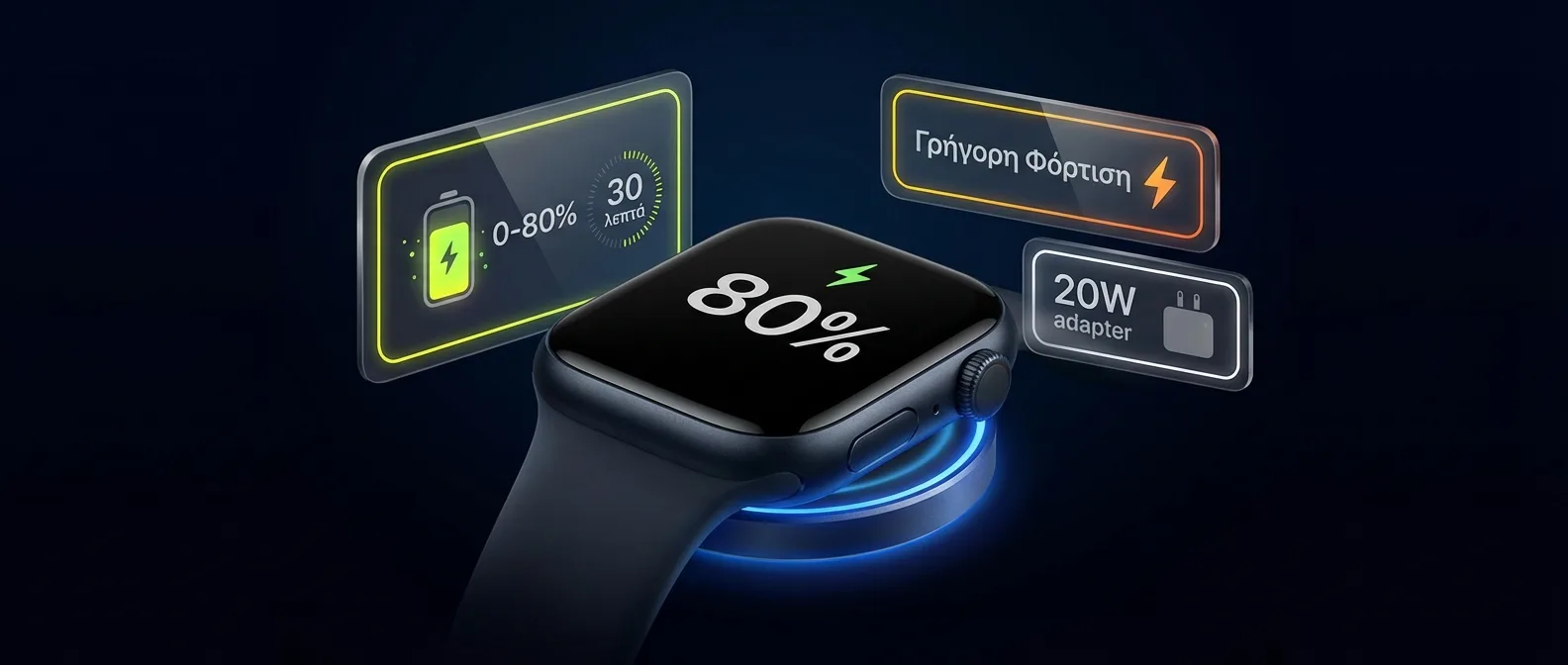
Note: The Apple Watch Series 10 is the fastest-charging Apple Watch, reaching 80% in just 30 minutes. If you have an older model (pre-Series 7), fast charging is not supported regardless of the charger.
What You Need for Fast Charging
For fast charging to work, you need all three of the following:
1. A Compatible Apple Watch
Series 7 or later (Series 7, 8, 9, 10, 11, Ultra, Ultra 2, Ultra 3). The SE models are NOT supported.
2. A USB-C Charging Cable
You need the Apple Watch Magnetic Fast Charger to USB-C Cable. This is the key — not just any Apple Watch charging cable will do.
3. A USB-C Adapter with at Least 5W
The adapter must provide at least 5W via USB-C. In practice, any modern USB-C adapter (even a 20W iPhone charger or MacBook charger) works just fine. There's no risk of “overcharging” — the watch only draws as much power as it needs.
Budget Tip: If you already have the 20W USB-C adapter that comes with iPhones, you don't need anything else — you just need the right cable. The USB-C cable costs about €30 from Apple or ~€15-20 from reputable MFi manufacturers.
Battery Life by Model
Apple rates most models at 18 hours of battery life under normal use. But in practice, battery life varies depending on usage:
Sleep Tracking & Fast Charging: The Perfect Combo
One of the biggest advantages of Fast Charging is that it solves the “sleep problem.” Many users want to use Sleep Tracking but wonder: when do I charge the watch if I'm wearing it at night?
The answer: charge it while you get ready in the morning. With Fast Charging:
- 8 minutes of charging = enough battery for 8 hours of Sleep Tracking
- 15 minutes = ~30% battery (enough for half a day)
- 30 minutes = ~80% battery (enough for a full day + night)
- 45 minutes = full charge (Series 10/11)
Ideal routine: Take off your watch as soon as you wake up, put it on the charger, shower and get ready. In 20-30 minutes it will have enough battery for the entire day. Put it back on before you leave the house.
📖 Read more: Apple Watch Black Unity 2026: The New Braided Solo Loop Band
Common Charging Mistakes
These are the most common mistakes Apple Watch users make when charging:
❌ Mistake 1: Using a USB-A Cable
If the connector on your adapter is large and rectangular (USB-A), it doesn't support Fast Charging — regardless of the adapter. You need a USB-C connector (small, oval).
❌ Mistake 2: Non-Certified Chargers
Cheap chargers without MFi certification (Made for iPhone/iPad) may charge slower or not at all. Some can even damage the battery long-term. Always look for the MFi logo.
❌ Mistake 3: Charging on Soft Surfaces
Heat is the battery's worst enemy. Don't charge your Apple Watch on a pillow, bed, or near a heat source. Inductive charging generates heat, and without proper ventilation, the battery suffers.
❌ Mistake 4: Charging with a Case On
If you use a protective case on your Apple Watch, make sure it doesn't interfere with magnetic alignment. Poor alignment = slower charging or none at all.
Optimized Battery Charging: What It Does
Since watchOS 7, Apple has included Optimized Battery Charging. The feature learns your routine and intentionally pauses charging at 80%, completing it just before you wake up.
Why? Because the battery suffers more when it stays at 100% for extended periods. The “last 20%” (80→100%) creates stress on lithium-ion cells. Apple estimates this feature can extend battery lifespan by several months over time.
How to check: Go to Apple Watch > Settings > Battery > Battery Health > Optimized Battery Charging. If you see charging stop at 80%, that's normal — it just means the feature is doing its job.
What to Buy: Buying Guide
If you need a new charger, here are the best options:
🏆 Apple USB-C Cable (1m)
~€30
The official choice. Guaranteed compatibility, aluminum puck, reliable. Ideal for home use.
⚡ Belkin 2-in-1 Stand
~€50-70
Charges Apple Watch + iPhone simultaneously. MFi certified, Fast Charging support. Perfect for the nightstand.
✈️ Apple MagSafe Duo
~€120-140
📖 Read more: Apple Watch SE 3: The Complete Guide to the Budget Model
Foldable, ultra-portable. iPhone + Apple Watch together. Ideal for travel. Supports Fast Charging.
Frequently Asked Questions
Can I charge my Apple Watch through my iPhone?
No (not yet). Unlike some Samsung phones that can charge a Galaxy Watch, the iPhone cannot transfer reverse wireless power to the Apple Watch. You always need a standalone charger.
Can I charge with a MacBook USB-C port?
Yes! If you connect the Apple Watch USB-C charging cable to a MacBook USB-C port, it works perfectly — and supports Fast Charging. Great if you're working at a café and forgot your adapter.
Does fast charging damage the battery?
In short, not significantly. Apple has designed the system to regulate temperature automatically. Optimized Battery Charging further protects the battery. Over 3-4 years, the difference is negligible.
Why doesn't my SE fast charge?
No Apple Watch SE model (1st, 2nd, or 3rd generation) supports Fast Charging. This is by design — it's one of the trade-offs Apple makes to keep the SE price low. You'll need to go with Series 7+ or Ultra for fast charging.
Low Power Mode: The Alternative
If you can't charge anytime soon, Low Power Mode (available since watchOS 9) can double your battery life. When enabled, it:
- Disables the Always-On Display
- Reduces heart rate measurement frequency
- Turns off background Wi-Fi notifications
- Limits haptic feedback
- Activates automatically at <10% battery or manually
In practice, a Series 10 with Low Power Mode can last ~36 hours, while the Ultra 3 reaches up to 72 hours — three full days without charging.
Trick: Press and hold the Side Button, then slide the Low Power Mode slider. Or ask Siri: "Turn on Low Power Mode". You can also set it to activate automatically at a specific percentage via Shortcuts.
The Evolution of Apple Watch Charging
Apple Watch charging technology has changed dramatically over the past decade:
- 2015 (Series 0): First MagSafe-style inductive charging. Slow, ~2.5 hours for a full charge. Proprietary USB-A cable.
- 2017-2020 (Series 3-6): Gradual efficiency improvements, but same basic charging time. Larger batteries offset the gains.
- 2021 (Series 7): The big change. New internal charging design, USB-C cable, 33% faster charging. First time Apple used the term “Fast Charging” for Apple Watch.
- 2022 (Ultra): Larger battery (542 mAh vs ~308 mAh), Fast Charging but slower due to higher capacity.
- 2024 (Series 10): Speed record — 80% in 30 minutes. Thinner design, but no sacrifice in battery life.
- 2025 (Series 11, Ultra 3): Same charging speeds, improved thermal management. S10 chip with more efficient power consumption.
Conclusion
Fast charging on the Apple Watch isn't a luxury — it's a practical necessity, especially if you use Sleep Tracking. However, you need the right cable. Any old charger won't do — it must be USB-C, MFi certified, and designed for Fast Charging.
Investing in the right cable (~€30) saves you hours of wasted charging time. More importantly, it lets you fully take advantage of features like Sleep Tracking, ECG, and sleep apnea detection without worrying about battery. Charge for 30 minutes in the morning, and you're good for 24 hours.