

iMessage hides dozens of tricks most users don't know about. From message editing and scheduled sending to animated text effects, RCS for Android, and messages via satellite — discover them all.
📖 Read more: Shortcuts iPhone 2026: 15 Must-Have Automations
Edit & Unsend Messages
You can edit a sent message up to 15 minutes after sending (up to 5 times). Long-press the message → “Edit.” The recipient can see the edit history. To fully unsend, you have 2 minutes after sending — select “Undo Send.” The recipient will see a note that a message was unsent.
Scheduled Messages (Send Later)
One of the most requested features: tap the "+" next to the text field → More → Send Later. Set a date and time (up to 14 days ahead), write your message, and hit send. The message is delivered even if your iPhone is offline at the scheduled time. You can edit or cancel before it's sent. Works only in iMessage conversations, not with Android users.
Text Formatting
You can now apply bold, italic, underline, and ~~strikethrough~~ to your messages. Type your text, tap the "A" icon above the keyboard, and select formatting. You can also select individual words with a double-tap.
📖 Read more: Action Button iPhone: 15 Uses You Didn't Know
Text Effects — Animated Text
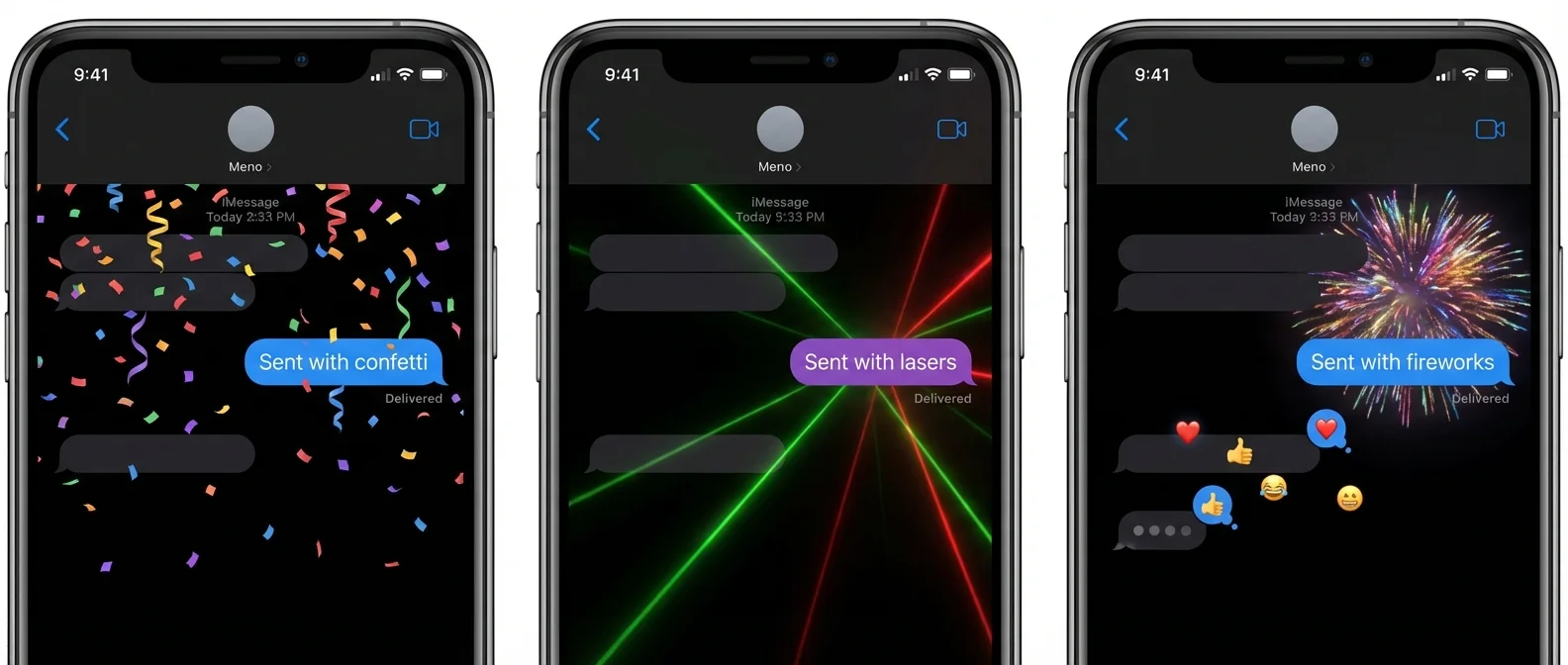
Beyond the classic bubble effects (Slam, Loud, Invisible Ink, Echo, Spotlight), there are now 8 animated text effects that apply to words, phrases, or emoji:
- Big — enlarges the text
- Small — shrinks it
- Shake — trembles
- Nod — nods in agreement
- Explode — bursts apart
- Ripple — waves through
- Bloom — blossoms outward
- Jitter — bounces nervously
Select text → “A” → Text Effects. Effects play continuously for the recipient (requires iOS 18+).
Tapbacks with Any Emoji
Tapbacks are no longer limited to the 6 classic reactions (heart, thumbs up/down, haha, !!, ?). You can now use any emoji, sticker, or Memoji as a reaction. The icons are now colorful and more detailed, and in group chats you can see who sent which reaction.
Messages via Satellite
Starting with iPhone 14 and later, you can send iMessage and SMS without Wi-Fi or cellular signal using satellite connectivity. The service is currently free. Ideal for trips to remote areas, mountains, or at sea.
📖 Read more: Focus Modes iOS 26: Master Your Notifications
RCS for Android
iPhone now supports RCS (Rich Communication Services), replacing the old SMS/MMS when communicating with Android. In practice, this means: higher resolution photos/videos, read receipts, real-time typing indicators, audio messages, and improved group chats. The green bubbles remain — RCS only applies to iPhone→Android messages.
Stickers from Photos: Isolate any object from a photo by long-pressing → “Add Sticker.” Stickers can be used inline within text or as a Tapback reaction.
Smart Replies (Apple Intelligence)
On iPhone 15 Pro and later, Apple Intelligence analyzes the received message and suggests ready-made responses at the top of the keyboard. For example, to the question “Want to go to the movies?” it suggests “Sure!” or “Sorry, I'm busy.” Simply tap the suggestion or ignore it.
"iMessage is much more than a chat app — it's an entire communication ecosystem with capabilities that evolve every year."
— MacRumors