🔮 1. Liquid Glass — Much More Than Aesthetics
Liquid Glass isn't just a new visual theme. Apple has hidden practical features within the redesign that most people overlook. Icons, navigation menus, and the entire interface gain a semi-transparent aesthetic that dynamically adapts to your wallpaper.
🎨 Reduce Transparency Mode
Go to Settings → Accessibility → Display and enable “Reduce Transparency” for a cleaner interface without the Liquid Glass effects — ideal for better readability.
📱 Dynamic Icon Tinting
Long-press an icon on the Home Screen and select “Tint to Match” — the icons will automatically take on coloring based on your iPhone's color or even your case!
💡 Pro Tip: If you don't like Liquid Glass, you can almost completely disable it via Settings → Accessibility → Display → Reduce Transparency. This removes the semi-transparent effects and restores solid backgrounds.
🔒 2. Hidden Lock Screen Settings
The lock screen in iOS 26 became fully customizable in ways that Apple didn't officially announce. Beyond the Liquid Glass clock, there are capabilities that turn the Lock Screen into a real dashboard.
- Clock size adjustment: Long-press the clock on the Lock Screen and pinch to resize — it now works like a widget!
- 3D Spatial Scenes: Your photos are converted into three-dimensional scenes on the lock screen — go to wallpaper settings and enable “Spatial Scene”.
- Bottom widgets: You can now drag widgets to the bottom of the lock screen, near the flashlight and camera.
- Clear App Icons: Enable transparent icons on the Home Screen via Settings → Display → Appearance — giving a minimal look.
📞 3. Hidden Phone App Tricks
The Phone app received its biggest upgrade in iOS 26 with features that few people know about:
📵 Call Screening
Your iPhone can now ask why someone is calling before you pick up — the caller hears an automated message and their response appears on your screen in real time.
⏳ Hold for Me
If you're on hold during a call, your iPhone waits for you and notifies you when someone answers. No need to keep the phone to your ear!
🌐 Live Call Translation
Translate phone calls in real time — ideal for calls in foreign languages. Activated via the new Translation button during a call.
🎵 Custom Ringtones in Seconds
Set a custom ringtone in seconds without third-party apps — via Settings → Sounds, you can now cut a section from any song.
⚠️ Note: The Call Screening feature requires iPhone 15 Pro or later and Apple Intelligence enabled. If you don't see it, check Settings → Phone → Call Screening.
💬 4. Messages Secrets
The Messages app in iOS 26 hides impressive new features that change the way you communicate:
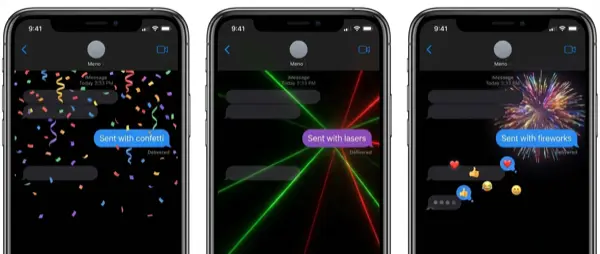
- Custom backgrounds per conversation: Set a different background for each chat — note that the recipient can see it too!
- Polls in group chats: Create polls directly in group chats without third-party apps.
- Selective Text Copy: Long-press a message and select only a portion of the text — no need to copy the entire thing anymore!
- Live Translation: Incoming messages are automatically translated to your language in real time.
- Unknown sender filtering: A new screening filter for messages from unknown senders — it automatically categorizes them.
- Quick photo sending: A hidden toggle dramatically speeds up sending photos in messages.
🧭 5. Safari — Hidden Improvements
Safari in iOS 26 didn't just change its look with Liquid Glass. There are hidden settings that dramatically improve the browsing experience:
🔄 Restore Classic Layout
If you don't like the new design, go to Settings → Safari → Layout and select “Classic” to restore the old iOS 18 interface.
📌 Web Apps on the Home Screen
Save any website as a Web App on the Home Screen — it opens like a regular app without the Safari bar. Ideal for your favorite sites.
📸 6. Hidden Camera Tricks
The Camera app underwent a radical UI refresh, but the most interesting features are hidden:
- AirPods as camera remote: Use your AirPods Pro to remotely control your iPhone's camera — ideal for group photos and selfies.
- Lens Clean Detection: A new “smart” setting alerts you if the lens is dirty before you take a photo.
- AirPods as video microphone: Use your AirPods as a wireless microphone during video recording — dramatic improvement in audio quality.
- HDR Screenshots: Screenshots are now taken in HDR — more vivid colors than ever.
💡 Hidden Gem: You can disable full-screen preview screenshots via Settings → Camera → Screenshots. This saves time if you take a lot of screenshots.
🎯 7. Focus Modes — Hidden Capabilities
Focus features in iOS 26 became much more flexible. Here's what you can do that you didn't know about:
Apple also added new Ambient Sounds that you can activate via Control Center — ideal for concentration or relaxation, without needing a third-party app.
🔋 8. Battery Optimization Tricks
Battery management in iOS 26 hides powerful tools:
⚡ Adaptive Power Mode
A new feature that learns your habits and automatically adjusts energy usage. Enable it via Settings → Battery → Adaptive Power.
🔌 Charging Time Estimate
See exactly how long a full charge takes — displayed on the Lock Screen and in the battery widget.
⌨️ 9. Hidden Keyboard Shortcuts
The iOS 26 keyboard has new hidden shortcuts:
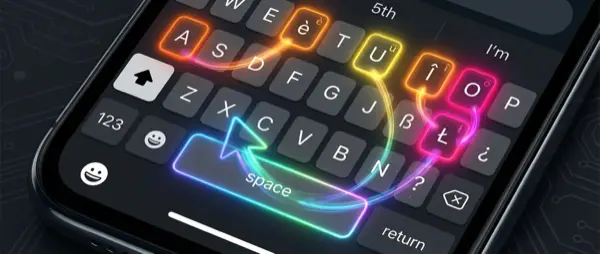
- Slide to Select: Slide two fingers on the keyboard to turn it into a trackpad — precise text selection.
- Quick Undo: Swipe three fingers left for Undo, right for Redo — works everywhere!
- Quick language switching: Long-press the globe icon and slide directly to the language — much faster.
- Text Replacement: Create shortcuts — e.g., “eml” is automatically replaced with your email address.
🔍 10. Spotlight Search — Hidden Superpowers
Spotlight in iOS 26 evolved into a full productivity tool:
💡 Secret: Swipe down from anywhere on the Home Screen for Spotlight. Type simple commands: “timer 5 minutes”, math operations ("145*23″), currency conversions ("100 USD to EUR"), or even “set alarm 7am”. Works without Siri!
👆 11. Back Tap — The Most Underrated Feature
The Back Tap feature remains the most underrated iPhone feature. In iOS 26, you can assign even more actions:
- Double tap: Open the camera, take a screenshot, turn on the flashlight, or run a Shortcut.
- Triple tap: Open Control Center, Shazam, or mute.
- Setting: Settings → Accessibility → Touch → Back Tap
🗺️ 12. Apple Maps — Hidden Features
Maps in iOS 26 learns your habits:
🛣️ Preferred Routes
Maps learns your route to work and alerts you if there's a delay before you even leave.
📍 Visited Places
New location history — see where you've been on trips. You can disable it via Settings → Maps → Privacy.
💰 13. Wallet App — Hidden Treasures
Wallet in iOS 26 became a complete financial tool:
- Track Orders: Orders from emails appear automatically in Wallet — shipment tracking without apps.
- Physical Card Storage: Store physical card details in Wallet for easy reference.
- Digital Passport: Digital passports are now supported in select countries.
- Silence Promos: Mute annoying promotional notifications from within Wallet settings.
🎵 14. Apple Music — Secret Features
Apple Music in iOS 26 hides impressive features:
📝 15. Notes & Reminders — Hidden Capabilities
The Notes and Reminders apps received significant upgrades:
- Markdown Import/Export: Import and export notes in Markdown format — ideal for developers.
- 3D Graphs: Write three-variable math equations and see 3D graphical representations right inside Notes!
- Quick Reminders: Create a reminder with a single tap — new one-tap creation widget.
- AI Reminders: Hidden Apple Intelligence features in Reminders automatically suggest times and categories.
📷 16. Photos App — The Big Comeback
If you hated the new Photos app layout in iOS 18, there's good news! Collections and the Photo Library have been split back into two separate tabs. Additionally:
💡 Hidden Feature: Convert any 2D photo into a 3D Spatial Scene — Apple uses AI to create depth. Enable it by long-pressing a photo → “Create Spatial Scene”. Impressive!
🎮 17. New Games App & FaceTime Tricks
Two more hidden surprises in iOS 26:
🎮 Games App
Apple added a dedicated Games app — a central hub for all your games with achievements, friends activity, and personalized recommendations.
📹 FaceTime Upgrades
Call screening, automatic nudity blocking, Live Translation captions, and card-style layout. Enable sensitive content warnings via Settings.
⚙️ 18. Hidden Settings You Should Change NOW
We wrap up with the most important hidden settings that will immediately improve your experience:
- Custom Alarm Snooze: Change the alarm snooze duration — it's no longer just 9 minutes!
- Reduce Loud Sounds: A new toggle that automatically reduces loud sounds — ideal if you use headphones.
- eSIM Transfer: Transfer an eSIM from Android to iPhone without contacting your carrier.
- AirPods Auto-Connect: Keep your AirPods connected even when you get in the car — via Settings → Bluetooth → AirPods → Connect Preference.
"iOS 26 isn't just Liquid Glass — it's the biggest upgrade in hidden features in years. It's worth taking the time to discover what your iPhone is hiding."
— OnOff.gr Editorial Team⚠️ Important: Many of the above features require iPhone 15 Pro or later for Apple Intelligence features. Check compatibility in Settings → General → About. For more information and detailed guides, visit OnOff.gr!