📖 Read more: Action Mode iPhone: Stable Video Without a Gimbal
What Is Spatial Video
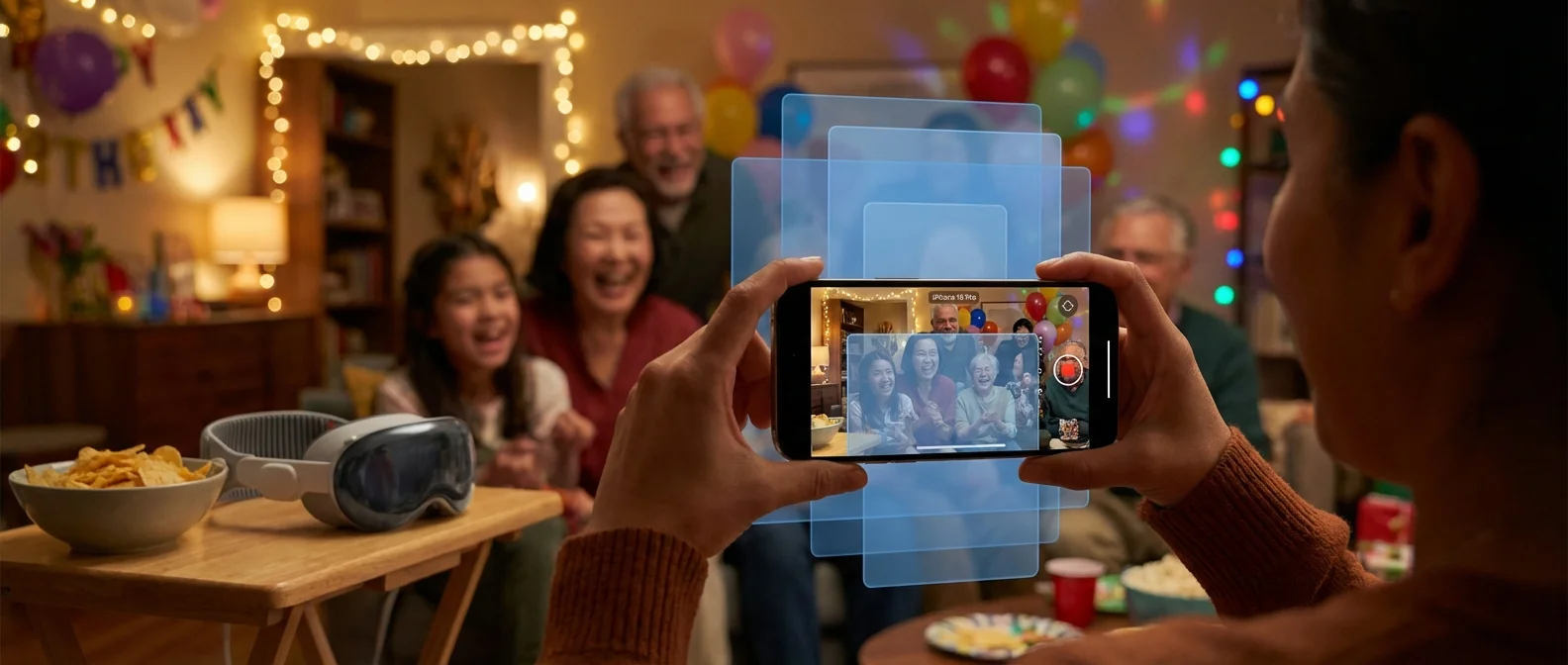
Spatial Video captures an image from the main and ultra-wide lens simultaneously, creating two slightly different angles — exactly how our eyes see. This method is called stereoscopic capture and is the foundation of every 3D technology, from cinema to VR headsets.
Apple introduced Spatial Video with the iPhone 15 Pro in December 2023 (iOS 17.2) and since then the feature is available on all Pro models. On iPhone 16 and later, the feature appears as a dedicated Spatial mode in the Camera app.
How to Enable It
According to Apple's official guide, the process is simple:
- Open the Camera app on your iPhone
- Swipe right through the modes to select Spatial
- Rotate your iPhone to landscape orientation
- Tap the Spatial Photo or Spatial Video icon
- Press the shutter or record button
Important: Hold the iPhone horizontally (landscape) and level with the ground. Spatial Video doesn't work in portrait orientation — the two lenses must be on the same horizontal plane to create proper depth.
📖 Read more: Apple Watch + iPhone: 10 Must-Know Tricks for 2026
Compatible Models
Spatial Video is available on iPhone 15 Pro, iPhone 15 Pro Max, and all iPhone 16 and later models (including iPhone 16, 16 Plus, 16 Pro, 16 Pro Max, and the iPhone 17 series). Older models don't support spatial capture, but they can play back the files as regular 2D video.
How to Watch
Apple Vision Pro
The ultimate experience is on Apple Vision Pro. Spatial videos appear in the Photos app like a window into another space — faces and objects have real depth. You can “expand” the image to feel even closer to the memory. Vision Pro with the new M5 chip offers 23 million pixels and Spatial Audio for total immersion.
iPhone, iPad & Mac
On iPhone, iPad, or Mac, spatial videos play as regular 2D video. The file isn't lost — the third dimension simply isn't visible without Vision Pro. Files sync automatically via iCloud Photos across all your devices.
📖 Read more: iPhone eSIM Greece: Activation Guide 2026
Spatial Photos: The New Addition
Beyond video, iPhone 16 and later can also capture Spatial Photos — still images with depth. On Vision Pro, these photos come alive: you can look around objects as if they're right in front of you.
Additionally, Vision Pro can transform existing 2D photos into spatial scenes using AI — adding depth to photos already in your library.
Tips for Better Spatial Videos
"Frame your subject 1 to 2.5 meters from the camera. Use lighting that is uniform and bright."
— Apple iPhone User GuideDistance: Apple recommends 1 to 2.5 meters from your subject. Closer gives better depth, while greater distances noticeably reduce the 3D effect.
📖 Read more: iPhone Full? 10 Ways to Free Up Storage Space
Lighting: Uniform and bright lighting is essential. In low light, depth is lost and noise appears in the image.
Stability: Hold the iPhone steady and level with the ground. Fast movements create discomfort for the viewer due to stereoscopic 3D.
Storage: At ~130MB per minute, a 5-minute Spatial Video takes up approximately 650MB. Make sure you have enough free space before recording.
Apple Immersive Video: The Next Step
Beyond the spatial videos you shoot yourself, Apple creates Apple Immersive Video — a 180°, 3D 8K format with Spatial Audio that places you inside the action. Available through the Spatial Gallery app on Vision Pro, it includes content from creators, Apple Music, and Apple TV+.
Sources:
Apple — Take spatial photos and record spatial videos — iPhone User Guide