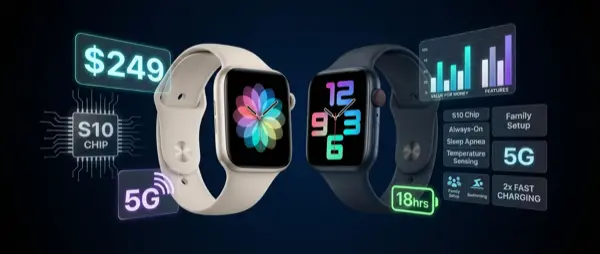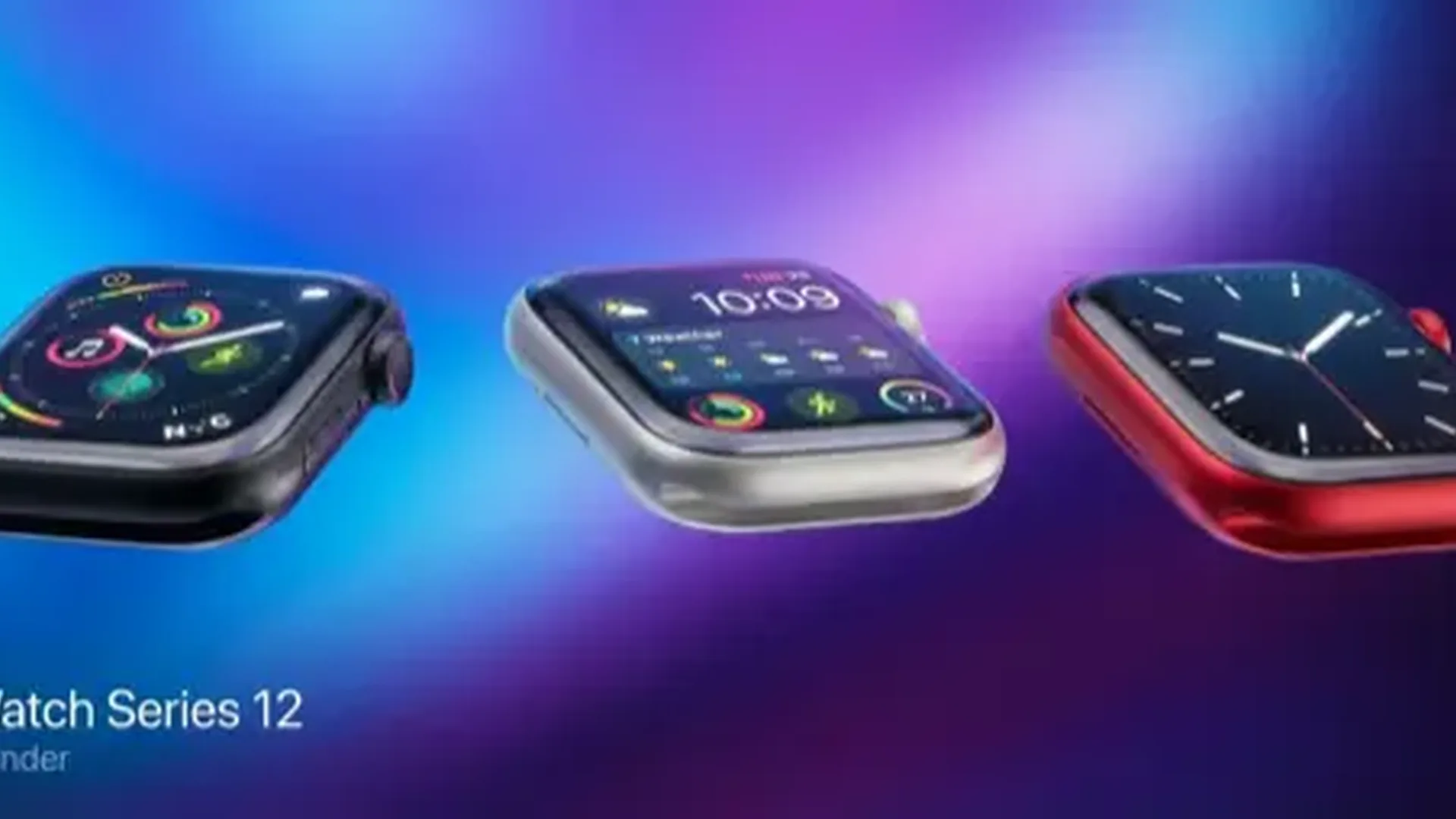
In September 2025, Apple announced that the Apple Watch Series 11, Ultra 3, and SE 3 would all support 5G networks — marking the biggest connectivity upgrade in the watch's history. Instead of plain LTE, the new models use 5G RedCap technology that promises faster speeds and better power efficiency. But reality is more nuanced — not all countries have access, and the practical differences aren't always obvious.
📡 What Is 5G RedCap
When we hear “5G on Apple Watch,” it's not the same 5G your iPhone uses. Smartwatches use a lighter version called 5G RedCap (Reduced Capability) — a standard designed specifically for IoT devices and wearables.
5G RedCap delivers speeds up to 150 Mbps download, a significant improvement over the ~50 Mbps of LTE Cat 4 used in previous models. At the same time, it consumes less power thanks to its architecture — crucial for a device with a battery smaller than a smartphone's.
It's worth noting that Apple doesn't use its own modem in the watches. Instead, it chose a MediaTek 5G modem — which explains why the company didn't advertise the manufacturer during the presentation. The MediaTek modem is reliable and specialized for wearables, but lacks the marketing appeal of an “Apple-made” chip.
🌍 Where It Actually Works
One of the most controversial points at launch was limited availability. Apple showed a slide with supported carriers, and several countries were notably absent.
Countries with 5G on Apple Watch
- USA: Verizon, AT&T, T-Mobile, Boost, US Cellular, Metro
- Europe: Orange (France/Spain), EE & Three (UK), Sunrise (Switzerland), Deutsche Telekom (Germany)
- Asia: SoftBank, NTT Docomo, au (Japan), SmarTone & CSL (Hong Kong), Singtel & M1 (Singapore), Jio (India)
- Middle East: Zain, du (UAE)
- China: China Unicom, Mobile, Telecom
Countries like Canada, Australia, New Zealand, Brazil, and Mexico didn't have 5G support at launch. In Canada, only Rogers had started 5G RedCap rollout, and only in limited areas.
The good news: Apple Watch models sold worldwide (except China) contain the same 5G modem. When local carriers enable 5G RedCap support, the feature can be activated via a software update.
⚡ Real-World Differences
The big question: do you actually feel the difference? Early reviews showed mixed results. Download speeds for music and podcast streaming were slightly faster, but not dramatically so.
This makes sense — an Apple Watch doesn't download large files. The main cellular uses — calls, messages, notifications, music streaming, navigation — don't require massive bandwidth. The real 5G improvements come on two other fronts:
- Latency: Lower response times mean faster Siri, quicker notifications, and better call quality
- Power efficiency: The 5G RedCap modem is designed to consume less energy, contributing to the improved 24-hour battery life
- Connection reliability: In densely populated areas, 5G offers less network congestion
- Future capabilities: Faster connectivity makes new features (live translation, remote health monitoring) more feasible
💰 Is the Cellular Model Worth It?
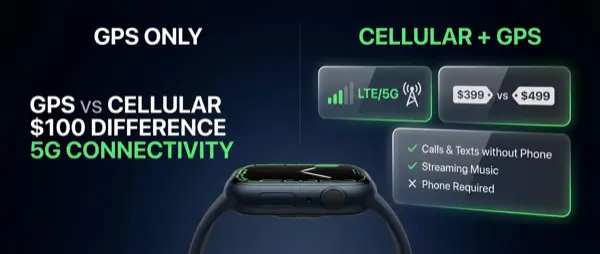
The Apple Watch Series 11 comes in two versions: GPS (~$399) and GPS + Cellular (~$499). The price difference is around $100, plus you'll need to factor in the monthly cellular plan cost — typically $5-10 per month depending on your carrier.
The cellular model is worth it if:
- You run or work out without your iPhone
- You want to receive calls and messages even when you forget your phone
- You rely on Emergency SOS or Fall Detection during outdoor activities
- You want genuine independence from your iPhone for short periods
It's not worth it if you always keep your iPhone nearby — at home, at the office, in the car. In those situations, the watch connects via Bluetooth/Wi-Fi and the cellular connection stays dormant.
📱 Cellular Without iPhone: What You Can (and Can't) Do
An important clarification: the Apple Watch Cellular is not a fully independent device. It requires an iPhone for initial setup and activation, and the cellular plan shares your phone number through Number Share or equivalent carrier service.
Without your iPhone nearby, you can:
- Make and receive phone calls
- Send and receive iMessages and SMS
- Stream Apple Music
- Use Apple Maps for navigation
- Check notifications from apps that support standalone mode
- Activate Emergency SOS
Without iPhone, you can't: install new apps, change watch faces, download new podcasts, or use apps that require a constant phone connection.
🔮 What This Means for the Future
The transition to 5G opens new possibilities that weren't feasible with LTE. With lower latency and greater bandwidth, Apple could eventually offer:
- Real-time health monitoring: Continuous transmission of health data to a doctor or hospital
- Live translation: Faster real-time translation on your wrist
- Cloud-powered Siri: AI responses without delay
- Satellite + 5G hybrid: Combining satellite with 5G for seamless coverage
🏃 Real-World Use Cases
Beyond the specifications, let's look at how 5G connectivity changes specific everyday scenarios:
Running without iPhone: You head out for a run with just your watch. With 5G, you can stream Apple Music without interruption, receive real-time notifications, and use Apple Maps if you change route. Lower latency means Siri responds faster when you need to dictate a voice message without breaking stride.
International travel: If you're in a country with Apple Watch 5G support, your watch can make Emergency SOS calls even without your iPhone nearby. In countries without support, it falls back to LTE automatically — as long as your carrier has a roaming agreement.
Field professionals: Doctors, engineers, delivery drivers — anyone who can't or doesn't want to hold a smartphone constantly. With a cellular Apple Watch, you never miss critical calls or messages. The 5G connection further improves reliability in busy urban environments with heavy network traffic.
Elderly safety: A cellular Apple Watch can function as a safety device for elderly family members through Family Setup. The 5G connection ensures faster communication with emergency services in case of a fall or emergency.
📊 5G vs LTE: Should You Upgrade?
If you have an older cellular Apple Watch (Series 7, 8, or 9) running on LTE, should you upgrade for 5G? For most users, honestly, no. LTE is perfectly adequate for the watch's current needs. The upgrade makes sense only if you're already due for a hardware refresh — in that case, 5G is a welcome bonus rather than a standalone reason to buy.
If you're buying your first cellular Apple Watch, however, the 2025 models are the best yet. The combination of 5G, 24-hour battery life, and improved scratch resistance makes the Series 11 the most complete cellular watch Apple has made to date.
5G connectivity on the Apple Watch may not dramatically change the daily experience today, but it lays the foundation for tomorrow's features. It's a quiet but significant upgrade — like preheating the oven before the bread goes in. The real value will become apparent over the next 2-3 years as apps and services take advantage of the faster speeds. For now, it's a future-proofing investment — and if you're buying a cellular model in 2025 or 2026, you're getting the groundwork for features that haven't been imagined yet.