Sleep Score changes the way you understand your sleep
With watchOS 26.2, the Apple Watch introduces a comprehensive sleep scoring system that combines duration, stages, consistency, and interruptions into a single score. Learn how it works and how to improve your sleep.
📖 Read more: Strava and Komoot: Offline Maps on Apple Watch Without iPhone
Sleep is perhaps the most undervalued health factor. We spend roughly a third of our lives asleep, yet until recently, few of us had any real insight into the quality of our sleep — not just its duration. With watchOS 26.2, Apple introduces Sleep Score: a new tool that translates complex sleep data into a single easy-to-understand number, helping you evaluate each night at a glance.
In this detailed guide, we'll explore exactly how Sleep Score works, which factors affect the score, how to set up your Apple Watch for optimal tracking, and ultimately — how to improve your sleep based on real data.
What is Sleep Score?
Sleep Score is a single numerical score (0–100) that appears every morning in the Sleep app on your Apple Watch. Instead of having to interpret separate graphs of sleep stages, REM percentages, wake times, and more, Sleep Score summarizes everything into one easy-to-understand number.
What does the score mean?
Apple uses data from the motion sensors (accelerometer), the heart rate sensor, and machine learning to analyze every aspect of your sleep. The result: a score that isn’t based solely on “how long you slept,” but on how well you slept.
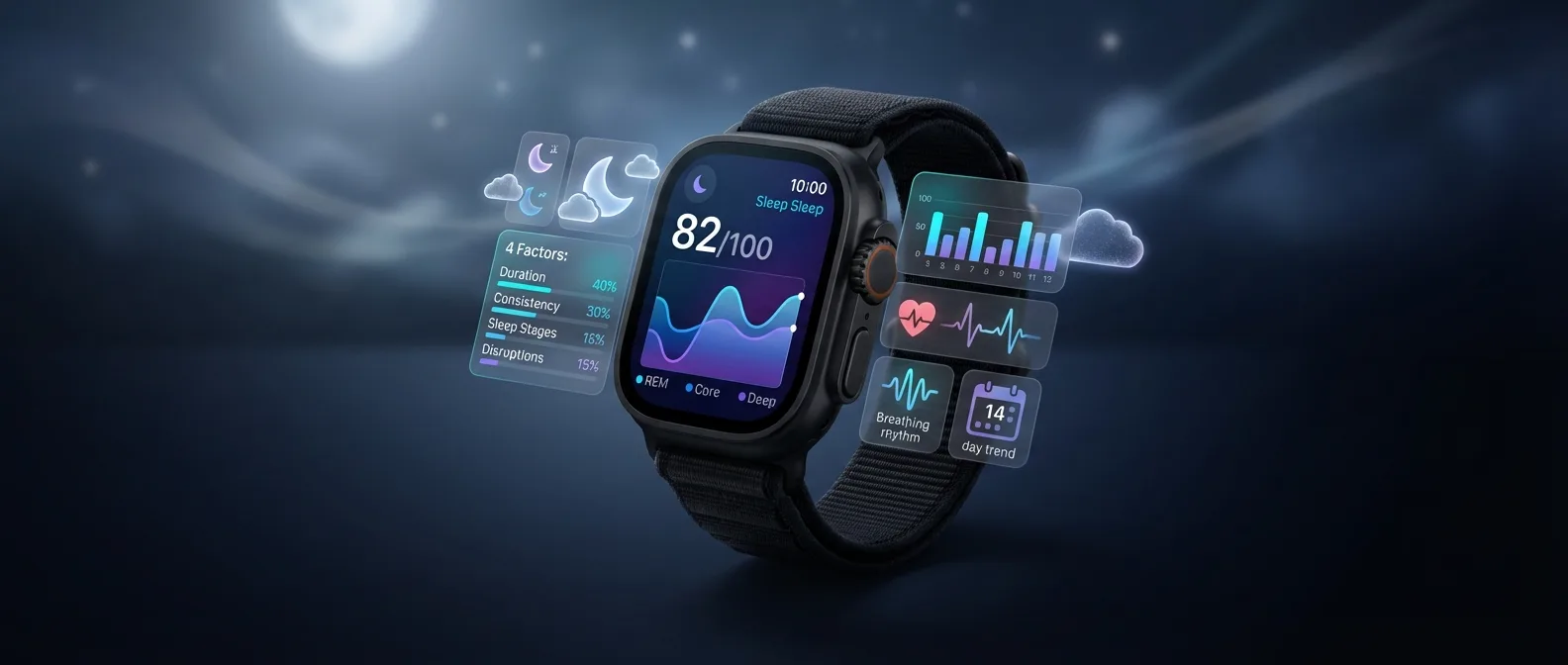
The 4 Factors That Determine Your Score
Sleep Score isn’t a random number. It’s based on four distinct factors, each with a different weight in the overall score:
Sleep Duration
The most important factor. It measures the total time you spent asleep (not in bed). Apple recommends 7–9 hours for adults, depending on the Sleep Goal you’ve set.
Schedule Consistency
How consistent your bedtime and wake-up time have been over the past 14 days. An irregular routine disrupts your circadian rhythm and lowers your score.
Sleep Stages
The percentage of time spent in REM and deep sleep (Deep Sleep). These stages are critical for physical recovery, memory consolidation, and emotional processing.
Nighttime Interruptions
How many times you woke up during the night. Fewer awakenings mean more uninterrupted, efficient sleep and a higher score.
How it works in practice
The Sleep app on Apple Watch now shows a detailed breakdown every morning. You can see your overall score as well as how you performed in each of the four factors individually. For example, if you slept 8 hours but had many awakenings, you’ll see a high duration score but a low “Nighttime Interruptions” score. This way, you know exactly what to improve.
Understanding Sleep Stages
To fully understand what Sleep Score measures, you first need to know the four sleep stages tracked by the Apple Watch. Each night, your brain goes through 4–6 sleep cycles, with each cycle lasting about 90 minutes.
Awake
Brief awakenings during the night. Normal up to a point.
of total time
REM Sleep
The brain processes emotions and memories. This is when dreams occur.
📖 Read more: Training Load: How to Avoid Overtraining
of total time
Core Sleep
Light sleep — a transitional stage. Heart rate drops and muscles relax.
of total time
Deep Sleep
Deep, restorative sleep. Critical for physical recovery and immune function.
of total time
According to scientific studies, deep sleep (Deep Sleep) is critical for physical recovery, immune system support, creativity, and memory. REM sleep primarily supports emotional processing, learning, and creativity. The Apple Watch uses machine learning to identify these stages through changes in heart rate and wrist movements.
Did you know?
Deep sleep is concentrated mostly in the first half of the night, while REM sleep increases in the second half. That’s why, if you only sleep 5 hours, you lose proportionally much more REM sleep. Sleep Score takes this dynamic into account.
A Typical Night with Sleep Score
Let’s see what a night of sleep tracking looks like with the new system, step by step:
Sleep Focus Activates
30 minutes before your bedtime, the screen dims and notifications go silent. Your iPhone and Watch automatically enter Sleep Focus mode.
Recording Begins
Once you fall asleep, the sensors begin tracking your heart rate, wrist movements, and breathing rate. Machine learning starts analyzing your sleep stages.
Deep Sleep Cycles
Most Deep Sleep cycles occur here. Heart rate drops to its lowest point. Muscles relax completely.
REM Sleep Cycles
REM phases get longer. Dreams become more vivid. The brain processes the day’s experiences.
Sleep Score & Analysis
The Taptic Engine gently wakes you up. On the screen, you immediately see your score, along with a breakdown of each factor and a comparison with previous nights.
Setting Up Sleep Tracking
To get the most out of Sleep Score, you first need to properly set up your sleep schedule on your Apple Watch. The process is straightforward:
📖 Read more: UWB on Apple Watch: Ultra Wideband Explained
Open the Health app on your iPhone
Go to the Browse → Sleep tab. Here you’ll find all sleep settings and your historical data.
Set Your Sleep Schedule
Set your Bedtime and Wake Up time. You can create different schedules for weekdays and weekends.
Set Your Sleep Goal
Choose your sleep goal (e.g., 8 hours). Sleep Score will evaluate your duration based on this target.
Enable Wind Down
Set how many minutes before bedtime Sleep Focus activates (e.g., 30 minutes). This silences notifications and dims the screen.
Enable Track Sleep with Apple Watch
In the Sleep settings, make sure this is turned on. Without it, the watch won’t track your sleep stages or calculate Sleep Score.
Charge Before Bed
Make sure your Apple Watch has at least 30% battery before going to bed. Ideally, charge it during your Wind Down routine. With Fast Charging, 10 minutes is enough for 8 hours of tracking.
Where to View Your Data
watchOS 26.2 gives you multiple access points to your sleep data:
Sleep App (Watch)
Right when you wake up, you’ll see your Sleep Score, a sleep stages chart, duration, and how it compares to your goal. Scroll with the Digital Crown for a full analysis.
Health App (iPhone)
This is where you’ll find detailed trends. View weekly and monthly trends, average Sleep Score, average sleep stages, and how your sleep quality evolves over time.
Smart Stack Widget
In watchOS 26.2, the new Liquid Glass Smart Stack displays a sleep widget with your score. With a single raise, you can see how you slept without opening any app.
Sleep Score: Apple Watch vs the Competition
How does Apple’s Sleep Score compare to similar systems from other wearables? Let’s take a detailed look:
| Feature | Apple Watch | Oura Ring 4 | Fitbit / Pixel Watch | Samsung Galaxy Watch |
|---|---|---|---|---|
| Sleep Score | ✅ 0-100 | ✅ 0-100 | ✅ 0-100 | ✅ 0-100 |
| Sleep Stages | ✅ REM, Core, Deep | ✅ REM, Light, Deep | ✅ REM, Light, Deep | ✅ REM, Light, Deep |
| Schedule Consistency | ✅ 14-day | ✅ 7-day | ❌ Not separate | ⚠️ Basic |
| Apnea Detection | ✅ FDA approved | ❌ No | ⚠️ SpO2 only | ⚠️ SpO2 only |
| Wrist Temperature | ✅ Series 8+ | ✅ Yes | ✅ Pixel Watch 2+ | ✅ Watch 5+ |
| Smart Alarm | ✅ Taptic Engine | ❌ Phone only | ✅ Vibration | ✅ Vibration |
| Duration Accuracy | ⭐⭐⭐⭐⭐ | ⭐⭐⭐⭐⭐ | ⭐⭐⭐⭐ | ⭐⭐⭐⭐ |
| Trends & History | ✅ Health App | ✅ Oura App | ✅ Fitbit App | ✅ Samsung Health |
Compared to the competition, Apple Watch’s advantage lies in its combination of accuracy, apnea detection, and deep integration with the Apple Health ecosystem. Additionally, evaluating Schedule Consistency over a 14-day period provides a more comprehensive picture than other wearables.
Myths & Facts About Sleep
Before we move on to improvement tips, let’s clear up some common misconceptions:
📖 Read more: Wallet: Payments and Digital Keys
❌ Myth
“5 hours of sleep is enough if I feel fine”
✅ Fact
Research shows that chronically sleeping less than 7 hours increases the risk of cardiovascular disease, obesity, and cognitive decline. “Being used to it” doesn’t mean it’s enough.
❌ Myth
“I can stay up late on weekends and catch up on Monday”
✅ Fact
"Social jet lag" disrupts your circadian rhythm. An irregular routine negatively impacts Schedule Consistency, lowering your Sleep Score by 10–20 points.
❌ Myth
“Alcohol helps me sleep better”
✅ Fact
Alcohol drastically reduces REM sleep in the first half of the night, even if it helps you fall asleep faster. You’ll see a clear drop in your Sleep Score on nights you drink.
8 Ways to Improve Your Sleep Score
Based on the four factors that Sleep Score measures, here are practical tips that can boost your score:
Consistent schedule — every day
Go to bed and wake up at the same time, even on weekends. A deviation of more than 30 minutes affects Schedule Consistency, which makes up 30% of the score.
Make the most of Wind Down
Set Wind Down to 30–45 minutes before bedtime. This will silence notifications and help you disconnect gradually.
Less alcohol & caffeine
Avoid coffee after 2 PM and alcohol 3–4 hours before bed. Both dramatically reduce REM and Deep Sleep.
Dark & cool room
Body temperature drops during sleep. A room at 18–20°C with complete darkness noticeably improves your score.
Exercise — but early
Regular exercise increases deep sleep. However, avoid intense workouts 2–3 hours before bed — it raises your heart rate.
Use the data
Check the trends in the Health app every week. If Deep Sleep is declining, you may need more sleep time. If awakenings are increasing, check your room conditions.
Natural light during the day
Exposure to natural light in the first hours after waking regulates your circadian rhythm, improving Schedule Consistency long-term.
Avoid screens before bed
Blue light from smartphones and tablets suppresses melatonin production. Enable Night Shift or put them away 30+ minutes beforehand.
📖 Read more: watchOS 11.6.2: What the New Apple Watch Update Fixes
Sleep Apnea Detection: Another Sleep Tool
Beyond Sleep Score, watchOS 26.2 continues to support the sleep apnea detection feature, which was FDA-approved in 2024. This feature uses the accelerometer to detect breathing disturbances during sleep.
How does the detection work?
The Apple Watch analyzes breathing data over a 30-day period. If it detects a consistent pattern of increased breathing disturbances, it sends you a notification recommending a doctor visit. Sleep apnea affects approximately 1 billion people worldwide, and many don’t know they have it.
The detection feature is available on Apple Watch Series 10 and later, as well as Ultra 2 and later. If you notice low Sleep Scores despite sleeping enough hours, sleep apnea could be the reason — as it causes many micro-awakenings you don’t remember but that dramatically affect sleep quality.
What’s New in watchOS 26 for Sleep
Sleep Score isn’t the only sleep improvement in watchOS 26. The broader update brings several related changes:
Liquid Glass Design
The Sleep app has been refreshed with the new Liquid Glass design language, featuring cleaner charts and more readable data even in low light.
Hypertension Notifications
New hypertension monitoring capability via the optical sensor. Sleep significantly affects blood pressure — now you can track both.
Improved Wind Down
New relaxation sound options and the ability to automatically play Ambient Sounds through speakers or AirPods during the Wind Down phase.
Customizable Snooze
No more fixed 9-minute snooze! You can now set snooze anywhere from 1 to 15 minutes, based on your needs.
Compatibility
Sleep Score and the other sleep features of watchOS 26.2 are available on the following models:
| Model | Sleep Score | Sleep Stages | Apnea Detection | Wrist Temperature |
|---|---|---|---|---|
| Apple Watch Ultra 3 | ✅ | ✅ | ✅ | ✅ |
| Apple Watch Ultra 2 | ✅ | ✅ | ✅ | ✅ |
| Apple Watch Series 11 | ✅ | ✅ | ✅ | ✅ |
| Apple Watch Series 10 | ✅ | ✅ | ✅ | ✅ |
| Apple Watch Series 8/9 | ✅ | ✅ | ❌ | ✅ |
| Apple Watch Series 6/7 | ✅ | ✅ | ❌ | ❌ |
| Apple Watch SE (2nd gen) | ✅ | ✅ | ❌ | ❌ |
| Apple Watch SE 3 | ✅ | ✅ | ✅ | ✅ |
iPhone Requirements
To use Sleep Score on watchOS 26, you need an iPhone 12 or later running iOS 26. Pairing happens automatically — no separate setup is required.
Frequently Asked Questions
Conclusion
Sleep Score in watchOS 26.2 represents a significant evolution in Apple’s sleep tracking capabilities. Instead of fragmented data that required interpretation, you now have a clear, understandable score that reflects the overall quality of your sleep.
The real transformation, however, isn’t the number. It’s the behavior change it can inspire. When you see your Score drop after a late night or alcohol, you naturally start making healthier choices. When you see how much Schedule Consistency affects the score, you become more disciplined.
Sleep is the cornerstone of health
With Sleep Score, your Apple Watch turns every night into an opportunity for improvement. Start today: set up your Sleep Schedule, wear your watch before bed, and tomorrow morning you’ll have your first data.