A simple “ding” on your wrist can save a life. That's exactly what happened in dozens of cases worldwide when the Apple Watch's High Heart Rate Alert detected hidden cardiovascular issues — and even dangerous drug interactions. Let's explore how this technology works, why it saves lives, and what you need to know.
How the high heart rate alert works
The Apple Watch uses photoplethysmography (PPG) technology to measure heart rate. Green LEDs on the back of the watch illuminate the blood vessels in your wrist, while photodiodes measure light reflection. Since blood absorbs green light, changes in reflection reveal the beat-to-beat rhythm.
The High Heart Rate Notification feature periodically checks your heart rate in the background — even when you're not working out. If it detects a rate above your set threshold (e.g., 120, 130, or 150 bpm) while you appear to be at rest for at least 10 minutes, it sends an alert.
Important: The alert does NOT trigger during exercise — only at rest. This means if your heart rate is unexplainably high without physical activity, something may not be functioning properly.
The journalist's case: A drug interaction
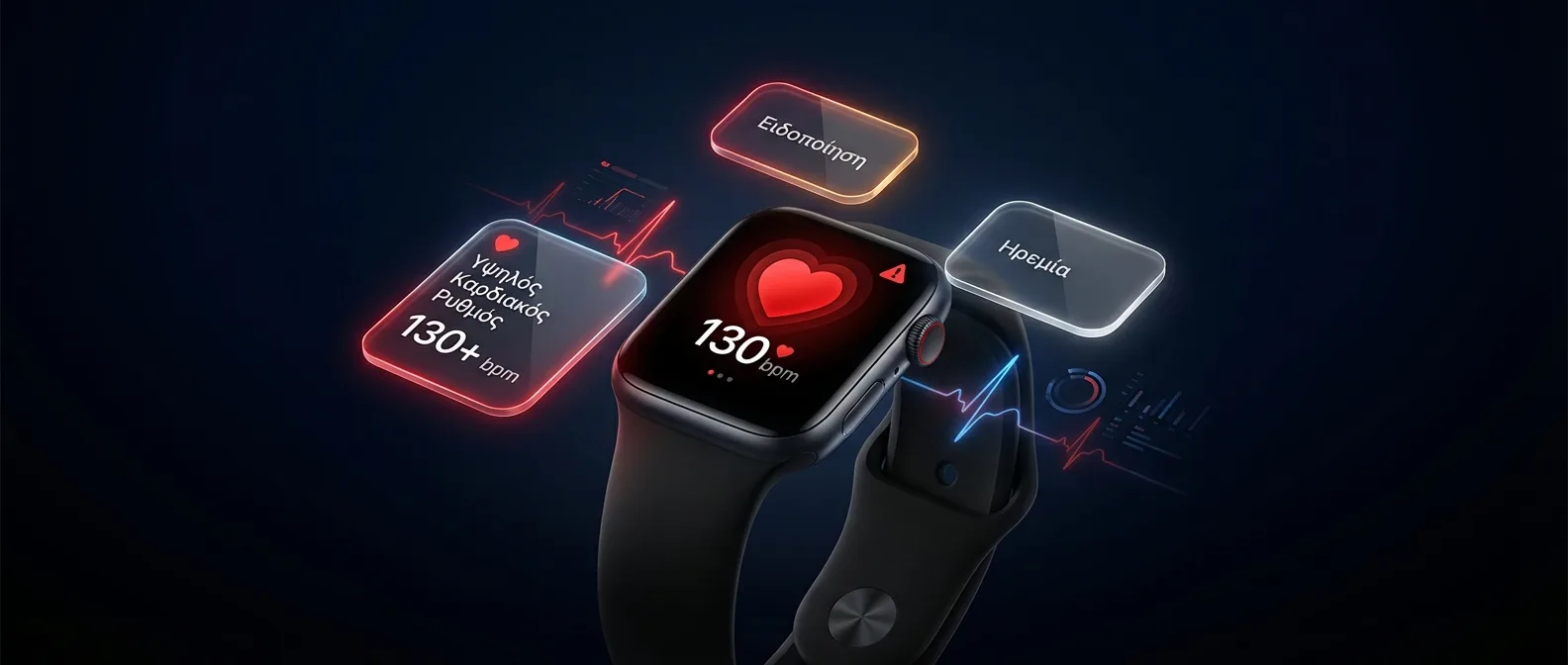
One of the most remarkable stories involves a tech journalist who received a High Heart Rate Alert while sitting at his desk. His heart rate had reached 130+ bpm while completely at rest — a sign of tachycardia with no obvious cause.
After a trip to the emergency room, it turned out the cause was a dangerous drug interaction between medications he was taking simultaneously. A newly prescribed drug was interacting with an existing one, causing adrenergic overstimulation. Without the Apple Watch, the situation could have led to arrhythmia or worse.
Why are drug interactions so dangerous?
According to studies, over 125,000 deaths annually in the US are attributed to Adverse Drug Reactions. Many medications can affect heart rate:
- Beta-adrenergic agonists (bronchodilators, decongestants): Increase heart rate
- Antidepressants (SSRI/SNRI): Can cause serotonin syndrome when combined with certain painkillers
- Thyroid hormones: Excessive doses mimic hyperthyroidism with tachycardia
- Stimulants (ADHD medications, caffeine): In high doses or combinations, they can dramatically increase heart rate
- Antihistamines + Macrolides: A well-known combination that prolongs the QT interval
Real stories that change lives
The journalist's case is far from unique. On over 100 million wrists (2022 estimate) worldwide, the Apple Watch has detected dozens of life-threatening conditions:
How to set up Heart Rate notifications
To take full advantage of this feature, you need to configure the notifications properly. Here's how:
Setting up the High Heart Rate Alert
- Open the Watch app on your iPhone
- Go to Heart > Heart Rate Notifications
- Enable High Heart Rate and choose a threshold (100, 110, 120, 130, 140, or 150 bpm)
- Also enable Low Heart Rate (recommended: 40 or 50 bpm)
- Enable Irregular Rhythm Notifications if available in your country
Recommended threshold: For most adults, 120 bpm is a good starting point. If you're an athlete with a low resting heart rate (50-60 bpm), you might want an even lower threshold (100-110 bpm). If you're getting too many false alerts, raise it slightly.
Setting up the Low Heart Rate Alert
The low heart rate alert is equally important. Bradycardia (heart rate below 60 bpm) can indicate:
- Heart block: Electrical signals aren't reaching the ventricles properly
- Beta-blocker overdose: Blood pressure/arrhythmia medications that lower heart rate
- Hypothermia: Body temperature drops below 35°C (95°F)
- Hypothyroidism: The thyroid isn't producing enough hormones
The technology behind the sensor
Heart rate sensor generations
Apple has significantly improved the optical heart rate sensor over the years. Each generation brings better accuracy:
How accurate is the measurement?
Modern studies show that optical wrist sensors achieve up to 95% accuracy compared to chest strap sensors, although intense activity can produce 5-30% deviation due to motion. Apple continuously improves its algorithms with every watchOS update.
Factors that affect accuracy:
- Band tightness: Too loose = poor contact = unreliable signal
- Tattoos: Dark ink interferes with the optical sensors
- Motion: Running and cycling create signal noise
- Cold: Low temperatures reduce blood flow to extremities
- Skin tone: Apple has significantly improved its algorithms for equal accuracy across all skin tones
What to do if you receive an alert
If your Apple Watch alerts you about a high heart rate while at rest, follow these steps:
1. Sit down & relax
Take deep breaths for 5 minutes. Drink water. Avoid caffeine.
2. Check again
After 5-10 minutes, take another measurement. If the rate stays elevated, take action.
3. Take an ECG
If you have a Series 4+, take an ECG for additional insights.
4. Call a doctor
If your rate stays above 120 bpm at rest or you're experiencing symptoms, go to the emergency room.
When to call 911 immediately: If along with a high heart rate you experience chest pain, shortness of breath, dizziness, feeling faint, or pain in your left arm or jaw — don't wait. These could be signs of a cardiac event.
Apple Watch & medication monitoring
One of the most underrated uses of the Apple Watch is indirectly monitoring the effects of medications. While the watch doesn't know what drugs you're taking, it can detect their impact on your body:
- Sudden increase in baseline HR: After a medication change, average resting HR rises
- HRV (Heart Rate Variability) changes: Drugs affecting the autonomic nervous system alter variability
- Rhythm changes (ECG): New arrhythmia after a treatment change
- SpO2 changes: Medications affecting breathing may lower oxygen saturation
Pro Tip: When you start a new medication, note the date in the Health app. After a week, compare your HR/HRV data before and after. If you see a significant change, inform your doctor with screenshots from the Health app.
The Apple Heart Study and the numbers
The largest study in the field — the Apple Heart Study in collaboration with Stanford University — included over 419,000 participants. While it primarily focused on detecting atrial fibrillation, the findings were revealing:
- 0.52% of participants received an irregular rhythm notification
- Among those, the positive predictive value (PPV) was 84% — meaning nearly 9 out of 10 alerts were correct
- The majority of detections involved individuals with no prior diagnosis
This means hundreds of thousands of people were learning for the first time that they had a rhythm disorder — thanks to a watch on their wrist.
Beyond Heart Rate: A complete health ecosystem
The heart rate alert is part of a comprehensive health ecosystem that Apple has been building gradually:
- ECG (Electrocardiogram): Lead I recording for atrial fibrillation detection
- Blood Oxygen (SpO2): Oxygen saturation measurement — now restored in the US (August 2025)
- Fall Detection: Automatic emergency call on a hard fall
- Crash Detection: Car accident detection (Series 8+)
- Sleep Apnea: FDA-approved sleep apnea detection (Series 9+)
- Hypertension: New feature on Series 11, FDA-approved
- Wrist Temperature: Ovulation cycle tracking and baseline changes (Series 8+)
Frequently asked questions
Why am I getting false alerts?
The most common causes are: a loose band, hand movement that appears as rest, caffeine or alcohol consumption, stress/anxiety, and dehydration. Try tightening your band or slightly raising the alert threshold.
Can the Apple Watch replace a Holter Monitor?
No. A Holter monitor continuously records ECG for 24-48 hours with multiple leads. The Apple Watch samples periodically and only records 30 seconds of single-lead ECG. However, it's an excellent initial screening tool.
Which Apple Watch do I need for HR notifications?
The Heart Rate notification is available on all Apple Watch models from Series 1 onwards (watchOS 5+). You don't need ECG — it uses the optical sensor. Even the Apple Watch SE supports it.
Can I share my HR data with my doctor?
Yes! Through the Health app on iPhone, you can export heart rate data, ECG recordings as PDFs, and notification history. Many cardiologists now request this data as part of a patient's medical history.
Conclusion: A watch that cares
The journalist's story reminds us of an important truth: the technology on our wrist can literally save lives. The high heart rate alert isn't just another notification — it's a safety net that works 24/7, detecting hidden dangers from drug interactions to silent arrhythmias.
With over 267 million Apple Watches sold worldwide (2023 estimate) and sensors that keep getting more accurate, we're on the threshold of a new era of prevention. You don't need a doctor's recommendation to wear an Apple Watch — but you might need an Apple Watch to get to the doctor in time.
Final tip: Enable Heart Rate notifications today if you haven't already. It takes 30 seconds to set up, but it could give you years of life. And if you're on medication, take a look at your Heart Rate data in the Health app after every prescription change.