

📖 Read more: Text Shortcuts iPhone: Text Replacement Automations
🔔 What Are Live Activities
Live Activities were introduced with iOS 16.1 in October 2022 and are essentially real-time notifications that remain visible on the Lock Screen and Dynamic Island on supported devices. Unlike regular push notifications that disappear, Live Activities continuously refresh their data — game scores, driver location, flight gate — without requiring you to open any app. Apple designed them to surface only the most essential information at a glance.
According to Apple's developer documentation, each Live Activity runs in its own sandbox and cannot access the network or receive location updates directly. Data is refreshed via ActivityKit within the app or through ActivityKit push notifications sent from the developer's server. The combined static and dynamic data for each Live Activity cannot exceed 4 KB — a strict technical limit that ensures low power consumption.
🏝️ How They Work on Dynamic Island
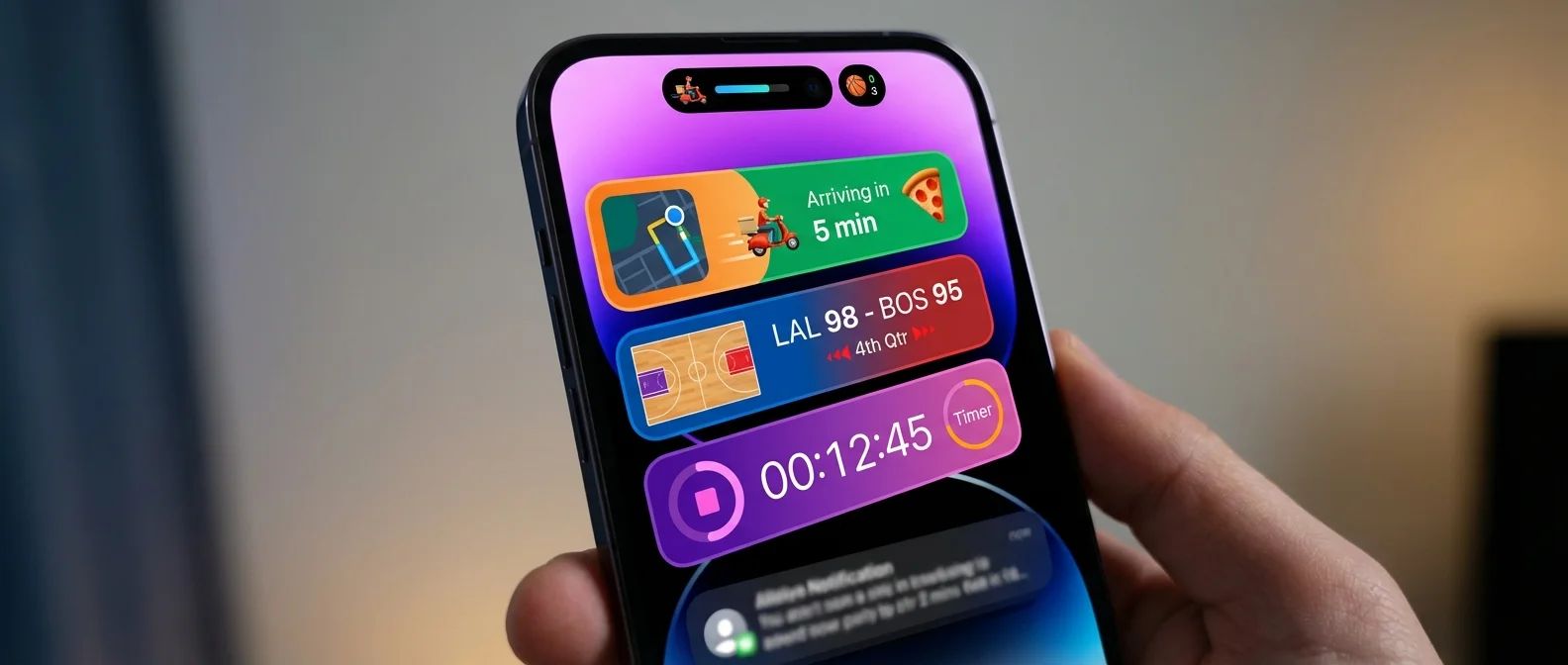
The Dynamic Island, first introduced on the iPhone 14 Pro, displays Live Activities in three distinct forms. The compact presentation splits into leading and trailing elements, creating a unified view around the TrueDepth camera — for example, a taxi icon on the left and arrival time on the right. When Live Activities from multiple apps are active simultaneously, the system switches to the minimal form: one activity appears attached to the Dynamic Island while a second appears detached as a circular indicator.
Long-pressing any Live Activity reveals the expanded form — a rich card that divides content into leading, trailing, center and bottom regions. Here you see detailed information: team names with scores for sports, gate numbers and route maps for flights, driver details for ride-hailing.
Lock Screen & StandBy
On the Lock Screen, Live Activities appear below notifications as larger banners. Each app can display one Live Activity at a time. Notably, in StandBy mode (iPhone in landscape while charging), Live Activities appear in minimal form at the top. Tapping them fills the entire display with the full Lock Screen presentation.
📖 Read more: iPhone 17e: 4 Changes the New Budget iPhone Brings
📱 Popular Apps
Transportation & Navigation
Uber was among the first major apps to adopt Live Activities — in February 2023, the feature rolled out across more than 1,200 cities worldwide, according to MacRumors. You can see your driver's live location, ETA and cost at a glance. Uber Eats followed in May 2023 for food order tracking. Bolt and Lyft offer similar Live Activities for rides. Apple Maps supports turn-by-turn navigation in the Dynamic Island, while Google Maps has been working on its own integration.
Sports
The Apple TV app displays live scores for NBA, MLB and Premier League matches directly on the Lock Screen — a feature announced alongside iOS 16. Third-party apps like FotMob (soccer), ESPN and the official NBA app (from March 2023) show scores, match time and key events — goals, fouls, substitutions — without opening the app.
Flights & Travel
United Airlines added Live Activities in May 2023, providing access to your boarding pass, gate number, seat and a departure countdown. Flighty, a popular independent flight-tracking app, was among the first third-party apps to leverage the feature. Even Disney theme parks (Walt Disney World and Disneyland) added Live Activities in January 2025 for tracking mobile food orders.
Timers, Delivery & Countdowns
The built-in Clock app displays timers and countdowns on the Dynamic Island. DoorDash (since December 2023) shows food delivery status, while cooking apps display recipe countdowns directly on the island.
📖 Read more: iPhone eSIM Greece: Activation Guide 2026
⚙️ Management & Technical Details
Each Live Activity automatically ends after 8 hours. After ending, it remains visible on the Lock Screen for up to 4 additional hours as a last-status reference — giving a maximum total presence of 12 hours. You can manually end a Live Activity by swiping left on it on the Lock Screen or from within the corresponding app.
Starting with iOS 16.2, there is an option for more frequent updates (More Frequent Updates) on a per-app basis — ideal for sports apps where scores change every minute. Live Activities also support interactive elements like Buttons and Toggles through the App Intents framework, enabling quick actions without opening the app. Beyond iPhone, they also appear on CarPlay as well as a paired Apple Watch or Mac.
Sources:
Apple Developer — Displaying Live Data with Live Activities
MacRumors — Live Activities Guide