The Apple Watch has evolved into one of the most comprehensive running companions on the market. From pace and cadence tracking to heart rate zones and Running Power in watts, it puts everything on your wrist — no extra gear needed. In this February 2026 guide, we break down every detail runners need to know.
Running Metrics: What Apple Watch Tracks
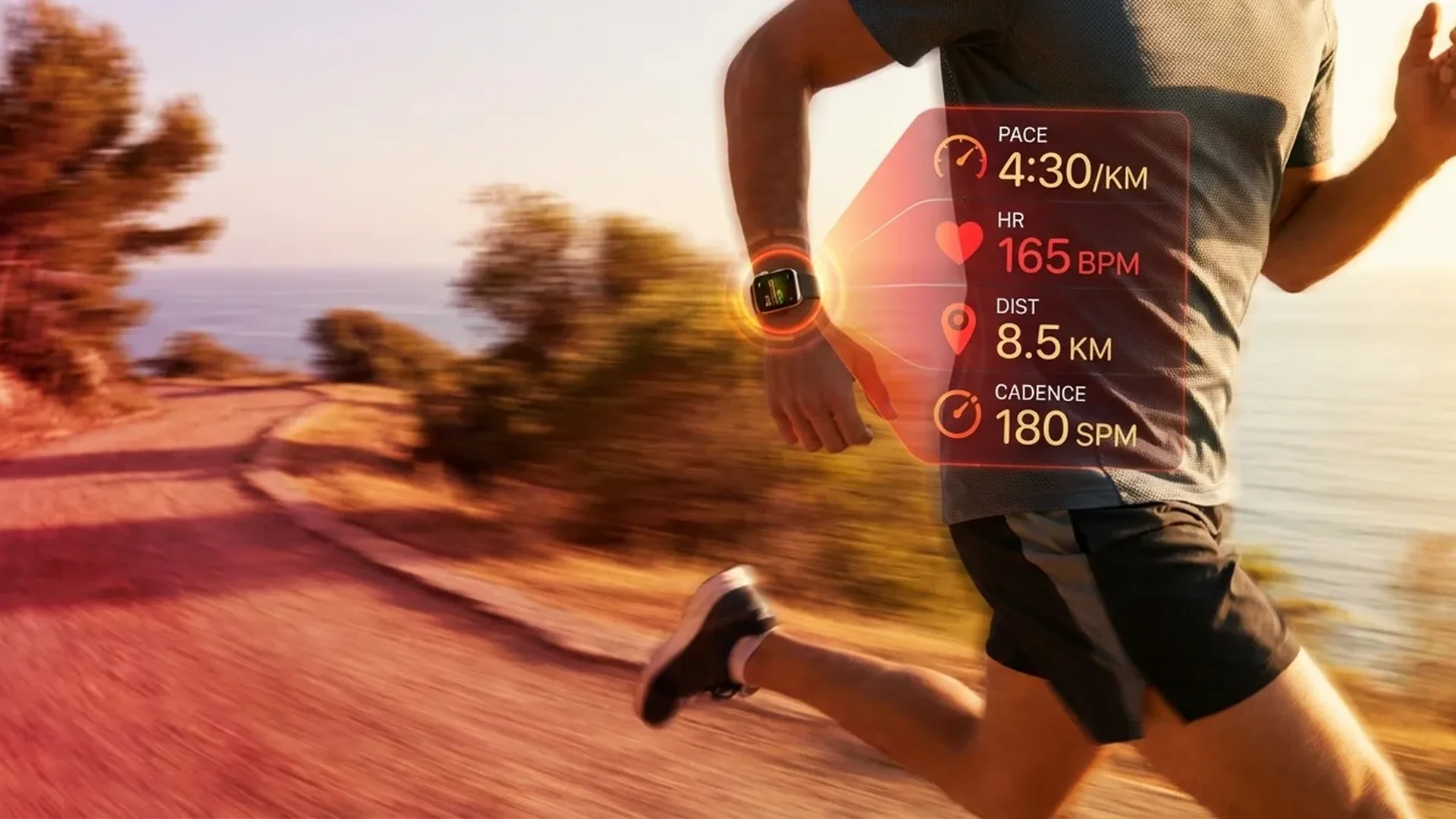
Starting with watchOS 9 and continuing through the latest updates, Apple Watch offers a full suite of running metrics that rivals dedicated running watches. During every run, the watch automatically records pace in minutes per kilometre, cadence in steps per minute, stride length, ground contact time, and vertical oscillation.
Cadence is a critical efficiency indicator. Most experts recommend targeting around <180 steps per minute for optimal running form. Apple Watch displays this number in real time, allowing you to adjust your rhythm mid-run. Additionally, vertical oscillation tells you how much you're bouncing — ideally you want minimal vertical movement so your energy is directed forward rather than upward.
Running Form via Motion API
Apple Watch uses its built-in motion sensors (accelerometer and gyroscope) through the Motion API to analyse your running form. This means you don't need an external foot pod or shoe sensor — the watch on your wrist handles everything. Running Form data appears in the Fitness app on iPhone, where you can view weekly and monthly trends to track improvements over time.
Training Tip
Enable cadence alerts during your runs. Go to the Workout app, swipe left on the metrics screen, and add Cadence as a metric view. This way you see your steps per minute in real time and can adjust your stride accordingly.
Heart Rate Zones for Training
Apple Watch supports 5 heart rate zones calculated automatically based on your health data. Zone 1 corresponds to easy recovery running, Zone 2 to comfortable aerobic running (the “golden zone” for building endurance), Zone 3 to tempo effort, Zone 4 to threshold training, and Zone 5 to maximum intensity intervals.
During your run, you see a colour-coded zone indicator through the Digital Crown ring. This helps you stay at the right intensity without constantly checking numbers. For long runs, the goal is to stay primarily in Zone 2, while for interval sessions you'll alternate between Zones 4-5 and Zones 1-2 for recovery.
Custom Workout Builder
One of the most powerful tools for runners on Apple Watch is the Custom Workout Builder. You can create fully customised workouts directly on the watch or through your iPhone. It supports intervals (e.g. 400 metres fast / 200 metres recovery), tempo runs at a specific pace for a set duration, progressive runs, and hill repeats.
For each workout segment, you set goals based on distance, time, calories, or open-ended. You can also configure alerts for pace, heart rate, or cadence so the watch notifies you when you drift off target. This makes Apple Watch ideal for structured marathon or half-marathon training programmes.
GPS Accuracy and Multi-Band Positioning
Apple Watch Series 9 and newer use precision dual-frequency GPS (L1 + L5) for more accurate positioning in challenging environments like cities with tall buildings or densely forested trails. The Apple Watch Ultra 2 and Ultra 3 feature multi-band GPS with an enhanced antenna integrated into the titanium case, delivering the best GPS accuracy available on any Apple Watch.
In practice, the deviation on a 10-kilometre run is typically <50 metres compared to a measured course. This makes Apple Watch reliable for both everyday training runs and race day when accurate pace and distance matter most.
Race Route: Compete Against Yourself
The Race Route feature lets you select a route you've previously run and race against your past performance. During the run, you see in real time whether you're ahead or behind your “digital self” and by how much. It's an excellent motivational tool that drives continuous improvement without needing a training partner or pace group.
Running Power (Watts)
Running Power measures the power output in watts that you generate while running. Unlike pace, Running Power accounts for factors like wind, gradient, and fatigue, giving you a more accurate picture of your actual effort. On hilly courses especially, pace can be misleading, but watts tell you exactly how hard you're working regardless of terrain.
VO2 Max and Cardio Fitness
Apple Watch estimates your VO2 Max (maximum oxygen uptake), which is the gold standard indicator of aerobic fitness. Values update after every outdoor run or walk lasting more than <20 minutes. In the Health app, you can view progression charts and classification (low, below average, above average, high) based on your age and sex.
Garmin vs Apple Watch for Runners
The Garmin Forerunner 265 offers specialised runner tools like Training Readiness and Race Predictor. However, Apple Watch excels in ecosystem integration (Apple Health, iPhone connectivity), design elegance, and third-party app availability. For casual to serious runners, Apple Watch now covers every training need.
Running Apps on Apple Watch
Beyond the native Workout app, excellent third-party running apps are available. Nike Run Club offers guided runs with audio coaching from professional athletes, Strava adds a social element with segments and leaderboards, and Runkeeper provides customisable training plans. All run independently on the Watch without needing your iPhone nearby.
Tips for Better Running
- Cadence Lock Audio: Use music with a tempo around <180 BPM to synchronise your steps with the beat
- Auto Pause: Enable this if you run in a city with traffic lights — it automatically pauses tracking when you stop
- Water Lock: Activate it on rainy days to prevent accidental screen touches from water drops
- Always-On Display: Keep it enabled so you can see your metrics at a glance without raising your wrist
- Watch Face: Use the Activity Digital face with running complications before heading out
Injury Prevention with Training Load
Training Load in watchOS tracks the cumulative strain on your body over the last 7 days compared to the previous 28 days. If your current load significantly exceeds your average, you receive a notification warning of overtraining risk. This is critical for preventing common running injuries like shin splints, plantar fasciitis, and Achilles tendonitis.
Heart rate variability (HRV) measured during sleep provides additional recovery insights. Low HRV indicates your body hasn't fully recovered and you might need to substitute an easy session or rest day for a hard workout.
Marathon and Race Day Tips
For marathon day, set up a custom workout with your target pace splits. Charge the watch to 100% the night before, disable non-workout notifications, and enable Low Power Mode if you need battery beyond <5 hours. The Apple Watch Ultra 3 lasts comfortably through an ultramarathon without Low Power Mode.
During the race, use Race Route if you've previously run the course. Set pace range alerts to avoid starting too fast — a classic beginner mistake. At aid stations, tap pause if you want precise time measurements for your running segments.
Frequently Asked Questions
Do I need my iPhone for running?
No. Apple Watch records GPS, heart rate, and all running metrics independently. If you have a cellular model, you can even receive calls and messages during your run.
How accurate is GPS on Apple Watch?
With dual-frequency GPS (Series 9+), accuracy is excellent. On measured courses, deviation is typically <1%. The Ultra with multi-band GPS is even more precise.
Can I listen to music without my phone?
Yes. Download playlists from Apple Music or Spotify directly to the watch and pair Bluetooth headphones. It stores several hours of music.
Does Apple Watch replace a chest strap heart rate monitor?
For most runners, yes. The optical sensor is very accurate at steady paces. For high-intensity intervals there may be a slight lag — if you want absolute precision, a Bluetooth chest strap connects directly to the watch.
Which model is best for running?
The Series 10 covers every runner's need. The Ultra 3 adds longer battery life (ideal for ultramarathons), better GPS, an Action Button for quick workout start, and a more rugged build. Ultra 3 price: approximately <899€.
How do I follow training plans?
Through apps like Nike Run Club, Strava, or Runkeeper that offer complete training plans. Alternatively, create custom workouts based on your plan directly on the Apple Watch.