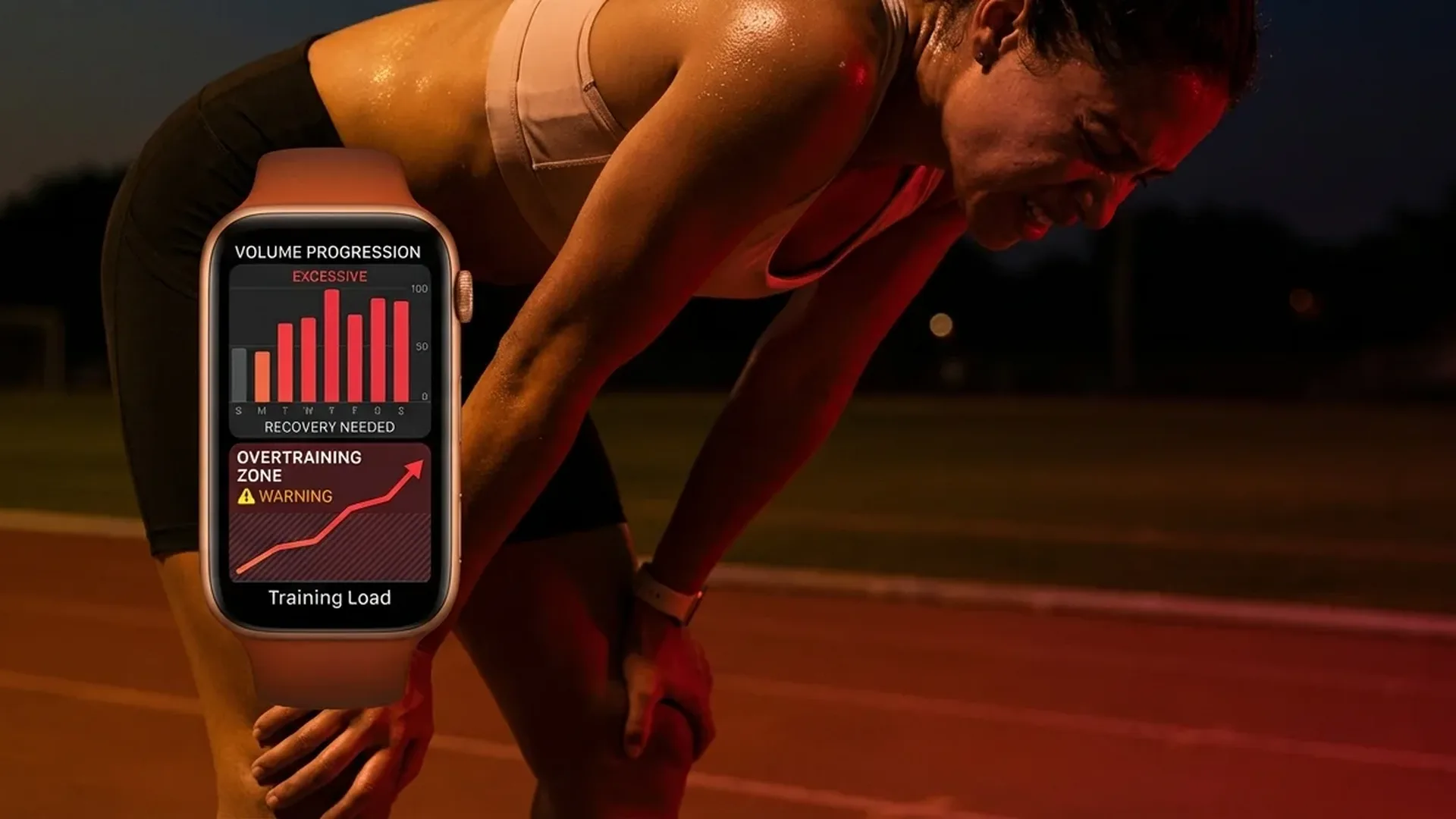
Training Load is one of the most important features Apple added with watchOS 11. It measures the combined impact of your workouts on your body and helps you avoid overtraining. In this guide, we explain how it works, how to use it properly, and how it compares to competing solutions from Garmin and Polar.
📖 Read more: Apple Watch Cases: Do You Need Protection?
What Is Training Load
Training Load is a metric that evaluates the total stress your body receives from workouts over a given period. Instead of looking at calories, heart rate, or duration in isolation, Training Load combines all these data points into a single indicator that you can understand without specialized knowledge.
Apple introduced this feature in watchOS 11, following in the footsteps of companies like Garmin and Polar that already offered similar tools. However, Apple's implementation stands out because it combines automatic heart rate measurements with manual effort ratings after each workout, providing a more complete picture of your actual training stress.
How It Is Calculated
The Training Load calculation is based on two main variables: the Effort Rating and heart rate data. After each workout, your Apple Watch asks you to rate the intensity on a scale of 1 to 10. If you do not provide a manual rating, the watch automatically estimates an Effort Rating based on your heart rate during the exercise session.
The system then compares the weighted load from the last 7 days against the last 28 days. This ratio determines which of the five categories you fall into, giving you a clear indication of whether you should increase or decrease your training intensity going forward.
The 5 Training Load Levels
Well Below: You are training significantly less than usual. Risk of losing fitness and detraining over time.
Below: Slightly lower load than normal. Good for recovery after an intense training block.
📖 Read more: Apple Watch Chargers 2026: Buying Guide
Steady: The ideal state. You are maintaining your fitness level without overloading your body.
Above: You are building fitness. Useful during periods of increased training volume.
Well Above: Risk of overtraining. You need to reduce intensity and prioritize recovery immediately.
Effort Rating: The Subjective Assessment
The Effort Rating is one of the most interesting elements of the system. After each workout, a 1-10 scale appears and asks how hard the session felt. This is based on the principle of RPE (Rate of Perceived Exertion), a recognized method in sports science that has been used by professional athletes for decades.
Why are heart rate data alone not enough? Because fatigue is not purely physical. A strength training session may not raise your heart rate much, but it can heavily stress your muscles and joints. Additionally, psychological fatigue, lack of sleep, or life stress all affect how you perceive a workout and how quickly you recover from it.
The scale works as follows:
- 1-3: Light workout, no significant fatigue. Warm-up or casual walking.
- 4-6: Moderate intensity, you feel like you worked but could continue.
- 7-8: High intensity, significant fatigue. You need rest afterward.
- 9-10: Maximum intensity, exhaustion. You could not do another set.
📖 Read more: Apple Watch for Couples: Shared Fitness Data
Why It Matters
Overtraining is a real problem for both recreational and professional athletes. The warning signs include:
- Persistent fatigue that does not go away even with several days of rest
- Declining athletic performance despite consistent and hard training
- Elevated resting heart rate above your normal baseline levels
- Low heart rate variability (HRV) measured during sleep
- Sleep disturbances and difficulty with recovery between sessions
- Increased susceptibility to injuries and joint pain
- Mental exhaustion and reduced motivation to exercise
Training Load warns you before you reach that point. If you see yourself at “Well Above” for several days, your body needs rest — regardless of how fresh you feel mentally. Prevention is always better than treatment when it comes to overtraining.
Overtraining is not the result of one hard workout — it is the result of many hard workouts without enough recovery between them.
— Principle of sports physiologyComparison with Garmin & Polar
Apple is not alone in offering Training Load monitoring. Garmin with its Training Status and Polar with Training Load Pro do similar things, though with different approaches and philosophies.
Garmin uses VO2 Max, heart rate, and recovery time to calculate a Training Status (Productive, Peaking, Unproductive, Detraining, etc.). Polar analyzes cardiorespiratory load, musculoskeletal load, and perceived load separately, providing three distinct metrics for deeper analysis.
Apple's advantage is simplicity: five easily understood categories without overly technical terminology. Garmin and Polar offer deeper analysis but require more sports science knowledge for proper interpretation. For the average user, Apple's approach is significantly more accessible and actionable.
📖 Read more: Apple Watch for Running: A Runner's Guide
Integration with Sleep and HRV
Training Load does not operate in isolation. The Apple Watch combines data from multiple sensors for a more complete picture. Heart rate variability (HRV) measured during sleep shows how well your body recovers each night from the demands of training.
Low HRV combined with high Training Load means you absolutely need to rest. Conversely, high HRV after a tough training week indicates good recovery and readiness for new loading. These two metrics together paint a much clearer picture than either one alone.
Sleep quality also plays a critical role in interpreting the data. If you sleep less than <7 hours per night, your recovery capacity drops dramatically, even if Training Load shows “Steady.” Sleep is the single most important form of recovery available to any athlete.
Practical Tip
Always rate the Effort Rating manually instead of letting the watch estimate it automatically. Your own sense of fatigue is more accurate than heart rate alone, especially for strength training or HIIT sessions. It only takes <5 seconds after each workout — well worth the effort.
How to Use It Properly
For beginners
If you have just started working out, aim for “Steady” or slightly “Above.” Do not push into “Well Above” — your body needs time to adapt to the new load. The golden rule is to increase weekly training volume by a maximum of <10%. Patience and gradual progression yield the best long-term results consistently.
📖 Read more: Apple Watch for Seniors: Setup Guide 2026
For advanced athletes
Use periodization: <3 weeks of “Above” followed by <1 week of “Below” for recovery. This pattern builds fitness without leading to overtraining syndrome. Professional athletes have followed this principle for decades — now your Apple Watch gives you the tools to do the same with personalized data.
Recovery time estimation
The Apple Watch also provides recovery time estimates after each workout. Respect these estimates — it does not mean you need to sit completely still, but avoid intense exercise until the recovery period has passed. Light walking or stretching are ideal activities during the recovery window.
Frequently Asked Questions (FAQ)
Do I need a specific Apple Watch model?
Training Load requires watchOS 11 or later, which is available on Apple Watch Series 6 and newer models. Older models do not support this feature due to sensor and processor limitations that prevent accurate calculations.
How long until I get reliable data?
You need at least <28 days of consistent use for the watch to gather enough data and provide reliable categorizations. During the first weeks, simply train normally and rate each workout without worrying about the values.
Can I skip the Effort Rating?
Yes, but accuracy drops noticeably. The automatic estimation based on heart rate does not capture muscular fatigue or psychological stress from a workout. It only takes <5 seconds to provide a rating — it is absolutely worth the minimal effort.
What should I do if it shows “Well Above” for several days?
Reduce your intensity immediately. Do light exercise (1-3 on the effort scale), focus on sleep and nutrition, and give your body time to recover. If fatigue symptoms persist beyond <2 weeks, seriously consider visiting a doctor for a checkup.
Does it work for all exercise types?
Yes, but accuracy varies depending on the activity type. Cardiovascular exercises (running, cycling, swimming) are measured more accurately due to consistent heart rate monitoring. Strength training relies more heavily on the manual Effort Rating for proper assessment of the actual load.
How does it connect to Activity Rings?
Activity Rings measure daily goals (Move, Exercise, Stand), while Training Load evaluates the long-term training trend over weeks. You can close your rings every day and still be at “Steady” or even “Below” if the intensity is low. The two systems complement each other but measure fundamentally different things.