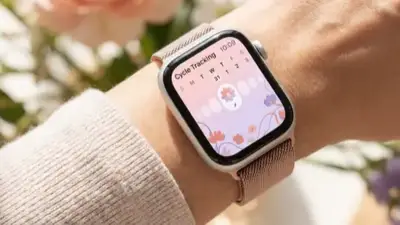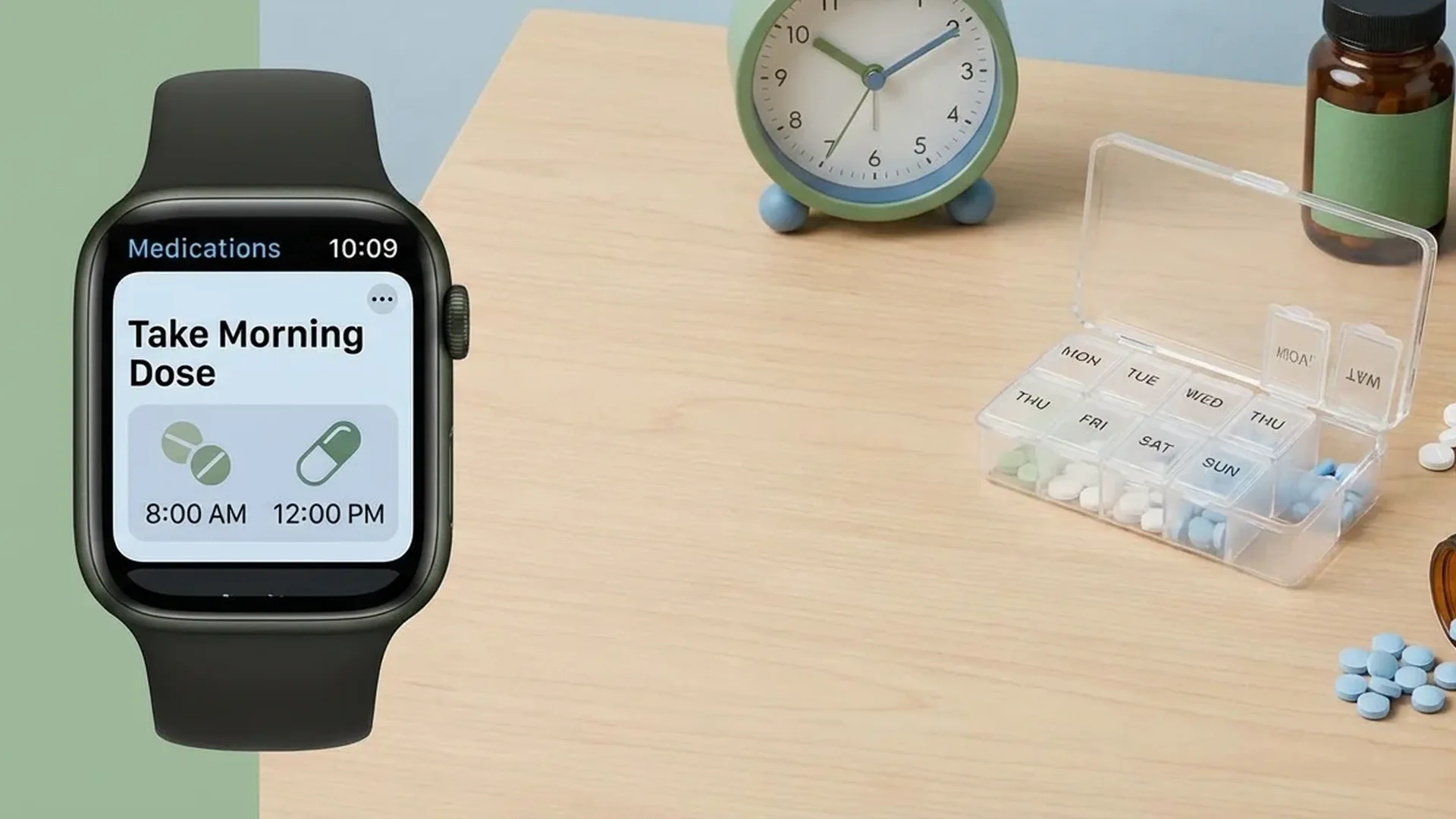
The Medications app on Apple Watch is one of Apple's most impactful health tools. Since watchOS 9, you can log medications, vitamins, and supplements, receive reminders for every dose, and track your adherence over time — all from your wrist.
📖 Read more: Noise App: Hearing Protection with Apple Watch
What Is the Medications App
The Medications app was introduced with watchOS 9 and iOS 16 in September 2022. It is a comprehensive medication management solution that allows users to log every prescription drug, over-the-counter medication, vitamin, or dietary supplement they take regularly. Apple designed the app to help millions of people who struggle to remember when and how to take their medications, especially those following complex treatment regimens.
Research shows that nearly half of all patients do not adhere properly to their medication schedules. This leads to poor management of chronic conditions, unnecessary hospital visits, and increased healthcare costs. Because the Apple Watch is worn continuously throughout the day, it is uniquely positioned to deliver timely reminders right when you need them.
The Medications app integrates deeply with the iPhone Health app, which serves as the central hub for setting up your medication list, configuring schedules, and reviewing your adherence history. Once configured, everything syncs seamlessly to your Apple Watch, where reminders appear as gentle haptic taps on your wrist.
How to Add Medications
Setting up your medication list is straightforward. The process begins on your iPhone and syncs automatically to your Apple Watch:
- Step 1: Open the Health app on your iPhone
- Step 2: Tap Browse at the bottom of the screen
- Step 3: Select Medications from the categories list
- Step 4: Tap Add Medication and type the name of your medication
- Step 5: Choose the form (tablet, capsule, liquid, cream, inhaler, injection, etc.)
- Step 6: Set the dosage amount and frequency
- Step 7: Configure reminder times for each dose
The app supports a wide variety of medication forms, from standard pills and capsules to inhalers, injections, patches, and topical preparations. You can even assign a custom color and shape to each medication, making it easy to identify at a glance on your watch screen. The visual system is particularly helpful when you are managing < 5 different medications simultaneously.
Pro Tip
You can scan a medication label using your iPhone camera to add it automatically. Apple's database recognizes hundreds of common medications, primarily those available in the United States. For medications not in the database, you can always add them manually with a custom name.
Reminders and Scheduling Options
One of the most powerful features of the Medications app is its flexible scheduling system. Not everyone takes their medications on the same schedule, and Apple accounts for this with several options:
- Daily: One or more times per day at specific times you choose
- Weekly: Specific days of the week, ideal for medications like methotrexate
- As Needed: Medications you only take when necessary, such as antihistamines or pain relievers
- Cyclical: Medications with on-and-off schedules, such as oral contraceptives
When the scheduled time arrives, your Apple Watch delivers a haptic tap and displays a notification. You can tap “Took” to confirm that you took the medication, or “Skip” if you decided to skip that dose. This logging creates a comprehensive adherence record that you can review later in the Health app.
Critical Alerts for Essential Medications
For life-critical medications — such as blood thinners, insulin, or anti-seizure drugs — you can enable Critical Alerts. These are special notifications that bypass Do Not Disturb, Focus modes, and even Silent Mode. The alert will sound regardless of your audio settings, ensuring that you never miss a critical dose. This feature is especially important for medications where a missed dose can have serious health consequences.
Drug Interaction Warnings
A standout feature of the Medications app is its drug interaction checker. When you add a new medication, the app automatically cross-references it against your existing medications to identify known interactions. The system checks for:
- Drug-to-drug interactions between your medications
- Interactions between medications and alcohol
- Interactions between medications and cannabis (where legally applicable)
- Interactions with certain dietary supplements
If an interaction is detected, the app presents a clear warning with an explanation of the potential risk and severity level. While these warnings do not replace professional medical advice, they serve as an additional safety net that can prompt you to consult your doctor or pharmacist before combining certain substances.
Tracking Adherence Over Time
Every time you log that you took or skipped a medication, the Health app records the data and generates adherence charts. You can view weekly or monthly summaries showing how consistently you have been following your treatment plan. This tracking is valuable in several ways:
📖 Read more: Apple Watch and Life Insurance: How Exercise Saves You Money
- During doctor visits — you can show precise adherence data from your phone
- For personal accountability, helping you improve consistency over time
- For exporting medication history as a PDF to share with your healthcare provider
Export as PDF
You can export your complete medication history as a detailed PDF from the Health app. Navigate to Medications, tap Share a PDF, and select the date range. The document includes your medication list, dosages, schedules, and adherence percentages — perfect for bringing to your next appointment.
Sharing via Health Sharing
With Apple's Health Sharing feature, you can share your medication list with family members or your doctor. This means that if you are caring for an elderly parent, you can monitor whether they are taking their medications properly right from your own iPhone. The sharing works in real time, so any logged or missed dose is immediately visible to the authorized person.
Health Sharing also works with healthcare providers. In supported regions, doctors can receive medication data directly into their electronic health record systems. This reduces transcription errors during consultations and improves the overall quality of care.
Privacy and Data Security
Apple places the highest priority on the security of health data. All medication data is encrypted end-to-end on your device. If you use iCloud sync, the data remains encrypted during transfer and at rest. Nobody — not even Apple — can see what medications you take unless you explicitly choose to share that information.
Health data is stored locally on your iPhone and is never used for advertising purposes. This is a significant advantage compared to competing health apps that may share data with third parties or use it for targeted advertising.
Who Benefits Most
The Medications app serves a broad range of users. Elderly individuals who take multiple medications simultaneously are arguably the most important target group. Patients with chronic conditions — such as diabetes, hypertension, thyroid disorders, or cardiovascular disease — find tremendous value in the automatic reminders that keep them on track.
Post-surgery patients who need to follow strict antibiotic or pain management schedules also benefit greatly. Even healthy individuals who take daily vitamins, omega-3 supplements, or probiotics can use the app to build better habits. As of February 2026, the Medications app has matured into a reliable health companion that millions rely on every single day.
Frequently Asked Questions
Can I add vitamins and supplements?
Yes. The Medications app is not limited to prescription drugs. You can add vitamin D, omega-3, probiotics, iron supplements, and any other supplement you take regularly. Each one gets its own schedule and reminder settings.
Does it work without the iPhone nearby?
Yes. Once medications are configured, reminders are stored locally on the Apple Watch. You do not need a connection to your iPhone to receive notifications. Data syncs automatically when the devices reconnect.
Can I export my medication history?
Yes. Through the Health app on your iPhone, you can export a detailed PDF containing your full medication list, dosages, schedules, and adherence percentages. Open Medications, tap Share a PDF, select the time period, and send it.
Is there a limit to how many medications I can add?
There is no practical limit. You can add as many medications as you need. The app automatically organizes them by scheduled time, so managing a long list remains straightforward.
Is my data secure?
Absolutely. Apple uses end-to-end encryption for all health data. Your medications are stored encrypted on your device and are never shared with third parties without your explicit consent.
Can I share my medication list with my doctor?
Yes, through the Health Sharing feature. Your doctor can view your medication list in real time once you invite them through the Health app. Alternatively, you can send them a PDF export during your appointment for a complete overview.