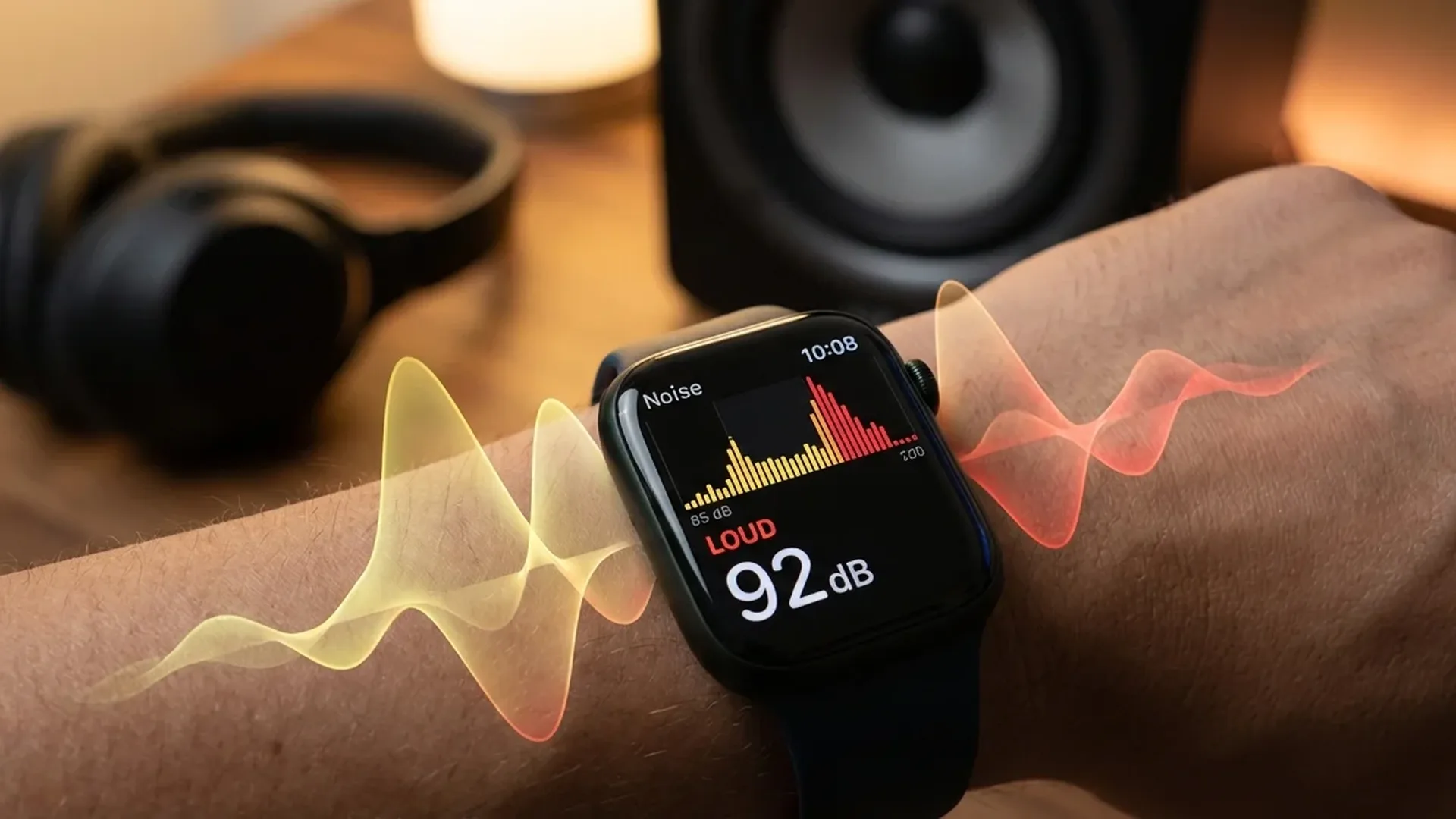
Hearing is one of those senses we tend to take for granted — until we start losing it. The Apple Watch Noise app, introduced with watchOS 6, measures ambient sound levels in real time and alerts you when your environment becomes dangerous for your hearing. Here is everything you need to know about how it works, why it matters, and how to configure it for maximum protection.
📖 Read more: Medications: Medicine Reminder Guide
What Is the Noise App
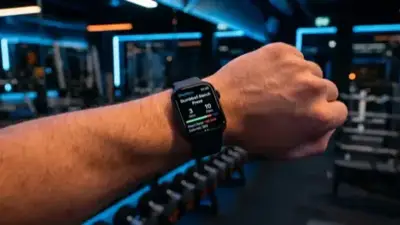
The Noise app was introduced in watchOS 6 (2019) and uses the built-in microphone on the Apple Watch to measure ambient sound levels in decibels (dB). When you open the app, you see a real-time meter showing how loud the sound around you is at any given moment.
The most important feature is the alert system. When noise reaches a dangerous level, the Apple Watch sends you a haptic notification. The default threshold is 90 dB, but you can customise it to 80, 85, 90, 95, or 100 dB depending on your needs. The World Health Organisation (WHO) recommends less than 80 dB for extended exposure periods.
Noise Levels: What the Decibels Mean
Decibels (dB) measure sound intensity. The scale is logarithmic — meaning every 10 dB increase represents a doubling of perceived loudness. To put the Noise app readings into context:
- 30-40 dB: Quiet home, whispers. Safe
- 50-60 dB: Normal conversation, office environment. Safe
- 70 dB: Vacuum cleaner. Extended hours of exposure can cause damage
- 80 dB: Heavy traffic. WHO limit for extended exposure
- 90 dB: Motorcycle. Can cause damage after 2 hours
- 100 dB: Ambulance siren. Dangerous after 15 minutes
- 120+ dB: Concert, stadium. Immediate risk of damage
Hidden Everyday Dangers
Many hearing hazards are not obvious. A gym with loud music can reach 90 dB. A busy restaurant can hit 85 dB. Even listening to music through earphones at high volume can exceed 100 dB — enough for permanent damage in just a few hours. The Noise app helps you identify these hidden risks before they cause lasting harm.
How to Configure the Noise App
Setup is straightforward. On your iPhone, go to Watch App > Noise > Noise Threshold. Here you can select the threshold you want: 80, 85, 90, 95, or 100 dB. For maximum protection, we recommend 80 dB in line with WHO guidelines.
📖 Read more: Blood Pressure on Apple Watch: Activation Guide
You can also add the Noise complication to your watch face. This shows the current noise level at a glance. The colour changes based on the level: green for safe, yellow for concerning, and red for harmful. It is one of the most practical complications available on Apple Watch.
"Over 1 billion young people aged 12-35 are at risk of losing their hearing due to exposure to unsafe levels of sound."
— World Health Organisation (WHO)Hearing Data in the Health App
All noise measurements are automatically logged to the Health app on your iPhone. Under the Hearing category, you can see historical charts showing the noise levels you encountered daily, weekly, and monthly.
This data is invaluable. You can spot patterns — for example, if your gym consistently shows high noise levels, you might need to wear earplugs or change your training times. If your commute regularly hits 85+ dB, consider ANC earphones to reduce environmental noise and protect your hearing.
📖 Read more: Diabetes and Apple Watch: What It Can Do Today
Integration with AirPods Pro and Hearing Aid
With iOS 18.1, Apple significantly expanded its hearing health features. AirPods Pro 2 can now perform a hearing test and function as a Hearing Aid for people with mild to moderate hearing loss.
Data from the Apple Watch Noise app and AirPods Pro combines in the Health app to give you a complete picture of your hearing health. The Noise app measures your environment, AirPods track the volume reaching your ears, and the hearing test evaluates the current state of your hearing. Together, they form a comprehensive hearing health ecosystem.
Privacy and Security
An important point: the Noise app never records audio. All analysis happens on-device on the Apple Watch and nothing is stored or sent to Apple. The microphone analyses loudness levels, not the content of the sound. There is absolutely no reason for privacy concerns.
Preventing Noise-Induced Hearing Loss
Noise-induced hearing loss (NIHL) is 100% preventable but 100% permanent. When the hair cells in the inner ear are destroyed by excessive noise, they do not regenerate. The damage is cumulative — you will not notice it until it is too late.
Some prevention tips:
- Wear earplugs at concerts and loud venues
- Keep your earphone volume below 80 dB
- Take breaks from noisy environments
- Enable the Noise app and set the threshold to 80 dB
- Get an annual hearing check, especially if you are frequently exposed to loud sound
Tip: AirPods Pro as Protection
AirPods Pro with Active Noise Cancellation can reduce environmental noise by up to 2x. This allows you to listen to music at lower volumes, protecting your hearing in loud environments like the underground or aeroplanes. Combined with the Noise app on your Apple Watch, you have a complete hearing protection system.
📖 Read more: Apple Watch Mindfulness App: Breathing & Calm Guide 2024
Professional Use and the Workplace
The Noise app is not just useful in daily life — it is exceptionally valuable in professional settings. Workers in factories, construction sites, airports, bars, or even nurseries are frequently exposed to noise levels exceeding 85 dB. The European Union mandates that employers must provide personal hearing protection to workers exposed to more than 85 dB over an 8-hour period.
With the Apple Watch, you can document the noise levels at your workplace. The data in the Health app serves as useful historical evidence if you ever need to demonstrate that you worked in noisy conditions. It does not replace a professional sound level meter, but it provides an excellent picture of your day-to-day acoustic reality.
Protecting Children's Hearing
Children's hearing is particularly sensitive. If your child wears an Apple Watch through Family Setup, the Noise app can serve as an ally in protecting their hearing. Many children listen to music on smartphones or tablets at volumes far exceeding safe limits without recognising the danger.
Set the threshold to 80 dB on your child's Apple Watch. Over time, the data will help you understand the acoustic environment they live in and whether additional protection is needed. Teach your child to recognise noise notifications and learn to lower the volume or leave loud spaces.
📖 Read more: VO2 Max on Apple Watch: What It Means for Your Health
Musicians and Noise Exposure
Musicians are among those at highest risk for hearing loss. Rehearsals in enclosed spaces can easily reach 100-110 dB. A live performance in a bar or club often exceeds 105 dB. The Apple Watch Noise app provides a convenient monitoring tool — a quick glance at the complication is enough to see whether rehearsal levels exceed safe limits and whether volume should be reduced or earplugs worn.
For musicians specifically, high-fidelity earplugs reduce volume evenly across all frequencies without distorting the sound. Combined with the Noise app alerts, they form an essential part of every working musician's hearing protection strategy.
Frequently Asked Questions
Which Apple Watch models support the Noise app?
All Apple Watch models running watchOS 6 or later. This includes Series 4 and newer, as these have the necessary microphone hardware.
Does the Noise app listen to my conversations?
No. It only measures sound intensity in decibels. It does not record, store, or transmit audio in any way. All processing happens locally on the Apple Watch.
How do I change the decibel threshold?
On your iPhone, go to Watch App > Noise > Noise Threshold. Choose 80, 85, 90, 95, or 100 dB. We recommend 80 dB for maximum protection.
Can I add a Noise complication to my watch face?
Yes. Long press on your watch face, tap Edit, and add the Noise complication. It shows the current noise level with a colour-coded indicator.
Is 90 dB really dangerous?
Yes. Sustained exposure to 90 dB for more than 2 hours can cause permanent hearing damage. This is why the WHO recommends a limit of 80 dB for prolonged exposure.
Does the complication run continuously?
Yes, when enabled the Noise app periodically samples sound levels in the background. The battery impact is minimal. The complication updates automatically with the current noise level.