📖 Read more: Cardio Recovery: What the Data Shows
How the Digital Car Key Works
The digital car key on the Apple Watch is built on Car Key technology that Apple developed in collaboration with the Car Connectivity Consortium (CCC). This protocol uses UWB (Ultra Wideband) or NFC for secure communication between the watch and the vehicle.
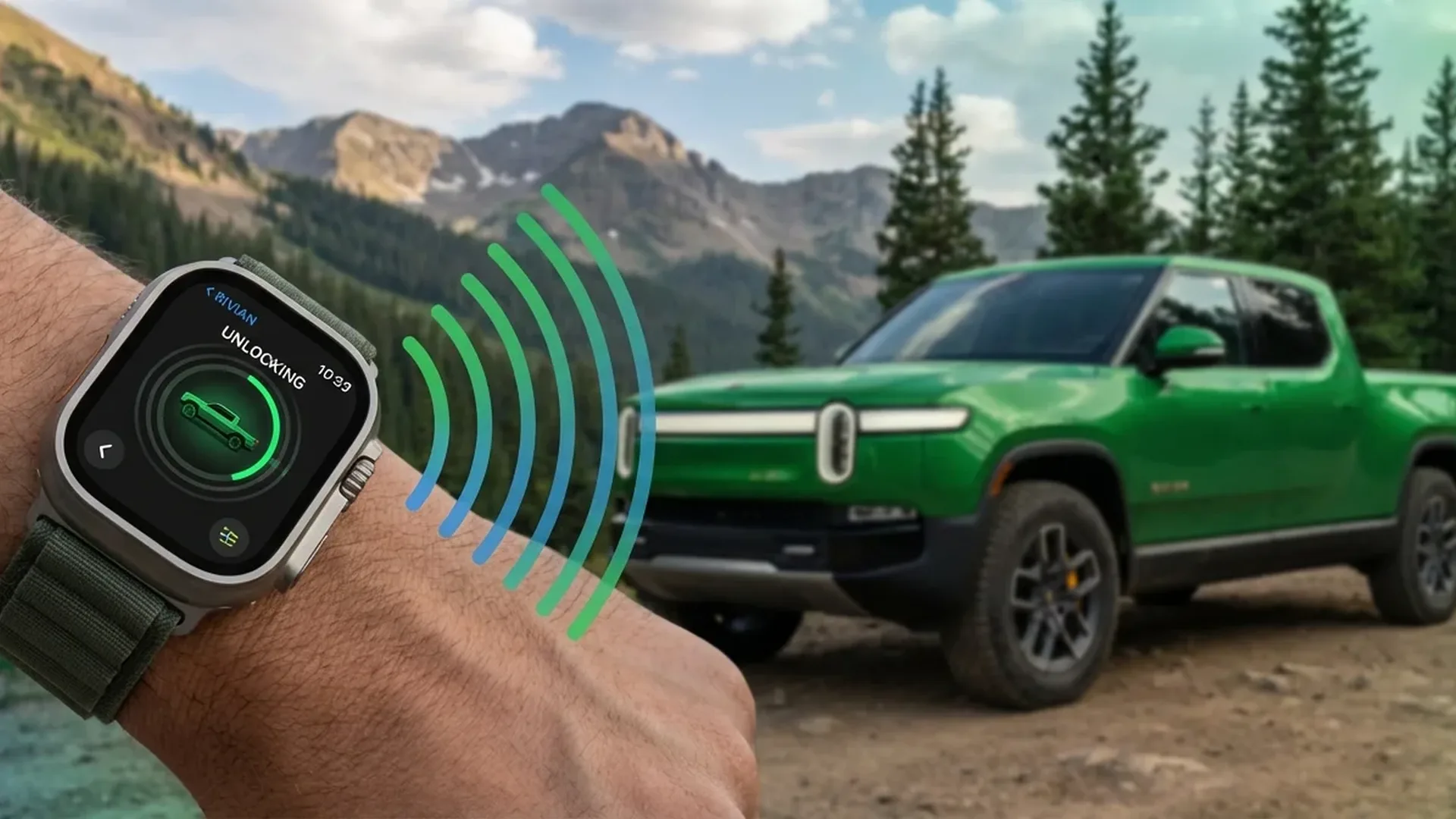
Rivian primarily uses UWB, which allows the car to know the precise location of the key within centimetres. This means your R1T or R1S can unlock automatically as you approach, without you needing to raise your hand. The precision of UWB eliminates the relay attack vulnerability that plagues traditional keyless entry systems.
Unlock, Lock, and Start
Once you set up the digital key, the Apple Watch becomes a fully functional car key. Walk towards the car and it unlocks automatically. Sit in the driver's seat, press the start button, and the electric drivetrain activates. Walk away and the car locks itself automatically after a few seconds. The entire experience is seamless and requires zero interaction with the watch itself.
Setup: Step by Step
1. Open the Rivian app on your iPhone
2. Go to Vehicles → Digital Keys
3. Tap “Add to Apple Watch”
4. Follow the verification instructions
5. The key appears in Apple Watch Wallet
The entire process takes < 3 minutes.
The Rivian App on Apple Watch
Beyond the digital key, the Rivian app on Apple Watch provides a comprehensive view of your vehicle. You can see:
- Battery level: Charge percentage, estimated range in kilometres
- Charging status: Whether it is charging, time remaining, charge rate in kW
- Range: Estimated range based on current charge and driving patterns
- Climate control: Turn A/C on or off, set temperature before you get in
- Location: Where you parked, shown on a map
This means that in winter, you can warm up the car from your sofa with a few taps on the Apple Watch, without reaching for the iPhone. In summer, you can cool the cabin down before stepping inside.
Sharing Your Digital Key
One of the most useful features is the ability to share your digital key with family members. Through Apple Wallet, you can send a key to up to 5 people. Each key can have different permissions — for example, a teenager might be able to unlock but not start, or they might be allowed to drive but with a speed restriction.
Sharing happens via iMessage, and the key appears in the recipient's Wallet. If needed, you can revoke a shared key at any time through the Rivian app, giving you complete control over who has access to your vehicle.
📖 Read more: ECG on Apple Watch: New Data on Measurement Accuracy
Phone-Free Driving
A huge advantage of using the Apple Watch as your car key: you do not need the iPhone. You can go for a run or a swim, leave the phone in the car, and use only the watch to unlock, start, and drive. This is especially convenient at beaches and gyms, where you would rather not carry a phone.
Even if your iPhone runs out of battery or you forget it at home, the Apple Watch operates independently as a key. The key is stored locally on the Secure Element chip inside the Watch, so no internet connection is required.
Security: The Secure Element Chip
The digital key is stored on the Secure Element, a dedicated encryption chip inside the Apple Watch. This is the same chip that protects Apple Pay data. Even if someone gains physical access to your watch, they cannot extract the key without your passcode or the paired iPhone's Face ID.
Other Cars with Apple Watch Support
Rivian is not the only manufacturer supporting Apple Watch as a car key. As of February 2026, the following brands support Car Key:
- BMW: The first brand to support Car Key (since 2020). Series 1-8, X, iX, i4, i5, i7 with UWB
- Hyundai: Ioniq 5, Ioniq 6, Tucson, Santa Fe (2024+ models) via NFC
- Kia: EV6, EV9, Sportage (2024+ models) via NFC
- Mercedes-Benz: C-Class, E-Class, S-Class, EQE, EQS (2023+) with UWB
- Genesis: GV60, G90, GV80 via NFC
- BYD: Seal, Atto 3 (Asia-Pacific markets)
NFC vs UWB: How Car Key Technology Works
There are two generations of Car Key technology. The first generation relies on NFC: you must bring the Apple Watch very close to a specific point on the car (usually the driver's door handle) to unlock. The second generation uses UWB: the car recognises the Watch from a distance of < 5 metres and unlocks automatically.
Rivian uses UWB (second generation), which delivers a significantly better experience. You do not need to raise your hand or hold it near anything — you simply walk towards the car and it responds. Additionally, UWB provides positional accuracy within centimetres, which protects against relay attacks that can fool traditional key fobs.
📖 Read more: Heart Month Challenge 2026: Participation Guide
Benefits of a Wrist-Based Car Key
Why is a car key on your wrist superior to one on your phone or a traditional fob?
- Running: Head out for a jog with nothing in your pockets — your watch is the key
- Swimming: The Apple Watch is water resistant to 50 metres — dive in and the key stays with you
- Forgotten phone: If you leave the iPhone at home or it dies, the Watch works independently
- Convenience: No digging for keys in a bag — just raise your wrist
- Sharing: Send a key to someone via iMessage instead of handing over a physical fob
The Future: Apple CarKey API
Apple has developed the CarKey API, which allows car manufacturers to integrate digital keys into the Apple ecosystem. The API supports both NFC and UWB, and Apple continues to refine it. In watchOS 12, support for more complex features is expected, such as automatic seat and mirror adjustment based on which key is being used.
By 2028, analysts estimate that more than 30 car manufacturers will support Car Key. The technology will evolve so that the car knows who is sitting in the driver's seat, automatically adjusting everything (seat, climate, music), and even applying parental restrictions if the key belongs to a young driver.
Frequently Asked Questions (FAQ)
Which Rivian models support Apple Watch Car Key?
The Rivian R1T and R1S (2022 and later) fully support Apple Watch as a digital key via UWB. The R2, expected in 2026, will also support it at launch.
Does the key need an internet connection to work?
No. The digital key is stored locally on the Secure Element chip in the Apple Watch. It works even in areas with no network coverage — communication happens exclusively between the Watch and the car via UWB.
What happens if the Apple Watch is lost or stolen?
You can remotely remove the key through Find My or the Rivian app. The watch requires a passcode after being removed from the wrist, so whoever finds it cannot use it without your passcode.
How many digital keys can I share?
Through Apple Wallet, you can send a key to up to 5 people. Each key can have different permissions (full access, restricted access, or unlock only).
Does the key work if the Apple Watch runs out of battery?
On models with Power Reserve, NFC continues to function for several hours after the watch shuts down. However, UWB requires power, so if the battery is completely drained, passive unlock will not work. Make sure to charge the Watch regularly.
Can I use the digital key with an Apple Watch SE?
Yes, provided the Apple Watch SE supports the required connectivity. Apple Watch SE 2nd generation and later support Car Key via NFC. For full UWB functionality, you need a Series 9, Ultra 2, or later model.