Wrist Flick: Apple Watch's Game-Changing Gesture Arrives
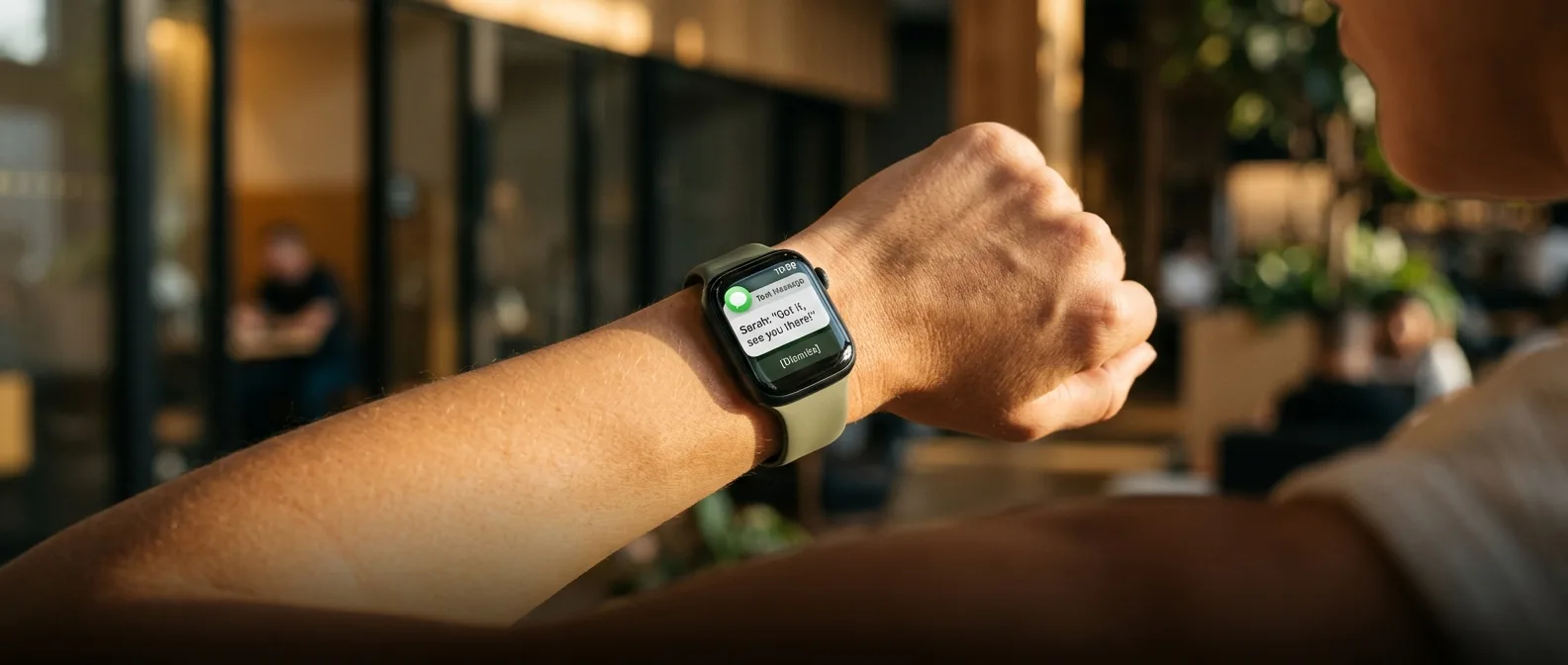
Flick your wrist. Watch every notification vanish. That's the magic of Wrist Flick, the new Apple Watch gesture that landed with watchOS 26 in 2026. Something so simple you initially thought "so what?" — until you realized you'd been living like a caveman all these years.
Wrist Flick isn't just another gesture. It's Apple's answer to "how do I dismiss stuff without breaking my deadlift to hunt for a tiny button?" Because let's face it — when you're holding 200 pounds and your boss texts about quarterly reports, the last thing you want is delicate finger choreography on a 45mm screen.
🔧 How Wrist Flick Actually Works
The mechanics are dead simple. Twist your wrist outward, then snap it back inward. Like you're flicking water off your hand, or tossing something into a trash can from across the room. Your Apple Watch detects the motion through its accelerometer and gyroscope, then executes the dismiss command.
No special force required. No technique to master. The motion is so natural that within days, it becomes automatic. Like you always had this superpower strapped to your wrist.
What You Can Dismiss
- Notifications (from any app)
- Apps (return to watch face)
- Incoming calls (mute, not reject)
- Timers and alarms (silence)
- System alerts
⚙️ Setup and Device Compatibility
To enable Wrist Flick, open the Apple Watch app on your iPhone, tap General > Gestures, and toggle on Wrist Flick. Or do it directly from your watch: Settings > Gestures > Wrist Flick.
But here's the catch — compatibility is limited. You need:
- Apple Watch Series 9 or newer
- Apple Watch Ultra 2 or Ultra 3
- Apple Watch SE 3
Older models? Forget about it. Apple justifies this restriction with the new machine learning model required for gesture detection. Apparently only the newer chips have enough processing power for the algorithm.
Why Not Older Models?
Technically, older Apple Watches have the same sensors (accelerometer, gyroscope). But the difference lies in neural processing. watchOS 26 uses a complex ML algorithm to distinguish intentional Wrist Flicks from random hand movements.
This means the chip must analyze dozens of parameters in real-time: acceleration, angular velocity, timing, even motion frequency. Work that older S8 and earlier chips apparently can't handle without sacrificing battery life.
🎯 Double Tap vs Wrist Flick: Perfect Complementarity
Double Tap debuted in 2023 with the Apple Watch Series 9. Two quick taps with thumb and index finger execute the primary action of whatever app is running. Nice, but what about canceling things?
Enter Wrist Flick. The two gestures work like yin and yang:
It's like having "yes" and "no" buttons on your wrist. Without touching the touchscreen, you can control basic watch functions. Perfect for workouts, driving, or any time your other hand is busy.
Real-World Impact
First week with Wrist Flick feels impressive but foreign. After ten days, it starts becoming habit. By month one? You wonder how you survived without it.
The biggest advantage isn't the "cool factor" technology. It's flow. When you're doing push-ups and a text arrives, you don't need to stop and hunt for the dismiss button. Flick and continue.
🔍 The Technology Behind the Gesture
Wrist Flick isn't random. Apple conducted extensive research on how humans naturally move their hands when wanting to "throw away" or "dismiss" something. The chosen gesture corresponds to innate human behavior.
But it also had to be distinctive enough to avoid accidental triggers. Timing is critical: too slow and it won't register. Too fast or sloppy, and it might be considered accidental.
"The new gesture uses an advanced ML algorithm to distinguish intentional from accidental movements"
Apple Developer Documentation
The algorithm analyzes dozens of metrics: initial acceleration, peak motion, deceleration speed, even angular deviation from base position. If everything matches the expected pattern, the dismiss command executes.
Machine Learning on Your Wrist
What makes Wrist Flick special is that it "learns" how you move. First few days might require slightly more pronounced motion to register. Over time, the system adapts to your personal kinetic "signature".
This happens locally, on the Apple Watch chip. No data gets sent to Apple — machine learning runs on-device. Privacy and speed in one package.
💪 Real-World Applications
Theory sounds great. But where does Wrist Flick actually make a difference?
At the Gym
This is where it makes the biggest difference. When you're squatting 180 pounds, the last thing you want is losing concentration to dismiss a WhatsApp message. Flick, and the notification vanishes without breaking your set.
Same applies to cardio. Treadmill, bike, rowing machine — anywhere your hands are occupied but you want notification control.
While Driving
Yes, I know we shouldn't mess with watches while driving. But at red lights, in parking lots, at stops? Wrist Flick is a much safer way to dismiss notifications than hunting for screen buttons.
Cooking
When you're kneading dough or have messy hands, Wrist Flick saves the day. Oven timer goes off? Flick to silence it without abandoning your bread.
Workouts
Dismiss notifications without breaking exercise flow
Driving
Safe notification control at traffic lights
Cooking
Silence timers with messy hands
🚫 Limitations and Gotchas
Wrist Flick has its weaknesses. First, it's not customizable like Double Tap. You can't tell it "instead of dismiss, go back" or "skip to next track".
It's strictly for dismissing. Period.
Second, it requires some practice to become reliable. Initially, you might need to do it twice for recognition. Or overemphasize the motion. After a few weeks though, it becomes second nature.
False Positives and Battery Impact
Rarely, but it happens: some vigorous hand movement might register as Wrist Flick. For example, when yanking off a sweater or making a quick gesture while driving.
For battery impact, Apple claims it's minimal. The algorithm runs continuously in the background, but uses dedicated neural processing units optimized for low power consumption.
🔮 Future and Evolution
2026's Wrist Flick is just the beginning. Apple already has patents for more complex gestures that could arrive in future watchOS updates.
Imagine: different flick directions for different actions. Flick left for "Previous", right for "Next". Or even 3D gestures using spatial awareness.
For now though, single-purpose Wrist Flick does exactly what it should. Makes dismissing easy, fast, and hands-free. What more do you want from a gesture?
🎯 Frequently Asked Questions
Does Wrist Flick work with all apps?
Yes, Wrist Flick operates at the system level and works with all apps that support dismiss actions. From native Apple apps to third-party applications — if you can dismiss with a tap, you can dismiss with a flick.
Can I disable it if I don't want it?
Absolutely. Go to Settings > Gestures > Wrist Flick and turn it off. This doesn't affect any other Apple Watch functions. Double Tap continues working normally.
Does it need special training or calibration?
No, Wrist Flick works out of the box. The system gradually learns your personal kinetic "signature" and becomes more accurate over time. No manual setup or training session required.
Sources: