📱 What Is Call Screening on iPhone?
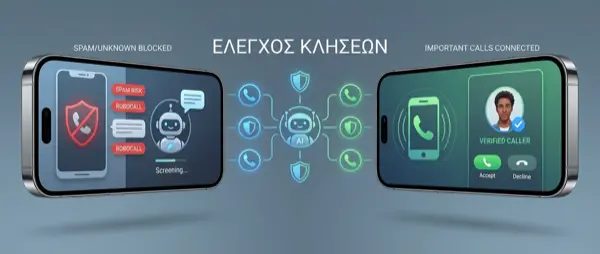
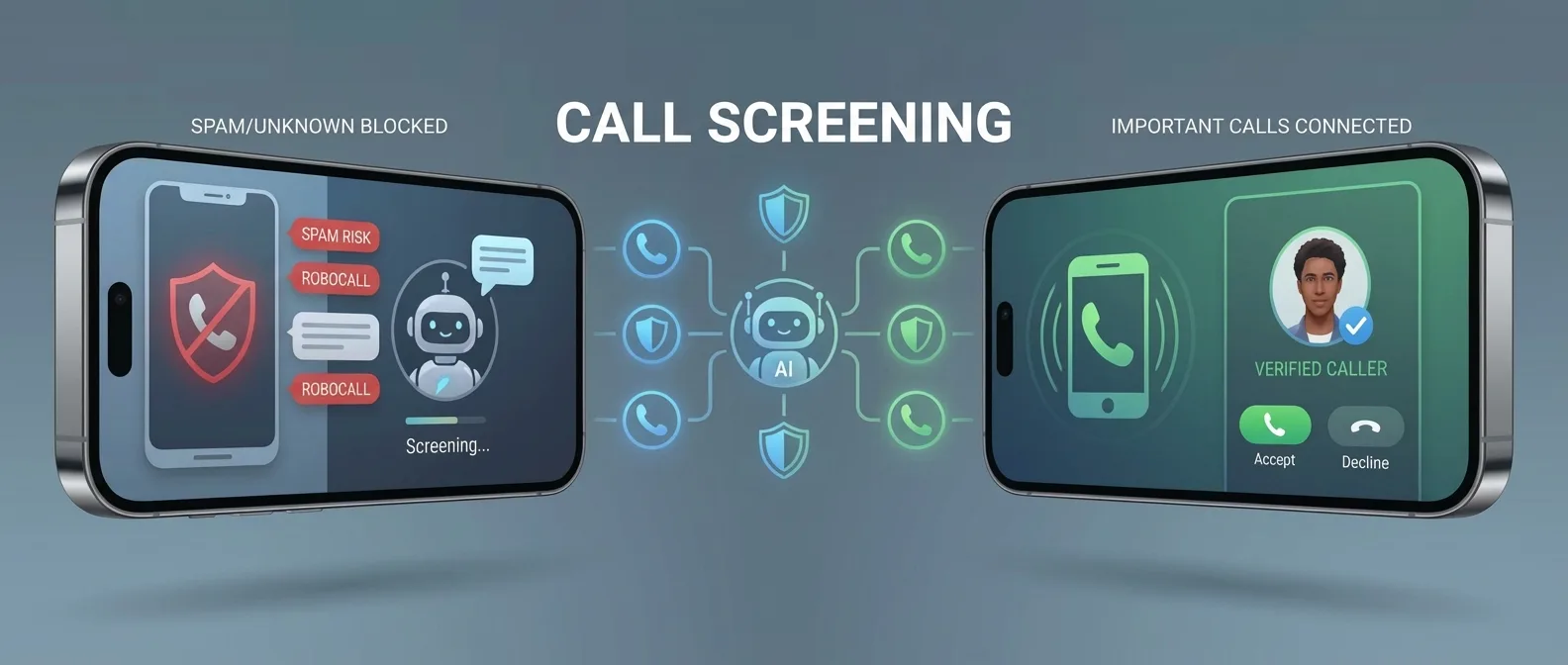
Call Screening is a new feature that Apple introduced with iOS 26 (WWDC 2025) as part of the Apple Intelligence platform. When you receive an incoming call, instead of answering or rejecting it, you can tap the "Screen" button. The iPhone automatically asks the caller to explain the reason for their call, while you see a live transcript on your screen in real time.
The technology behind this feature is based on Apple Intelligence's neural models, which run locally on the device — without sending any data to the cloud. This means your privacy remains fully protected.
💡 How it works step by step: Call comes in → You tap “Screen” → Siri asks the caller to speak → You see the live transcript → You decide: Accept, Decline, or Message.
🔄 Live Transcript: Real-Time Transcription
The heart of Call Screening is the live transcription. As soon as the caller starts speaking, their words appear on your screen in real time, as if you're reading a message. The transcription is remarkably accurate thanks to Apple's on-device language models.
During screening, you see three options on your screen:
- ✅ Accept: If you recognize the reason for the call, you can answer immediately
- ❌ Decline: Ends the connection if it's an unwanted call
- 💬 Message: Sends an automatic SMS to the caller if you can't talk
"With Call Screening, we give users full control over their communications, without compromising on privacy."
🆚 Call Screening vs Silence Unknown Callers
Many iPhone users are already familiar with the "Silence Unknown Callers" feature that has been available since iOS 13. However, Call Screening is something entirely different and far more advanced.
📖 Read more: iOS 26 Complete Guide: Every New Feature Explained
📊 Feature Comparison
The key difference is that Silence Unknown Callers blindly blocks all unknown calls, which can cause you to miss important ones (e.g., from a doctor, courier, or technician). In contrast, Call Screening gives you the full picture before you decide.
🤖 Comparison with Google Pixel's Call Screening
Google was the first to introduce Call Screening on Pixel smartphones in 2018. The feature uses Google Assistant to answer calls, ask the caller why they're calling, and display a transcript. Apple adopted a similar approach, but with significant differences:
🍎 Apple Call Screening
100% on-device processing via Apple Intelligence. Data never leaves the device. Built into iOS 26+ with no dependency on cloud services. Multi-language support with local models.
📱 Google Call Screening
Uses Google Assistant (cloud-based in many cases). Available only on Pixel and select devices. Limited language coverage — doesn't fully support many languages yet. Automatic spam detection.
⚙️ How to Enable Call Screening
The setup is simple and takes just a few steps:
- Update to iOS 26 or later (Settings → General → Software Update)
- Make sure Apple Intelligence is enabled (Settings → Apple Intelligence & Siri)
- Go to Settings → Phone → Call Screening
- Enable the feature and choose your screening preferences (all calls or unknown numbers only)
- Optionally, set up automatic screening for calls from non-contacts
⚠️ Note: Call Screening requires iPhone 16 or later with Apple Intelligence support. Older models don't have access to this feature but retain Silence Unknown Callers.
📖 Read more: Journal App iPhone: AI Life Diary in 2026
🔒 Privacy & On-Device Processing
One of the most significant advantages of Apple's Call Screening is its fully local processing. Unlike third-party solutions that send data to external servers, Apple uses the iPhone's Neural Engine for:
- 🧠 Speech Recognition: On-device models convert speech to text without an internet connection
- 🔐 No cloud storage: Transcripts are stored only locally on your device
- 🛡️ End-to-end protection: Even Apple has no access to the content of your calls
- ⚡ Low power consumption: The Neural Engine is designed for efficient AI processing
🇬🇷 Protection from Spam Calls in Greece
Greece faces a serious problem with unwanted calls. Telemarketing calls, energy companies, telecom providers, and suspicious international numbers are a daily reality for millions of Greeks. Call Screening offers a smart solution to this problem:
📞 Telemarketing
Instantly identify if someone is calling to sell a product and decline without wasting your time.
🏥 Important Calls
Never miss a call from a doctor, hospital, or courier — see immediately why they're calling you.
🌍 International Numbers
Filter suspicious calls from international numbers that are often associated with scams.
👴 Elderly Users
Ideal for elderly people who struggle to identify spam — the transcript helps them make a decision.
💼 Use Cases
Call Screening isn't just for spam protection. There are many scenarios where it proves invaluable:
- Professionals & Freelancers: Filter calls during meetings. See if it's a client or spam without interrupting your meeting
- Personal use: Avoid annoying callers without feeling guilty — you know exactly who's looking for you
- Elderly family members: Set it up on parents' or grandparents' iPhones for protection against phone scams
- Small businesses: Manage calls efficiently without the need for a receptionist or call center
- Doctors & Lawyers: Identify urgent patient/client calls even during off-hours
📖 Read more: New Siri 2026: Google Gemini AI Integration Coming to iPhone
📲 Third-Party Apps: Truecaller & Alternatives
Before Apple's Call Screening, many users relied on third-party apps for caller identification. The most popular is Truecaller, which has a database of billions of phone numbers and identifies spam callers.
However, these apps have significant drawbacks:
- They require access to your contacts (privacy concern)
- They send data to external servers for analysis
- Many features require a premium subscription
- They don't offer live transcription — only number identification
With Call Screening, Apple integrates these capabilities natively into iOS, without the need to install third-party apps or share personal data.
🏪 OnOff.gr Tip: If your iPhone doesn't support Apple Intelligence, at OnOff.gr you'll find pre-owned iPhone 16 models in excellent condition at affordable prices, so you can access all the new AI features, including Call Screening.
🚀 The Future of Call Screening
Apple is expected to further develop Call Screening in future iOS versions. Among the anticipated improvements are:
- 📊 AI voice tone analysis: Recognizing if the caller sounds urgent, angry, or is using pressure tactics (telemarketing)
- 🌐 Support for more languages: Full Greek language support for transcription is expected in future updates
- 🤖 Automatic replies: Siri will be able to provide personalized responses based on your preferences
- 📋 Screening history: Complete recording of transcripts from past calls for reference
"Call Screening is just the beginning. Apple Intelligence will completely transform the way we interact with phone calls."
📝 Conclusion
Call Screening on iPhone is one of the most practical applications of Apple Intelligence in our daily lives. In an era where unwanted calls are constantly increasing, the ability to see in real time what the caller is saying before you answer is invaluable. Whether it's for spam protection or managing business calls, Call Screening gives you ultimate control in your hands.
If you want to make the most of this feature, make sure your iPhone is running iOS 26 or later and supports Apple Intelligence. And if you're looking for an upgrade, OnOff.gr is here to help you find the ideal iPhone for you! 📱